
Riiipper - Minecraft Skins & Skin History
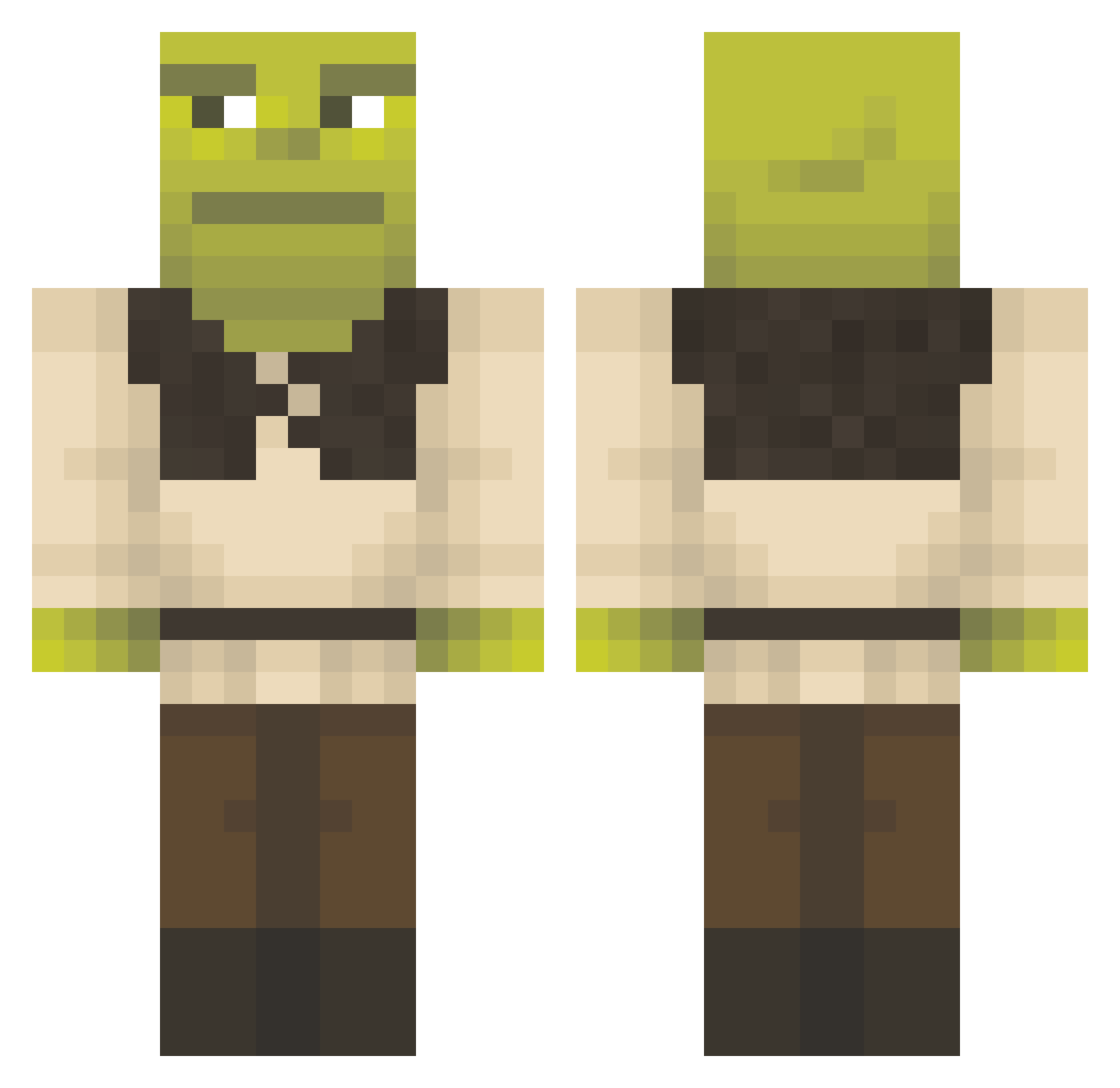
Current Minecraft skin of the player Riiipper, loaded from the official Mojang API. Rotate the 3D model with your mouse or finger, then download the skin as a PNG file and use it in Minecraft: Bedrock Edition or Java Edition for free. When Riiipper changes their skin, this page updates automatically and the old skin stays in the history below.
Other players with this skin (1358)
Riiipper was the 337th player we have seen with this skin, first spotted on 21.08.2026. The same skin was seen on these players. Open a nickname to see their current skin and skin history.
 Brugell R2D2_Whereru Asiul666 ImOlderThanU joao_chavoso Zalla_Land bluntman21 bekicotman LordLoerres PedrOdonto yaboiBase E36nathan unablegor Tr0tari GDragon_1_ WetMelown Sploosh1237 JeroenKWZ1 kappallin pLMrFat ItzGansMx ChunkyDunkin32 le0vg4 bluelamon huggug longgu999 Tradingsauce_850 cidkorrupt elegantwax0625 MetOnly SkillzIsDumb HerMoonlight98 Neptune129 ilovehomosexuals derJonk Zhannyx0 TheTaintTickler0 atemcozz Awesomeash1237 Jaeyeons ItsJaniinee
 rxzmus Ehttol Mightymunchkin98 zhiker99 snortingskittles Pineapplestinks Trust10 Liiip0 Antdog_5768 Angehermosa DuckExterminator Gbab22 FelpaVilla TermoSimone980 Ouiw_ Lil_bala01 Julen121 AshleyBrown ChopCheese0BEV
More Shrek Minecraft skins
How to install the Riiipper skin
- Press the Download button above to save the skin as a PNG file.
- Minecraft: Bedrock Edition (PE): open the Dressing Room from the main menu (or tap your character → Edit Character), go to Classic Skins → Owned, press the + (new skin) button, choose the downloaded PNG and pick the Classic (Steve) model. Works on PC and mobile; consoles cannot import custom skins.
- Minecraft: Java Edition: open the Minecraft Launcher, go to the Skins tab, click New Skin, load the PNG, pick the Classic (Steve) model and press Save & Use. You can also upload it at minecraft.net → Profile → Change Skin.
The skin does not show up after import - what should I do?
Restart Minecraft and open the Dressing Room again - imported skins sometimes appear only after a restart. Also make sure you selected the imported skin and picked the Classic (Steve) model.
Which model should I choose, Classic or Slim?
This skin is designed for the Classic (Steve) model. If you pick the wrong model, the arms of the skin will look stretched or squeezed.
Is the skin of Riiipper free to download?
Yes. Press Download, save the PNG file and use it in Minecraft: Bedrock Edition or Java Edition - no payment or registration needed. The skin also works on multiplayer servers and Realms.
More skins
Looking for more? Go back to all Minecraft skins and check the top skins of the week, month and all time, or find any player's skin by nickname.