
RiGaPa - Minecraft Skins & Skin History
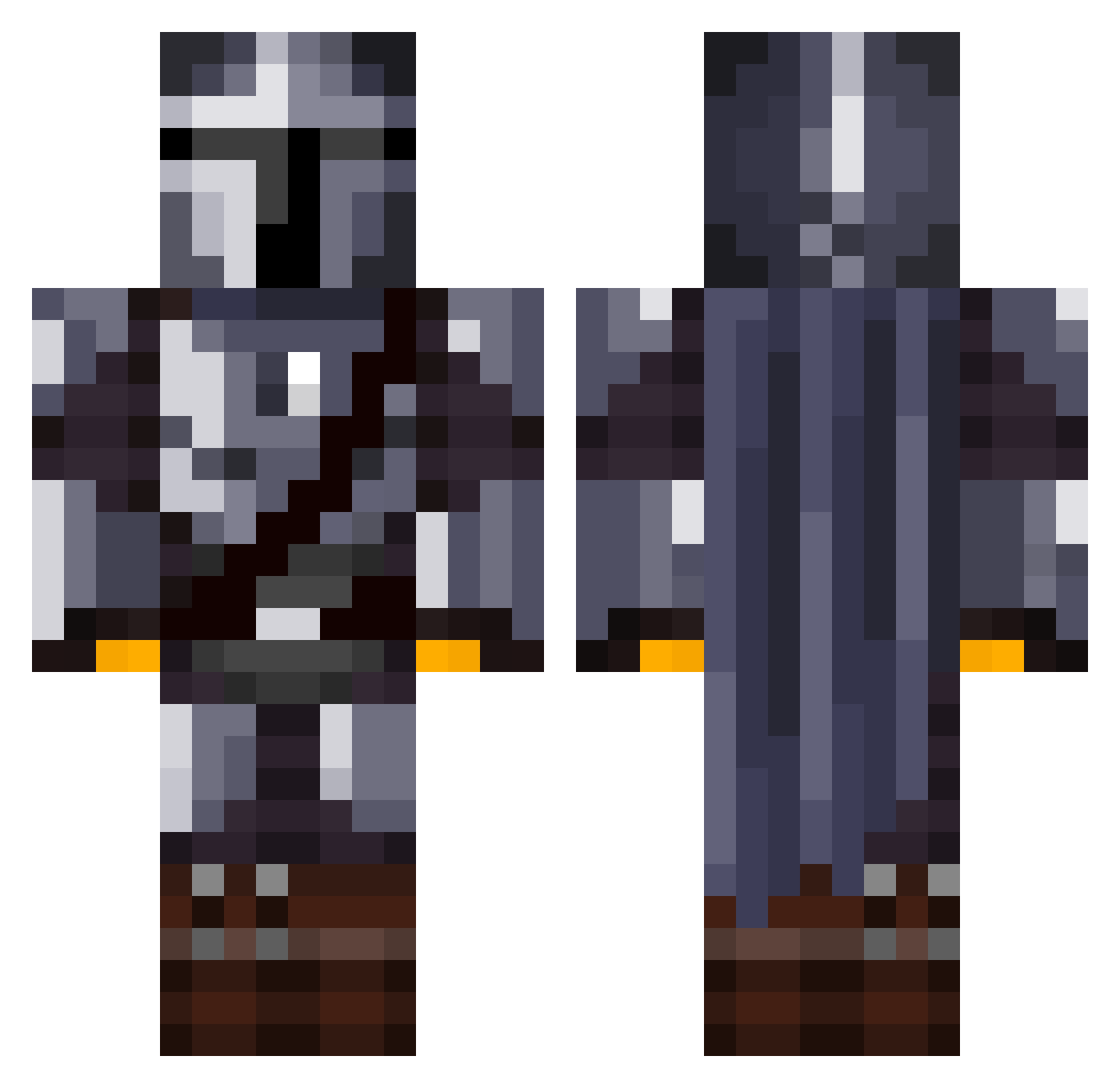
Current Minecraft skin of the player RiGaPa, loaded from the official Mojang API. Rotate the 3D model with your mouse or finger, then download the skin as a PNG file and use it in Minecraft: Bedrock Edition or Java Edition for free. When RiGaPa changes their skin, this page updates automatically and the old skin stays in the history below.
Other players with this skin (1032)
RiGaPa was the 835th player we have seen with this skin, first spotted on 04.10.2026. The same skin was seen on these players. Open a nickname to see their current skin and skin history.
 ReviKV DARK711 Coleoideart Quijano71 Zap_2 EzPzLemon_Greezy happy_shmeat Spr1teMan Mmoo5925 kalenekoz drgjidhguizd JaaayBaaay Ohaming Audenian CreamyCancer BusyPolecat60 nicox61 TheIceman95 Nathanios456 Belakor123 Fraijilverto bobla6 Draked1 Mr_Absent190 Xzibeats NikNakNoah GZLW FLawn3 StinkBeard Captnmcmfsharky Brutonix Warhiever AlphaShadow23 Amir_joje xStaTicXhelte Fimbulvvinter Fiyce_ Rain3Drop Depechnik S1mplyPlayss Napskee ShockRaccoon Carlos_0117 WetNeal MichalJay ItsCoin WizardSama GegeV9 Kamolot_TheRT Emms__ crambeer OmikronPi HuargoGris DwaPolishSausage ToxicMick lil_Ren BramCurtis ShadowRaptor737 morten123sol THE1stJACKAL
More The Mandalorian Minecraft skins
See all 515 The Mandalorian skins
How to install the RiGaPa skin
- Press the Download button above to save the skin as a PNG file.
- Minecraft: Bedrock Edition (PE): open the Dressing Room from the main menu (or tap your character → Edit Character), go to Classic Skins → Owned, press the + (new skin) button, choose the downloaded PNG and pick the Classic (Steve) model. Works on PC and mobile; consoles cannot import custom skins.
- Minecraft: Java Edition: open the Minecraft Launcher, go to the Skins tab, click New Skin, load the PNG, pick the Classic (Steve) model and press Save & Use. You can also upload it at minecraft.net → Profile → Change Skin.
The skin does not show up after import - what should I do?
Restart Minecraft and open the Dressing Room again - imported skins sometimes appear only after a restart. Also make sure you selected the imported skin and picked the Classic (Steve) model.
Which model should I choose, Classic or Slim?
This skin is designed for the Classic (Steve) model. If you pick the wrong model, the arms of the skin will look stretched or squeezed.
Is the skin of RiGaPa free to download?
Yes. Press Download, save the PNG file and use it in Minecraft: Bedrock Edition or Java Edition - no payment or registration needed. The skin also works on multiplayer servers and Realms.
More skins
Looking for more? Go back to all Minecraft skins and check the top skins of the week, month and all time, or find any player's skin by nickname.