
Retroma1a - Minecraft Skins & Skin History
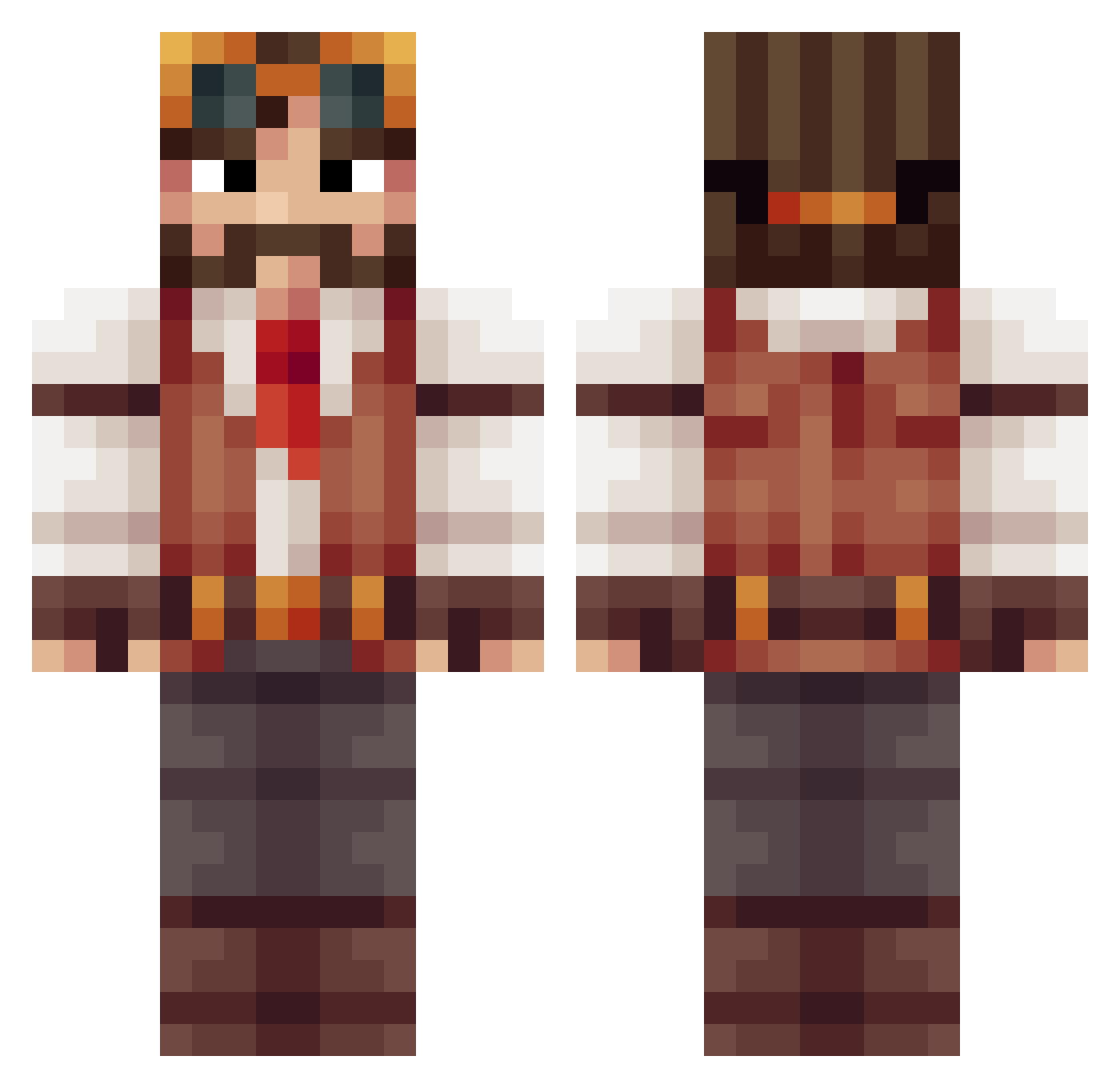
Current Minecraft skin of the player Retroma1a, loaded from the official Mojang API. Rotate the 3D model with your mouse or finger, then download the skin as a PNG file and use it in Minecraft: Bedrock Edition or Java Edition for free. When Retroma1a changes their skin, this page updates automatically and the old skin stays in the history below.
Other players with this skin (415)
Retroma1a was the 117th player we have seen with this skin, first spotted on 24.08.2026. The same skin was seen on these players. Open a nickname to see their current skin and skin history.
 GoonsMcGee poorfish3 MegaArt TimZhang1539 Mondii sansx21 Kreskeres Maxlord890 ScreaminCobra pollito_riko FullmetalQrow RedAran Ed_harry Waisipla Skyavoker Yadd64 millercm4 ALiEN_sss Sammyboi7204 FranV2 K4lhue Siperelite MKWolf13 Wiedrew Zeigh Smooshar FoxCreeper Naidjack Sirnitros CaptainNubNub Vithys Poooluuux yigitonem HeroThomas DirtyWarrrior InsaneOak Kyopiri LJWallace 6perma2 Oddwester DerSchIosser Happypancakes56 FOGbside mtandy B00bay Dim04kaaa rodal Steammagus42 Drakoweed BLegion Decoder_ ctigs28 Arbustine Taagart BlazeItSon420 pelicaano Ga_Ma_Do GamerMB_Explorer cryoconite SuperSpartaan
More Explorer Minecraft skins
How to install the Retroma1a skin
- Press the Download button above to save the skin as a PNG file.
- Minecraft: Bedrock Edition (PE): open the Dressing Room from the main menu (or tap your character → Edit Character), go to Classic Skins → Owned, press the + (new skin) button, choose the downloaded PNG and pick the Classic (Steve) model. Works on PC and mobile; consoles cannot import custom skins.
- Minecraft: Java Edition: open the Minecraft Launcher, go to the Skins tab, click New Skin, load the PNG, pick the Classic (Steve) model and press Save & Use. You can also upload it at minecraft.net → Profile → Change Skin.
The skin does not show up after import - what should I do?
Restart Minecraft and open the Dressing Room again - imported skins sometimes appear only after a restart. Also make sure you selected the imported skin and picked the Classic (Steve) model.
Which model should I choose, Classic or Slim?
This skin is designed for the Classic (Steve) model. If you pick the wrong model, the arms of the skin will look stretched or squeezed.
Is the skin of Retroma1a free to download?
Yes. Press Download, save the PNG file and use it in Minecraft: Bedrock Edition or Java Edition - no payment or registration needed. The skin also works on multiplayer servers and Realms.
More skins
Looking for more? Go back to all Minecraft skins and check the top skins of the week, month and all time, or find any player's skin by nickname.