
Regis_7 - Minecraft Skins & Skin History
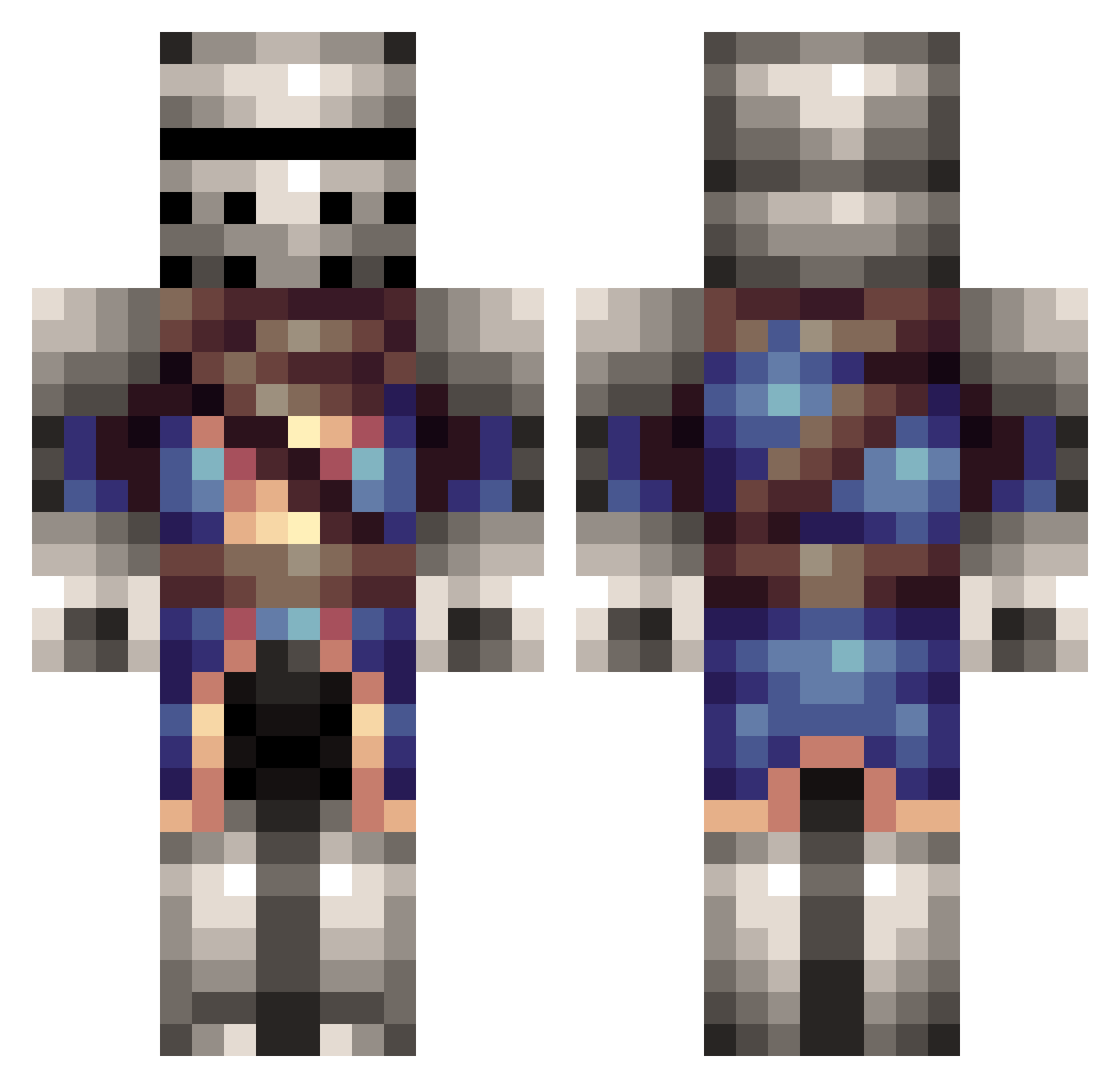
Current Minecraft skin of the player Regis_7, loaded from the official Mojang API. Rotate the 3D model with your mouse or finger, then download the skin as a PNG file and use it in Minecraft: Bedrock Edition or Java Edition for free. When Regis_7 changes their skin, this page updates automatically and the old skin stays in the history below.
Other players with this skin (191)
Regis_7 was the 102nd player we have seen with this skin, first spotted on 29.09.2026. The same skin was seen on these players. Open a nickname to see their current skin and skin history.
 Darkbaltha GoodKnight_ RidderRoel getlogan_ cake_broken423 Bluedrago88 Syjak Grindin_soul GrafMrakyla Blackwolf16x UlyssesIE Nelson6525 Nonleadedfall HuGOATy TvojeStara WimpishWord86 Ruthal BILLYMAZEHERE13 z1z1y2 Quantum7567 Patriot7567 OnkoTemo Running_Heng Merry2014 xhappygamerx Chromatic_popo Tybeno7 AaronXIV unknown_zyx Bsoul11 Ahmadshadow airballerz Zarr907 Out51d3r GeoffGoodman Caelu225 EGG7124 CharlesBabbage81 le_gueu Jeraw Taz_Man_04 Derangedpython Mexican_Jaun_II Emperis_ Boywithfishlegs Lord_Bradko Alhes kevvaull97 TheProkillers StormRain202 FurriestDragon Bombastic_Coco snowypear Unown_Madness Mrroli Meet_the_Spy321 PapaCdoi BrotherNinja102 final705 Alr3adyGone
More Medieval Minecraft skins
How to install the Regis_7 skin
- Press the Download button above to save the skin as a PNG file.
- Minecraft: Bedrock Edition (PE): open the Dressing Room from the main menu (or tap your character → Edit Character), go to Classic Skins → Owned, press the + (new skin) button, choose the downloaded PNG and pick the Classic (Steve) model. Works on PC and mobile; consoles cannot import custom skins.
- Minecraft: Java Edition: open the Minecraft Launcher, go to the Skins tab, click New Skin, load the PNG, pick the Classic (Steve) model and press Save & Use. You can also upload it at minecraft.net → Profile → Change Skin.
The skin does not show up after import - what should I do?
Restart Minecraft and open the Dressing Room again - imported skins sometimes appear only after a restart. Also make sure you selected the imported skin and picked the Classic (Steve) model.
Which model should I choose, Classic or Slim?
This skin is designed for the Classic (Steve) model. If you pick the wrong model, the arms of the skin will look stretched or squeezed.
Is the skin of Regis_7 free to download?
Yes. Press Download, save the PNG file and use it in Minecraft: Bedrock Edition or Java Edition - no payment or registration needed. The skin also works on multiplayer servers and Realms.
More skins
Looking for more? Go back to all Minecraft skins and check the top skins of the week, month and all time, or find any player's skin by nickname.