
ReeceJGil - Minecraft Skins & Skin History
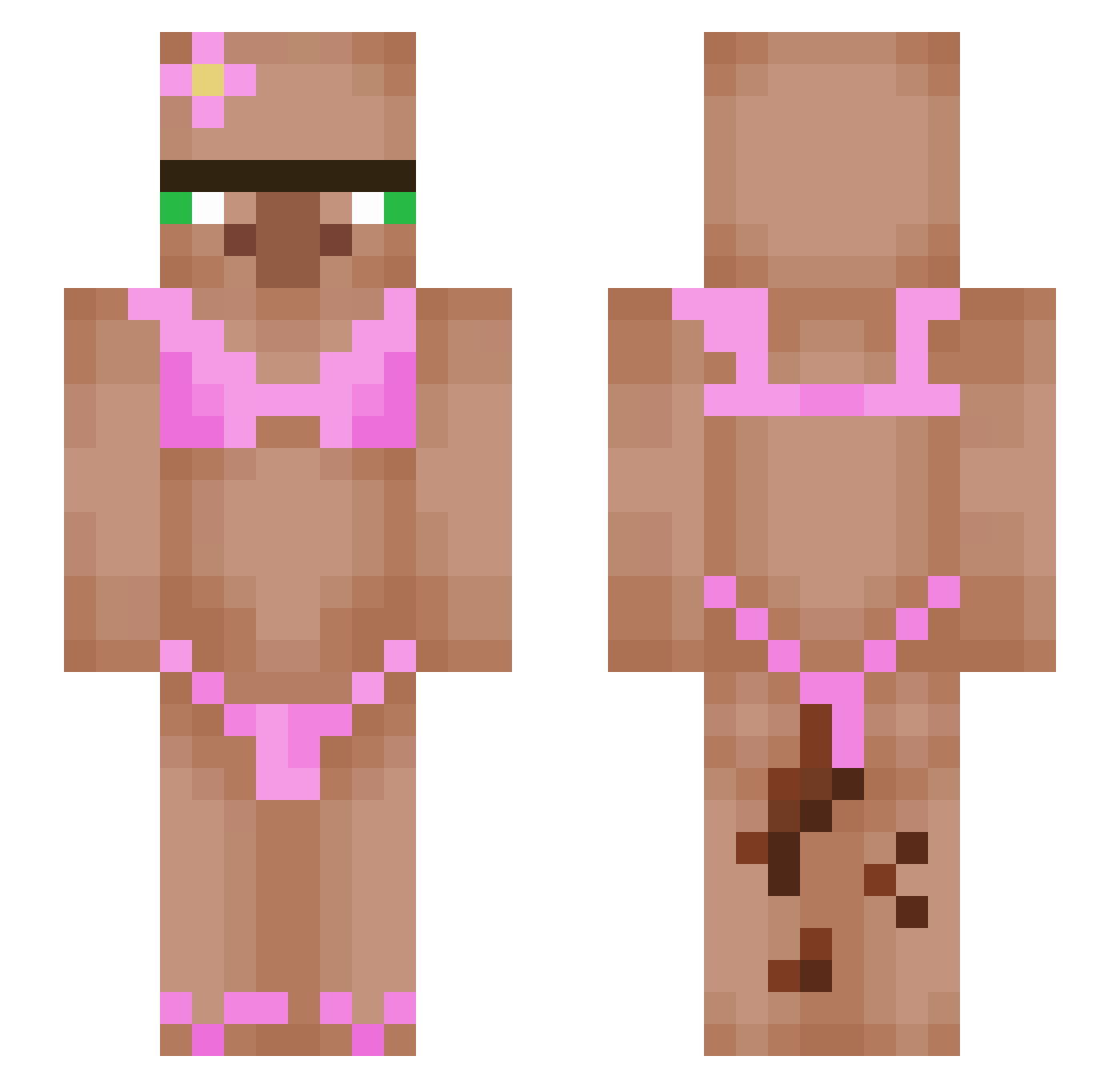
Current Minecraft skin of the player ReeceJGil, loaded from the official Mojang API. Rotate the 3D model with your mouse or finger, then download the skin as a PNG file and use it in Minecraft: Bedrock Edition or Java Edition for free. When ReeceJGil changes their skin, this page updates automatically and the old skin stays in the history below.
Other players with this skin (553)
ReeceJGil was the 340th player we have seen with this skin, first spotted on 01.10.2026. The same skin was seen on these players. Open a nickname to see their current skin and skin history.
 guyushen Lyflo wxcxx Solper_1 pedo4 Cockatiel_Bird NOM_Munchies doggej5 D1Trademark RenjaRenja Papato_uwu Ramurietta Jack_IngofXZ GoDMerC U1iq McNagi N0nE97 RichEgg24 LargePlanet FrustratedPinkie ofenkartoffeln garlicbread_123 Morsi23 cheel69 adamzard bolibommpa Norweg22 Xipsy drivebyler owensloco benney234 Casperxlz honscone skibiditoi33 Teybouze WoozyMistress _cherrybunny Byscuit28 Makezuko ALBAT4850 dri__dri _Skull_Trooper_ BenZiener_ Pugstaa Chomper69 CoolydogYTMC Gussy63third Ilikediddy Estwak GForc333 daph_rocks LoyalBread6 Dwrongbbx Chiristian SuziObesa Wawa_man1234 MARIUS12345678 _MrPumpernickle_ McHiri Guzman27
More Bikini Minecraft skins
How to install the ReeceJGil skin
- Press the Download button above to save the skin as a PNG file.
- Minecraft: Bedrock Edition (PE): open the Dressing Room from the main menu (or tap your character → Edit Character), go to Classic Skins → Owned, press the + (new skin) button, choose the downloaded PNG and pick the Slim (Alex) model. Works on PC and mobile; consoles cannot import custom skins.
- Minecraft: Java Edition: open the Minecraft Launcher, go to the Skins tab, click New Skin, load the PNG, pick the Slim (Alex) model and press Save & Use. You can also upload it at minecraft.net → Profile → Change Skin.
The skin does not show up after import - what should I do?
Restart Minecraft and open the Dressing Room again - imported skins sometimes appear only after a restart. Also make sure you selected the imported skin and picked the Slim (Alex) model.
Which model should I choose, Classic or Slim?
This skin is designed for the Slim (Alex) model. If you pick the wrong model, the arms of the skin will look stretched or squeezed.
Is the skin of ReeceJGil free to download?
Yes. Press Download, save the PNG file and use it in Minecraft: Bedrock Edition or Java Edition - no payment or registration needed. The skin also works on multiplayer servers and Realms.
More skins
Looking for more? Go back to all Minecraft skins and check the top skins of the week, month and all time, or find any player's skin by nickname.