
Redsgrzegorz - Minecraft Skins & Skin History
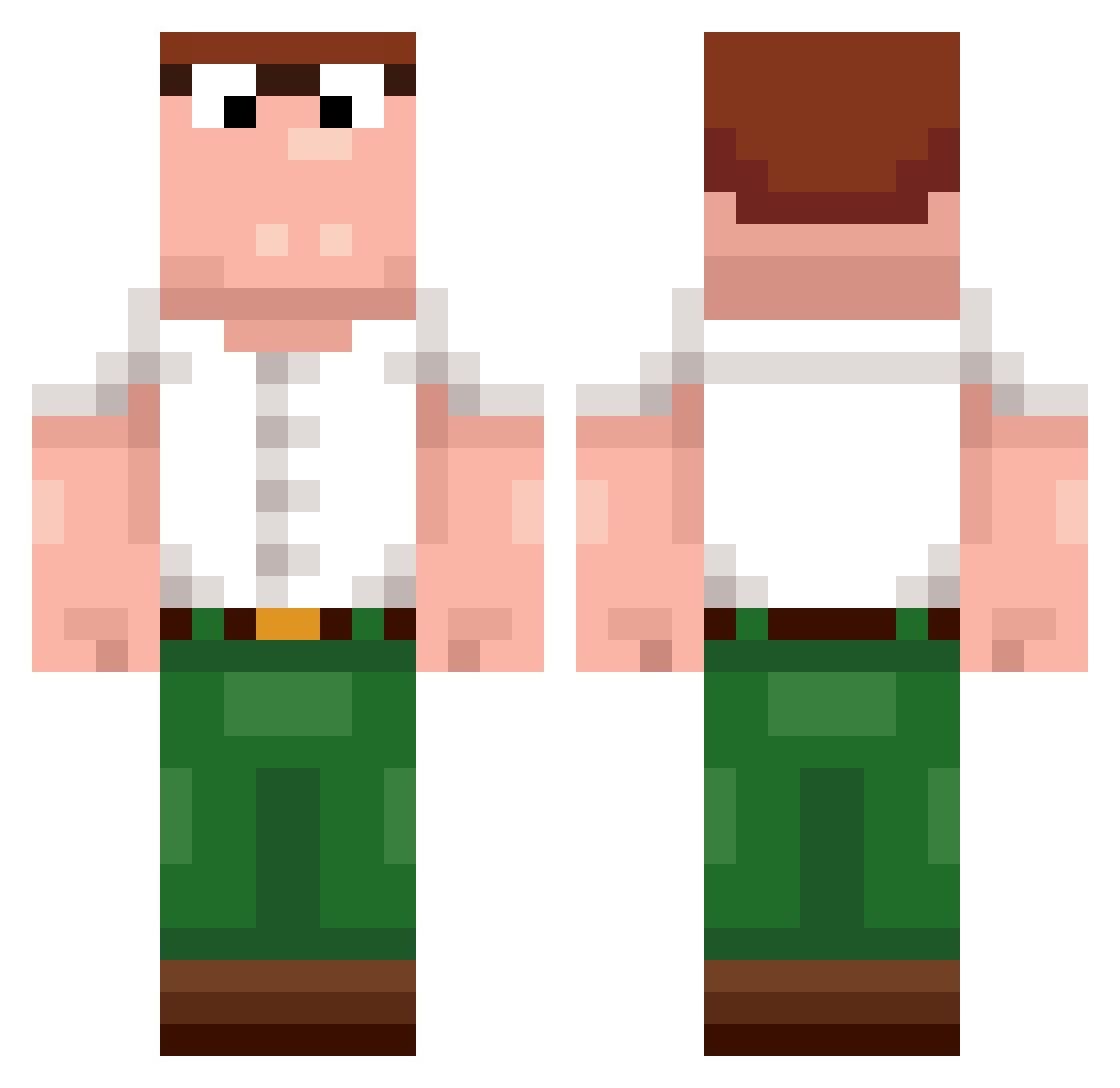
Current Minecraft skin of the player Redsgrzegorz, loaded from the official Mojang API. Rotate the 3D model with your mouse or finger, then download the skin as a PNG file and use it in Minecraft: Bedrock Edition or Java Edition for free. When Redsgrzegorz changes their skin, this page updates automatically and the old skin stays in the history below.
Other players with this skin (255)
Redsgrzegorz was the 102nd player we have seen with this skin, first spotted on 04.09.2026. The same skin was seen on these players. Open a nickname to see their current skin and skin history.
 Sebass8694 NielsNullermand WildWaffle TakinAcid Remediated JPEGUltra legendary44Twich B0deMAN diogenisproGRy duckdemon52 TannerCDS Triqqered_ Duracho Unemployed420 polykk Minex876 yourokayatlife weeddabs420 Qorcet ImplodingK1tten ambalchik liluzigreen8 azuyousan OnlyasSquid CORUHZZZ farzanxr Butowski 1xMohameeeD WH_NyZx xQdu Xuniel Pstoq Nove691 NicoBB009
 Bigyt9 Mingounavailable Deekeeke GutayTlara12618 Spachino BigLocsta heatstroke richtigdieGusche tzi_rhSrM_07_30 LaQuica57100 ChrisTr29 TheJoeSwanson retapp clapzzd Vonrah Yorbi FORIN63 ABO_HAMID_1 hectormn555 IMPGP1651 Dewier_aoS629 Affenneecher moinmoin1239 WillDubs0616 Lav1417 oakarbb
Previous skins of Redsgrzegorz
Skins that Redsgrzegorz wore before, newest first. Click a skin to open its page and download it.
More Peter Griffin Minecraft skins
See all 229 Peter Griffin skins
How to install the Redsgrzegorz skin
- Press the Download button above to save the skin as a PNG file.
- Minecraft: Bedrock Edition (PE): open the Dressing Room from the main menu (or tap your character → Edit Character), go to Classic Skins → Owned, press the + (new skin) button, choose the downloaded PNG and pick the Classic (Steve) model. Works on PC and mobile; consoles cannot import custom skins.
- Minecraft: Java Edition: open the Minecraft Launcher, go to the Skins tab, click New Skin, load the PNG, pick the Classic (Steve) model and press Save & Use. You can also upload it at minecraft.net → Profile → Change Skin.
The skin does not show up after import - what should I do?
Restart Minecraft and open the Dressing Room again - imported skins sometimes appear only after a restart. Also make sure you selected the imported skin and picked the Classic (Steve) model.
Which model should I choose, Classic or Slim?
This skin is designed for the Classic (Steve) model. If you pick the wrong model, the arms of the skin will look stretched or squeezed.
Is the skin of Redsgrzegorz free to download?
Yes. Press Download, save the PNG file and use it in Minecraft: Bedrock Edition or Java Edition - no payment or registration needed. The skin also works on multiplayer servers and Realms.
More skins
Looking for more? Go back to all Minecraft skins and check the top skins of the week, month and all time, or find any player's skin by nickname.