
RedTdead - Minecraft Skins & Skin History
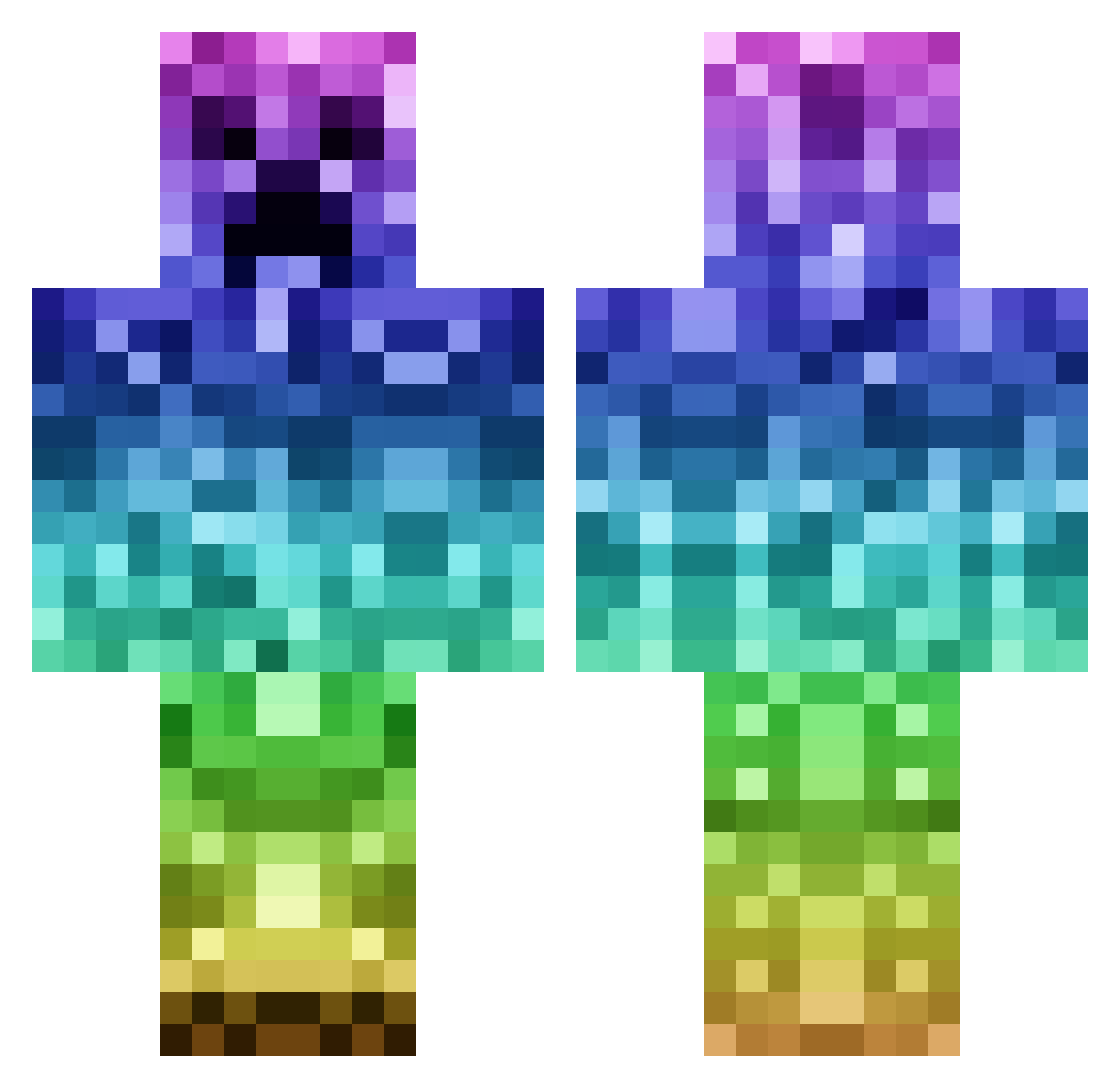
Current Minecraft skin of the player RedTdead, loaded from the official Mojang API. Rotate the 3D model with your mouse or finger, then download the skin as a PNG file and use it in Minecraft: Bedrock Edition or Java Edition for free. When RedTdead changes their skin, this page updates automatically and the old skin stays in the history below.
Other players with this skin (1144)
RedTdead was the 534th player we have seen with this skin, first spotted on 20.09.2026. The same skin was seen on these players. Open a nickname to see their current skin and skin history.
 si13ntki113r NaztyClipzz OTFservers Nils_Brs Deshawn2601 Commbat55 jacca199 Linayt SeaJay24 claypin11 C_R_Creeper bomy sgurman BabyChang07 LiamTheCanadian fluffypants1125 Skyscraper14 EpicWn329 joeluxor HSpek Pa_05 BodhiPug Ruben22312 monkey8988 GermanEazee yoshiyoshi123 thenug KingTB2007 Rhin0virus SamuelLAD123 Majur bende21_12 Tom0860 GG_Leone ExtraGreen mickmoofoo650 ken3die Jackrocks123 kladdis11 AbbyGrayce Holly_Green SMILEYMUIS spaslight HudsonRwight MrFuzzlepop Paco001 kidhyun08 CreeperBlowsMC bondgass nic10pit Enderman5045 adolfito11 Legendary_MC gurshall1 rjburger__ Super_Ender Schoki17 TheSlothz Bozonofski jackchain
More Rainbow Minecraft skins
How to install the RedTdead skin
- Press the Download button above to save the skin as a PNG file.
- Minecraft: Bedrock Edition (PE): open the Dressing Room from the main menu (or tap your character → Edit Character), go to Classic Skins → Owned, press the + (new skin) button, choose the downloaded PNG and pick the Classic (Steve) model. Works on PC and mobile; consoles cannot import custom skins.
- Minecraft: Java Edition: open the Minecraft Launcher, go to the Skins tab, click New Skin, load the PNG, pick the Classic (Steve) model and press Save & Use. You can also upload it at minecraft.net → Profile → Change Skin.
The skin does not show up after import - what should I do?
Restart Minecraft and open the Dressing Room again - imported skins sometimes appear only after a restart. Also make sure you selected the imported skin and picked the Classic (Steve) model.
Which model should I choose, Classic or Slim?
This skin is designed for the Classic (Steve) model. If you pick the wrong model, the arms of the skin will look stretched or squeezed.
Is the skin of RedTdead free to download?
Yes. Press Download, save the PNG file and use it in Minecraft: Bedrock Edition or Java Edition - no payment or registration needed. The skin also works on multiplayer servers and Realms.
More skins
Looking for more? Go back to all Minecraft skins and check the top skins of the week, month and all time, or find any player's skin by nickname.