
RavenKZP - Minecraft Skins & Skin History
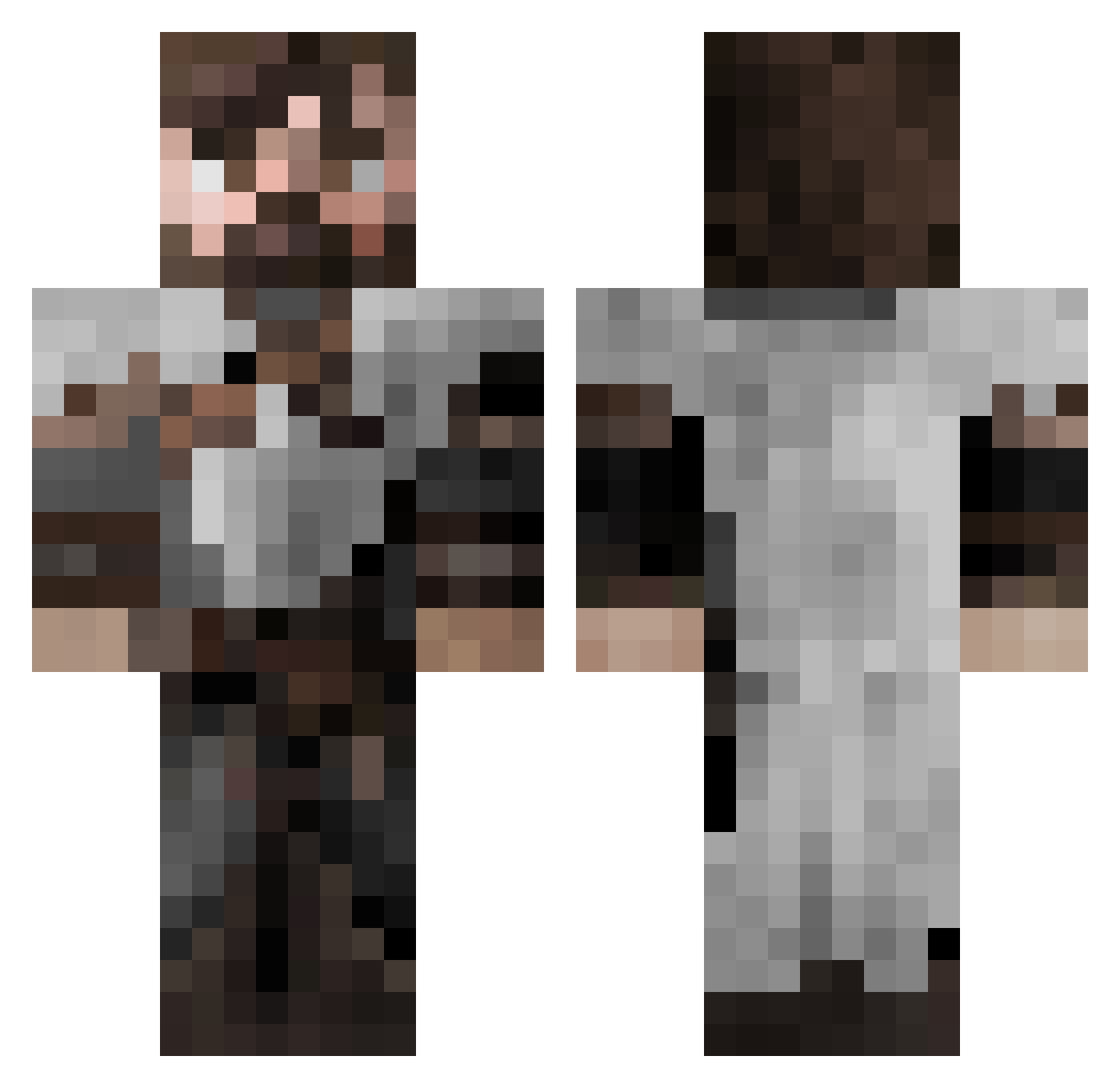
Current Minecraft skin of the player RavenKZP, loaded from the official Mojang API. Rotate the 3D model with your mouse or finger, then download the skin as a PNG file and use it in Minecraft: Bedrock Edition or Java Edition for free. When RavenKZP changes their skin, this page updates automatically and the old skin stays in the history below.
Other players with this skin (653)
RavenKZP was the 555th player we have seen with this skin, first spotted on 01.11.2026. The same skin was seen on these players. Open a nickname to see their current skin and skin history.
 ProfessorRocket Delargo ElRifle Biierchen Kryma1912 ThrainBlackguard TomB99 Racconlord465 QuailGang Keyfie Kev2390 Redwolf553 Venom88 MapleMami TwistedReaper Monke4215 Burnsy402 APE_Chief Hrafni Yakito8 Confederate_E Androidcraft2 EvilDragonLord20 Nikroon AchernarVega kfrancis2012 WidowMaker35 XiHaiKing Islacann__Dwarf Avyiel Plutaniums mrdidi80 SimonAndASon IlSalvo ArmandMors Netterx Akyonne NonoVal Yaman511 Gingowolf Odwahan Sir_Bantius Its_Micro_lol RobinJules23 Swollen_Nut 4khada4 enocks123 Squayres yavorivanov1 Friendofllamas Huama MakaulyKauky PaganMonk Whaarp fortwind91 Smeden1100 Guru_1 Illoran FunexTV Stella0101
More Crusader Minecraft skins
How to install the RavenKZP skin
- Press the Download button above to save the skin as a PNG file.
- Minecraft: Bedrock Edition (PE): open the Dressing Room from the main menu (or tap your character → Edit Character), go to Classic Skins → Owned, press the + (new skin) button, choose the downloaded PNG and pick the Classic (Steve) model. Works on PC and mobile; consoles cannot import custom skins.
- Minecraft: Java Edition: open the Minecraft Launcher, go to the Skins tab, click New Skin, load the PNG, pick the Classic (Steve) model and press Save & Use. You can also upload it at minecraft.net → Profile → Change Skin.
The skin does not show up after import - what should I do?
Restart Minecraft and open the Dressing Room again - imported skins sometimes appear only after a restart. Also make sure you selected the imported skin and picked the Classic (Steve) model.
Which model should I choose, Classic or Slim?
This skin is designed for the Classic (Steve) model. If you pick the wrong model, the arms of the skin will look stretched or squeezed.
Is the skin of RavenKZP free to download?
Yes. Press Download, save the PNG file and use it in Minecraft: Bedrock Edition or Java Edition - no payment or registration needed. The skin also works on multiplayer servers and Realms.
More skins
Looking for more? Go back to all Minecraft skins and check the top skins of the week, month and all time, or find any player's skin by nickname.