
Ranticle - Minecraft Skins & Skin History
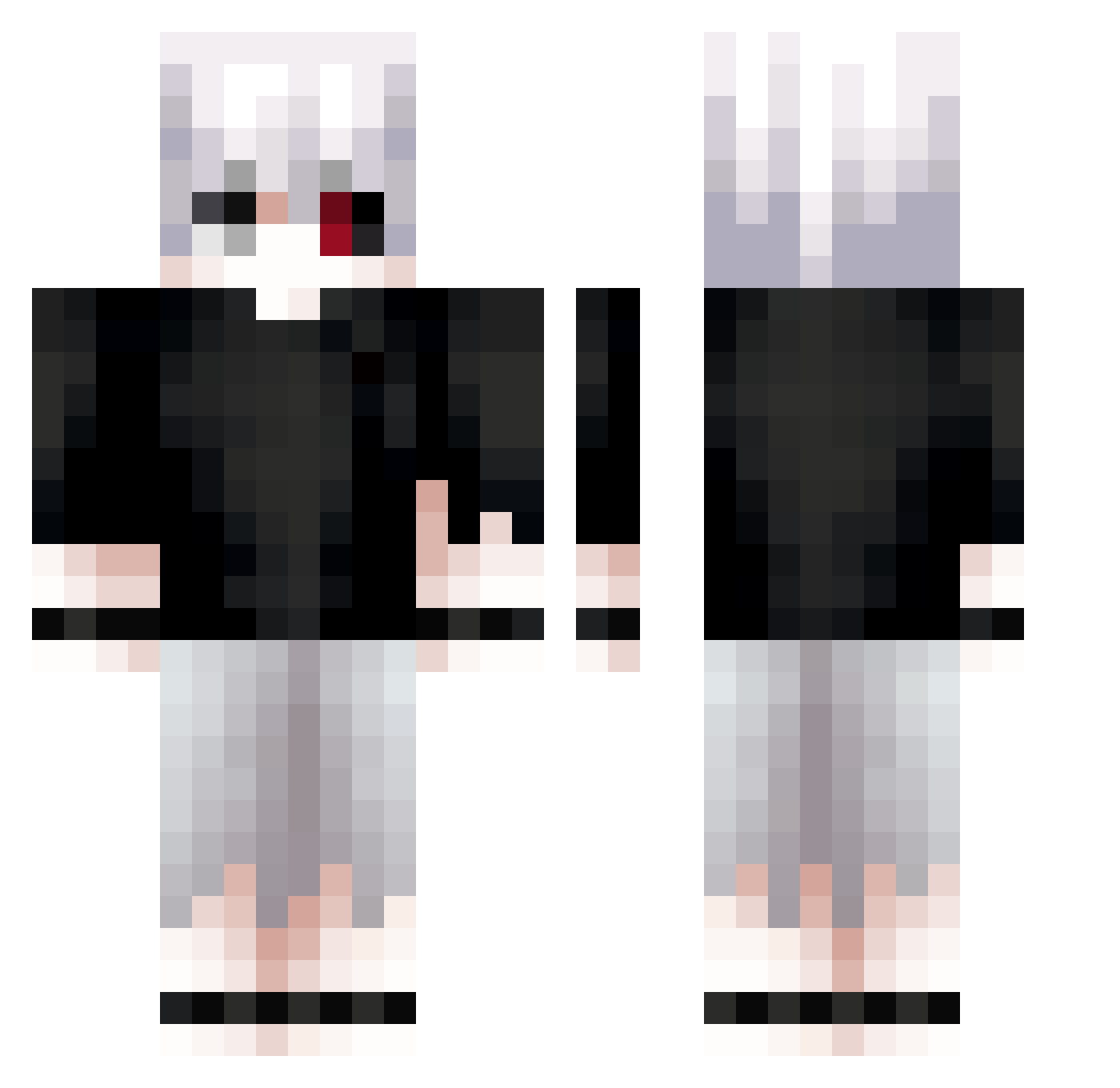
Current Minecraft skin of the player Ranticle, loaded from the official Mojang API. Rotate the 3D model with your mouse or finger, then download the skin as a PNG file and use it in Minecraft: Bedrock Edition or Java Edition for free. When Ranticle changes their skin, this page updates automatically and the old skin stays in the history below.
Other players with this skin (713)
Ranticle was the 335th player we have seen with this skin, first spotted on 16.09.2026. The same skin was seen on these players. Open a nickname to see their current skin and skin history.
 Rat0mite MelodiasDark_ IWOGONG ARARAR Flossis X__J NerukaNasuss SANAX_Ace PVseb DaddyCem 01101101j Kyto101 NotDavii Sascha74747 Juzt_Kai_lol nomoga GameurB MrSimpMan PEDRO979316 alex00213 Ya_Boi_Yammsta ilovemeganfox Its_Xiaon KaZe_7 BenSxD samekiti77 Scarlett771 _plusperfekt_ DZQB phasePVP SeishiroCh jalkapalloz Erfuni edsand11 powerful067 dojirala Quiinker Henny112 Mouraokkk Lamarzzz Junior126 LimitedRhyme buntaka1003 KAKAR0TXd Papiroflex wqxaise tay0no_ Vattacks Smesh0Ne BakaSen ajing212 xyas4 KammyAy till502 dextxrity beaterzero D1eBaH champloo68 kakuseimakou OGwolf21
More Kaneki Minecraft skins
How to install the Ranticle skin
- Press the Download button above to save the skin as a PNG file.
- Minecraft: Bedrock Edition (PE): open the Dressing Room from the main menu (or tap your character → Edit Character), go to Classic Skins → Owned, press the + (new skin) button, choose the downloaded PNG and pick the Classic (Steve) model. Works on PC and mobile; consoles cannot import custom skins.
- Minecraft: Java Edition: open the Minecraft Launcher, go to the Skins tab, click New Skin, load the PNG, pick the Classic (Steve) model and press Save & Use. You can also upload it at minecraft.net → Profile → Change Skin.
The skin does not show up after import - what should I do?
Restart Minecraft and open the Dressing Room again - imported skins sometimes appear only after a restart. Also make sure you selected the imported skin and picked the Classic (Steve) model.
Which model should I choose, Classic or Slim?
This skin is designed for the Classic (Steve) model. If you pick the wrong model, the arms of the skin will look stretched or squeezed.
Is the skin of Ranticle free to download?
Yes. Press Download, save the PNG file and use it in Minecraft: Bedrock Edition or Java Edition - no payment or registration needed. The skin also works on multiplayer servers and Realms.
More skins
Looking for more? Go back to all Minecraft skins and check the top skins of the week, month and all time, or find any player's skin by nickname.