
Randomzephyr - Minecraft Skins & Skin History
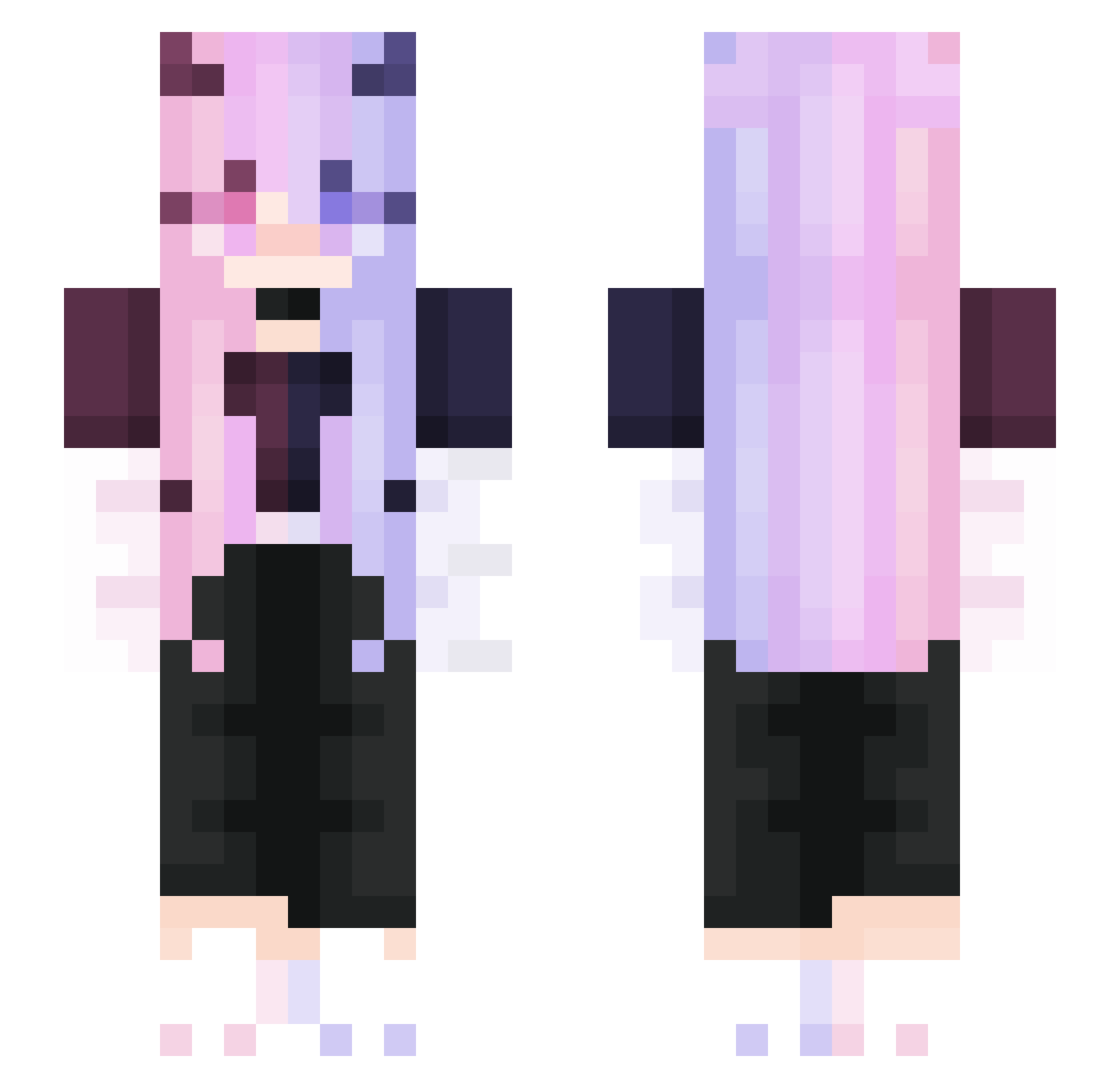
Current Minecraft skin of the player Randomzephyr, loaded from the official Mojang API. Rotate the 3D model with your mouse or finger, then download the skin as a PNG file and use it in Minecraft: Bedrock Edition or Java Edition for free. When Randomzephyr changes their skin, this page updates automatically and the old skin stays in the history below.
Other players with this skin (353)
Randomzephyr was the 306th player we have seen with this skin, first spotted on 25.10.2026. The same skin was seen on these players. Open a nickname to see their current skin and skin history.
 sky812 FTlate ahcreeperboom63 4r4f GabaaGreen Little_Venus Super_adj HayleyDaBomb KYKNHT serine2 hbcs TiredStateOfMind Franticflandre Priximity 1TaoYao1 Kyrogahz black10026 AzusaBen XkousyuuX leilani_5 eddiefig SHlNOl3I Kaitlynbug2013 LordMephit Lunasia96 Yvonne1412 Nov_Beaver MrSonicManu SnowyFarewell Skate_girl15 Noting1213 Mistofist RuxlnATux Marshmello10 AutumnDoodle knig7ht URT110 Itzniles_ Queeny_BG AWeirdPumpkin HAAAAAAAAAAAAAAX Mabocy Mavis8088 DAFFDIL Pixie_Lilly gregor21 Shark_BH _butt3r_ yunxi1234 AMIY_OMI SuShuang __haneul__ LeLoMiNi Cleffy_VGC Max_McCann6969 Little_Ni_Zi Call_Me_Mini AltiarMaster xo_Curly_ox NyxNodeTTV
More Demon Minecraft skins
How to install the Randomzephyr skin
- Press the Download button above to save the skin as a PNG file.
- Minecraft: Bedrock Edition (PE): open the Dressing Room from the main menu (or tap your character → Edit Character), go to Classic Skins → Owned, press the + (new skin) button, choose the downloaded PNG and pick the Slim (Alex) model. Works on PC and mobile; consoles cannot import custom skins.
- Minecraft: Java Edition: open the Minecraft Launcher, go to the Skins tab, click New Skin, load the PNG, pick the Slim (Alex) model and press Save & Use. You can also upload it at minecraft.net → Profile → Change Skin.
The skin does not show up after import - what should I do?
Restart Minecraft and open the Dressing Room again - imported skins sometimes appear only after a restart. Also make sure you selected the imported skin and picked the Slim (Alex) model.
Which model should I choose, Classic or Slim?
This skin is designed for the Slim (Alex) model. If you pick the wrong model, the arms of the skin will look stretched or squeezed.
Is the skin of Randomzephyr free to download?
Yes. Press Download, save the PNG file and use it in Minecraft: Bedrock Edition or Java Edition - no payment or registration needed. The skin also works on multiplayer servers and Realms.
More skins
Looking for more? Go back to all Minecraft skins and check the top skins of the week, month and all time, or find any player's skin by nickname.