
Rakshaz - Minecraft Skins & Skin History
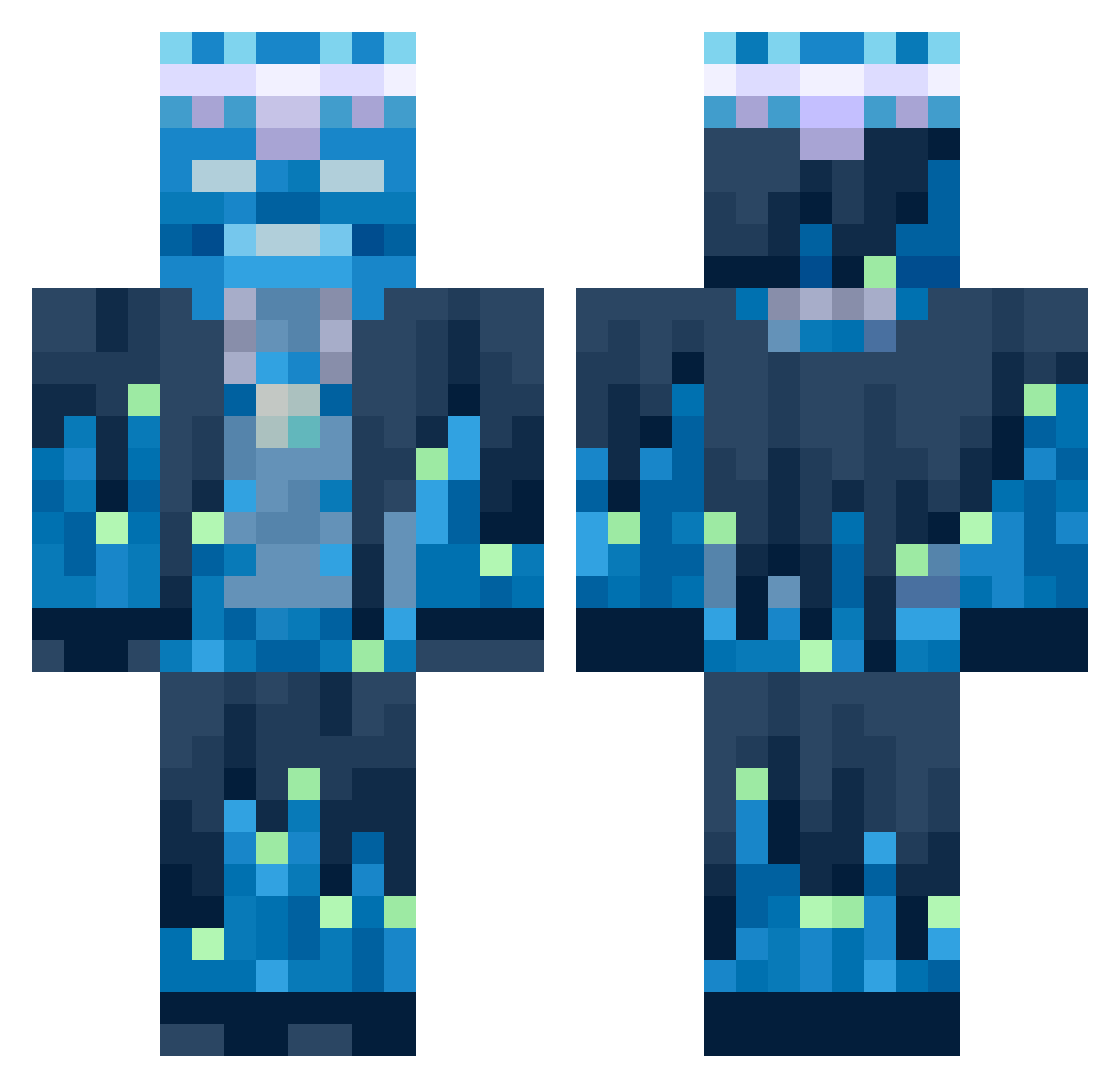
Current Minecraft skin of the player Rakshaz, loaded from the official Mojang API. Rotate the 3D model with your mouse or finger, then download the skin as a PNG file and use it in Minecraft: Bedrock Edition or Java Edition for free. When Rakshaz changes their skin, this page updates automatically and the old skin stays in the history below.
Other players with this skin (754)
Rakshaz was the 687th player we have seen with this skin, first spotted on 10.11.2026. The same skin was seen on these players. Open a nickname to see their current skin and skin history.
 leonfnaf Ill_BoiChase P00kiex4rsty__ aiglegivre56 sakrais Timo_Izz_Da TheBAldTheBot StoneCool LittleJeff3_ emilian1408 sukeboss FIREGAMER300812 Attomss Moretovich Bobinsky9999 Eliazz13 KIMSODAM AdanaKebap6188 Hello747475 victurbio_ Kettenkalle88 BERLIM_07 4life1312 aceswild11 doomguy2025 DSTk4pital pito88 Ga1axyboii wehategrass pufpr Kasjan_ unfairSumu4ltuo XOSOKAL HEROIC_PIGLET Mew2018 Saky13 Agazed darren12344 _TR3AD_ GerardXpro susjelly28 putsplash2319 DuckNyzz zFreyr PHV80 Rycerz99 Suneuper0319 Lemmonader2012 skykingbro Xanderdu_2 Frahnek VicFozter yung_letty The__Juiceman Nolex_zz unempluz ItzBarz92 blazer1126 BananSSS TREEDY01
More Glowing Minecraft skins
How to install the Rakshaz skin
- Press the Download button above to save the skin as a PNG file.
- Minecraft: Bedrock Edition (PE): open the Dressing Room from the main menu (or tap your character → Edit Character), go to Classic Skins → Owned, press the + (new skin) button, choose the downloaded PNG and pick the Classic (Steve) model. Works on PC and mobile; consoles cannot import custom skins.
- Minecraft: Java Edition: open the Minecraft Launcher, go to the Skins tab, click New Skin, load the PNG, pick the Classic (Steve) model and press Save & Use. You can also upload it at minecraft.net → Profile → Change Skin.
The skin does not show up after import - what should I do?
Restart Minecraft and open the Dressing Room again - imported skins sometimes appear only after a restart. Also make sure you selected the imported skin and picked the Classic (Steve) model.
Which model should I choose, Classic or Slim?
This skin is designed for the Classic (Steve) model. If you pick the wrong model, the arms of the skin will look stretched or squeezed.
Is the skin of Rakshaz free to download?
Yes. Press Download, save the PNG file and use it in Minecraft: Bedrock Edition or Java Edition - no payment or registration needed. The skin also works on multiplayer servers and Realms.
More skins
Looking for more? Go back to all Minecraft skins and check the top skins of the week, month and all time, or find any player's skin by nickname.