
Rainyd_1703 - Minecraft Skins & Skin History
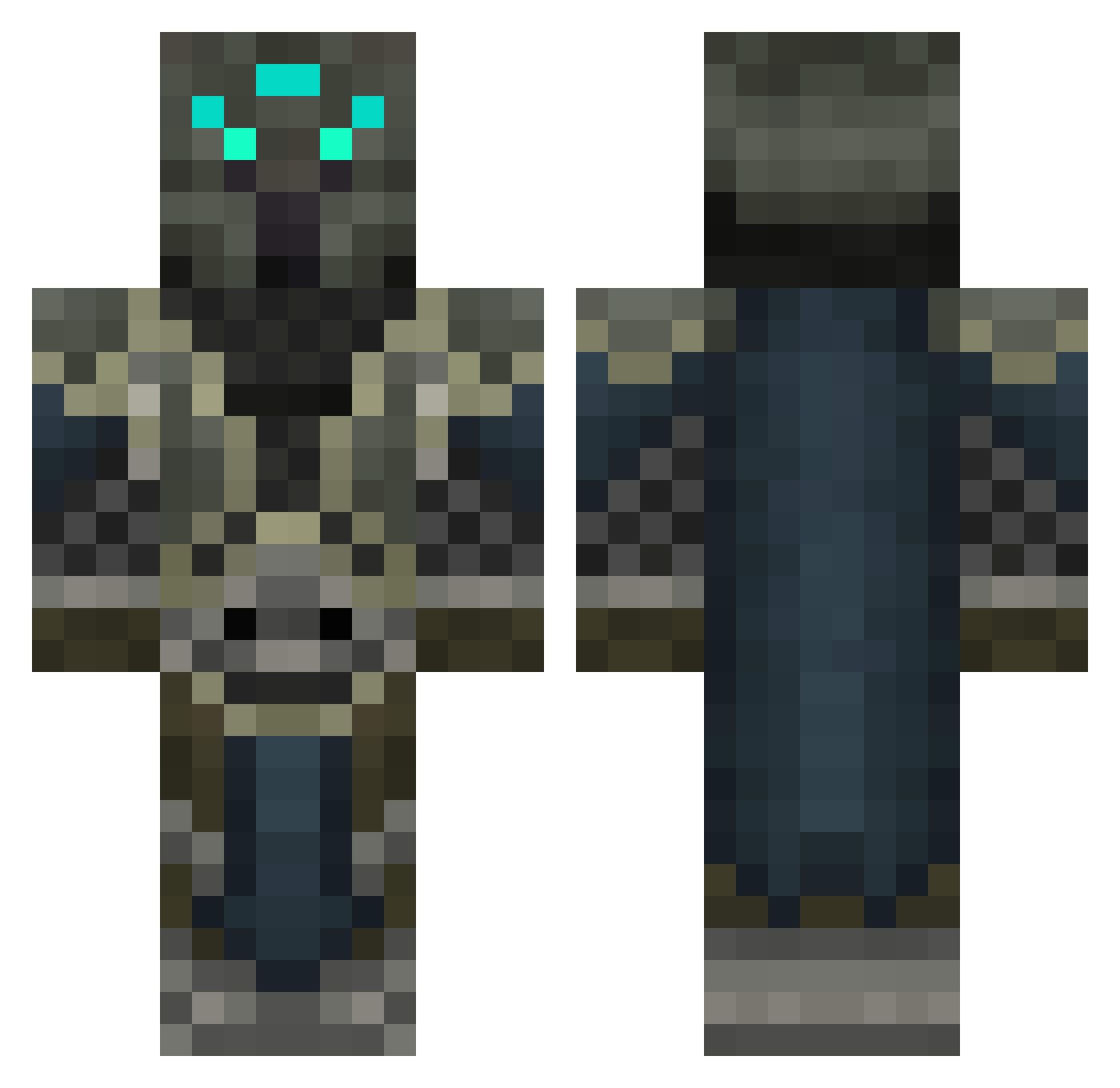
Current Minecraft skin of the player Rainyd_1703, loaded from the official Mojang API. Rotate the 3D model with your mouse or finger, then download the skin as a PNG file and use it in Minecraft: Bedrock Edition or Java Edition for free. When Rainyd_1703 changes their skin, this page updates automatically and the old skin stays in the history below.
Other players with this skin (554)
Rainyd_1703 was the 503rd player we have seen with this skin, first spotted on 10.11.2026. The same skin was seen on these players. Open a nickname to see their current skin and skin history.
 Sharpshooter303 PerfectDemise slayer2564 peonaaa theonlyarmagedin codman2728 Manuel10103 raven1310 Xxalex77340 skyniit Konstrayne Reiicon EtCrisco SUPERJ24 DorranGul 5867dude AndromedaPWND CrippledSole Vermango El_Ecks MasToK42 Warriorchamp Anssigamer avp1 Stevenman135 ZEBaldwin baseoffire EbonyRooster TheBeardedBeast xXShadow_ViperXx DarboSlave23 samsliger tiger_the_great flamingdemon12 zoupx567 Arcscion EliteNumber suatmgf Tellurian_ DibbsKids awibar A_Funky_Assassin ragnatharin SleepingShadow7 dragonheart121 sandeepparab aGiin AoXDemon Yerfoj MegaMrvN gallada HyperBeast874 ok____boomer gingadubz Ridlich Frozol ASHTONSAWE xJimmer Blazecaller Warlorddd
More Medieval Minecraft skins
How to install the Rainyd_1703 skin
- Press the Download button above to save the skin as a PNG file.
- Minecraft: Bedrock Edition (PE): open the Dressing Room from the main menu (or tap your character → Edit Character), go to Classic Skins → Owned, press the + (new skin) button, choose the downloaded PNG and pick the Classic (Steve) model. Works on PC and mobile; consoles cannot import custom skins.
- Minecraft: Java Edition: open the Minecraft Launcher, go to the Skins tab, click New Skin, load the PNG, pick the Classic (Steve) model and press Save & Use. You can also upload it at minecraft.net → Profile → Change Skin.
The skin does not show up after import - what should I do?
Restart Minecraft and open the Dressing Room again - imported skins sometimes appear only after a restart. Also make sure you selected the imported skin and picked the Classic (Steve) model.
Which model should I choose, Classic or Slim?
This skin is designed for the Classic (Steve) model. If you pick the wrong model, the arms of the skin will look stretched or squeezed.
Is the skin of Rainyd_1703 free to download?
Yes. Press Download, save the PNG file and use it in Minecraft: Bedrock Edition or Java Edition - no payment or registration needed. The skin also works on multiplayer servers and Realms.
More skins
Looking for more? Go back to all Minecraft skins and check the top skins of the week, month and all time, or find any player's skin by nickname.