
RainbowTitan366 - Minecraft Skins & Skin History
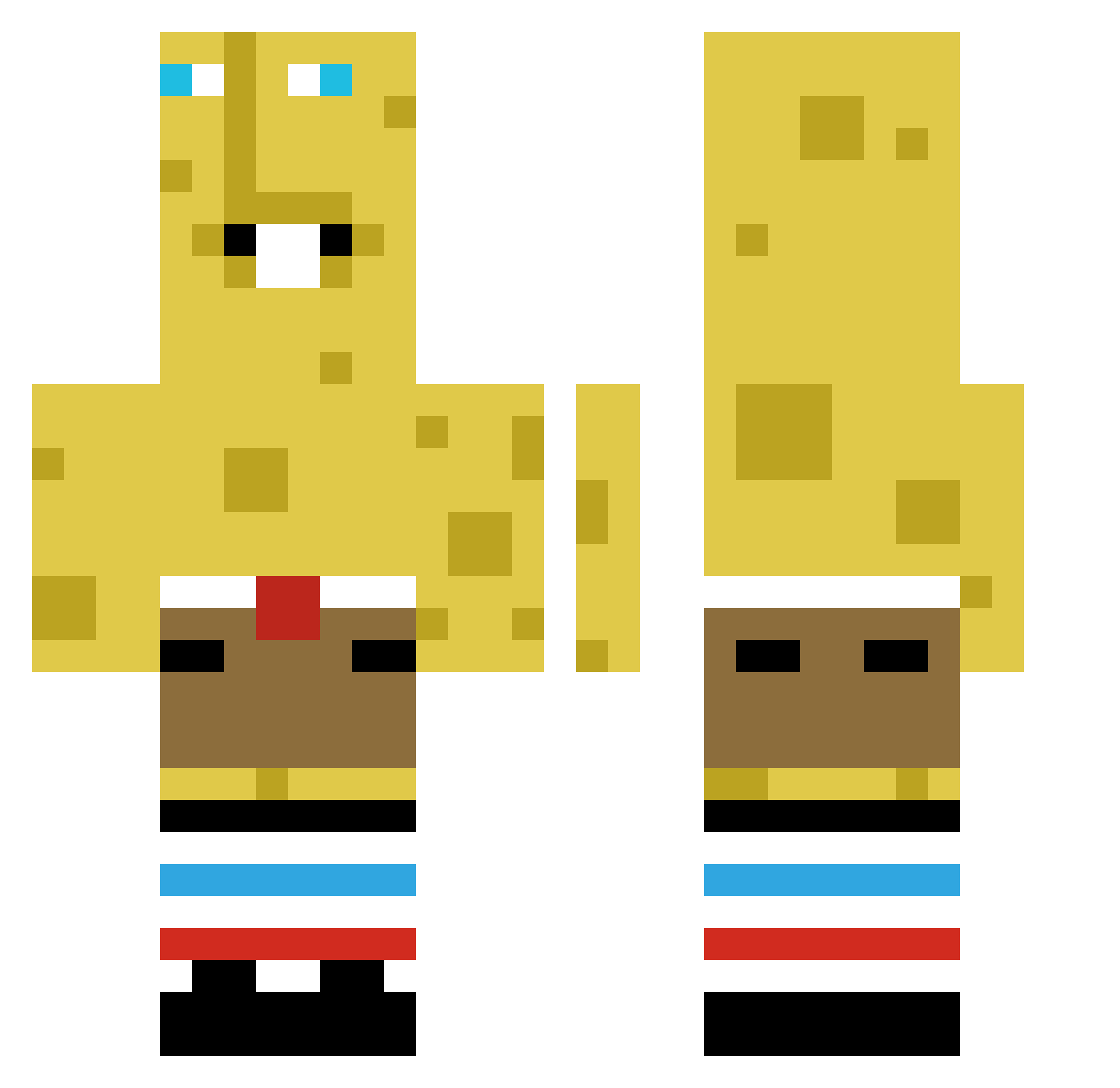
Current Minecraft skin of the player RainbowTitan366, loaded from the official Mojang API. Rotate the 3D model with your mouse or finger, then download the skin as a PNG file and use it in Minecraft: Bedrock Edition or Java Edition for free. When RainbowTitan366 changes their skin, this page updates automatically and the old skin stays in the history below.
Other players with this skin (383)
RainbowTitan366 was the 242nd player we have seen with this skin, first spotted on 27.09.2026. The same skin was seen on these players. Open a nickname to see their current skin and skin history.
 Bullmajster XtymH Kaicaesar BENTEN_07 IWnKI KimJungSoo jetpak15 izqna6 Buzbyyy Dr4sharks15 cxlmity IKJLeio Bernie318 VGZ_0 FinnishFlash16 gajng1202 lilbobby301 ELMO_0202 madslknudsen123 dPnP 30ball_ 1tsLandua LewisTay CoolFrigiel AdrosGaming bentef_ kvngwetboi Yeastbiohazard Limepaint667 Error30359 ronnie4real Zwerchle BryanFryin dingyUnbea2tabl chilangas windedgoat Darkprince902 zebrrrra WendyLargeFrosty Dripyice vnofe HotshotFlash Superbat9967 SBINF11 yuwanzz1 NikashIsGay Cl1ck_ mrbundles2 lilfry420 MrSplike Superstar111220 czajaa_ Luka09287 cobra9992 xuyas spooongebobd Lbelte Zaza777 hnterlmon noctisX90
More Spongebob Minecraft skins
How to install the RainbowTitan366 skin
- Press the Download button above to save the skin as a PNG file.
- Minecraft: Bedrock Edition (PE): open the Dressing Room from the main menu (or tap your character → Edit Character), go to Classic Skins → Owned, press the + (new skin) button, choose the downloaded PNG and pick the Classic (Steve) model. Works on PC and mobile; consoles cannot import custom skins.
- Minecraft: Java Edition: open the Minecraft Launcher, go to the Skins tab, click New Skin, load the PNG, pick the Classic (Steve) model and press Save & Use. You can also upload it at minecraft.net → Profile → Change Skin.
The skin does not show up after import - what should I do?
Restart Minecraft and open the Dressing Room again - imported skins sometimes appear only after a restart. Also make sure you selected the imported skin and picked the Classic (Steve) model.
Which model should I choose, Classic or Slim?
This skin is designed for the Classic (Steve) model. If you pick the wrong model, the arms of the skin will look stretched or squeezed.
Is the skin of RainbowTitan366 free to download?
Yes. Press Download, save the PNG file and use it in Minecraft: Bedrock Edition or Java Edition - no payment or registration needed. The skin also works on multiplayer servers and Realms.
More skins
Looking for more? Go back to all Minecraft skins and check the top skins of the week, month and all time, or find any player's skin by nickname.