
RaijinChou - Minecraft Skins & Skin History
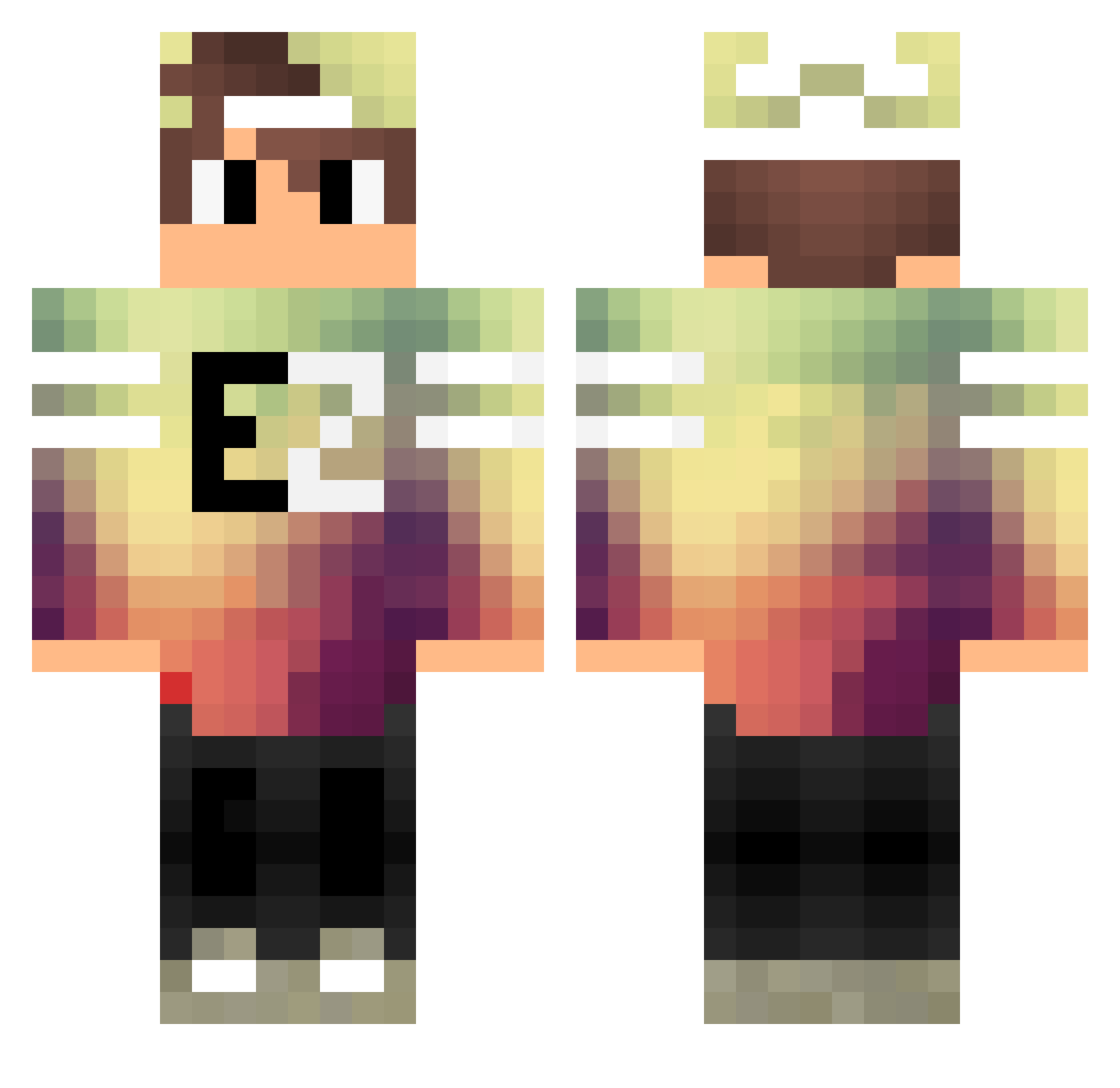
Current Minecraft skin of the player RaijinChou, loaded from the official Mojang API. Rotate the 3D model with your mouse or finger, then download the skin as a PNG file and use it in Minecraft: Bedrock Edition or Java Edition for free. When RaijinChou changes their skin, this page updates automatically and the old skin stays in the history below.
Other players with this skin (121)
RaijinChou was the 80th player we have seen with this skin, first spotted on 01.10.2026. The same skin was seen on these players. Open a nickname to see their current skin and skin history.
 silophophe angusdaman Acidprofessor Halldor96 mish571 Lucasbhte chester33 VESSICA44 marcinoksuu RelatingSoni ezz_gamed VIPBID Rippex__ HeroPaul2219 TheLegitElonMusk InfdevSlab Volcaniz _kaiZy Zombrax71 metalfist503 Pr3ttyPeanut Faruk1 Niels1308 xXGhostLPx Bielson Amiton2010 kpop1over27 Salih_ali lith1um_ 0hVise isabellachen gublack192 Zooma1215 vicente009 wildginger101 ErenLion difectly thekillerX01 ThueringerJunge Polochcrafter WalusMCYT Slios55 RSM_KuiD WatiksMatiks Dustytoes322 B1GHero Aleexstyle CzechAdos Braxise Thiieerrry SirAdamo pingu0930 Yasoen xMonsterTR taku_620 FunnyHaTu 1The_CAT Trampelord69 _M4trix_ IrithLuck
More Cap Minecraft skins
How to install the RaijinChou skin
- Press the Download button above to save the skin as a PNG file.
- Minecraft: Bedrock Edition (PE): open the Dressing Room from the main menu (or tap your character → Edit Character), go to Classic Skins → Owned, press the + (new skin) button, choose the downloaded PNG and pick the Classic (Steve) model. Works on PC and mobile; consoles cannot import custom skins.
- Minecraft: Java Edition: open the Minecraft Launcher, go to the Skins tab, click New Skin, load the PNG, pick the Classic (Steve) model and press Save & Use. You can also upload it at minecraft.net → Profile → Change Skin.
The skin does not show up after import - what should I do?
Restart Minecraft and open the Dressing Room again - imported skins sometimes appear only after a restart. Also make sure you selected the imported skin and picked the Classic (Steve) model.
Which model should I choose, Classic or Slim?
This skin is designed for the Classic (Steve) model. If you pick the wrong model, the arms of the skin will look stretched or squeezed.
Is the skin of RaijinChou free to download?
Yes. Press Download, save the PNG file and use it in Minecraft: Bedrock Edition or Java Edition - no payment or registration needed. The skin also works on multiplayer servers and Realms.
More skins
Looking for more? Go back to all Minecraft skins and check the top skins of the week, month and all time, or find any player's skin by nickname.