
RY0GB - Minecraft Skins & Skin History
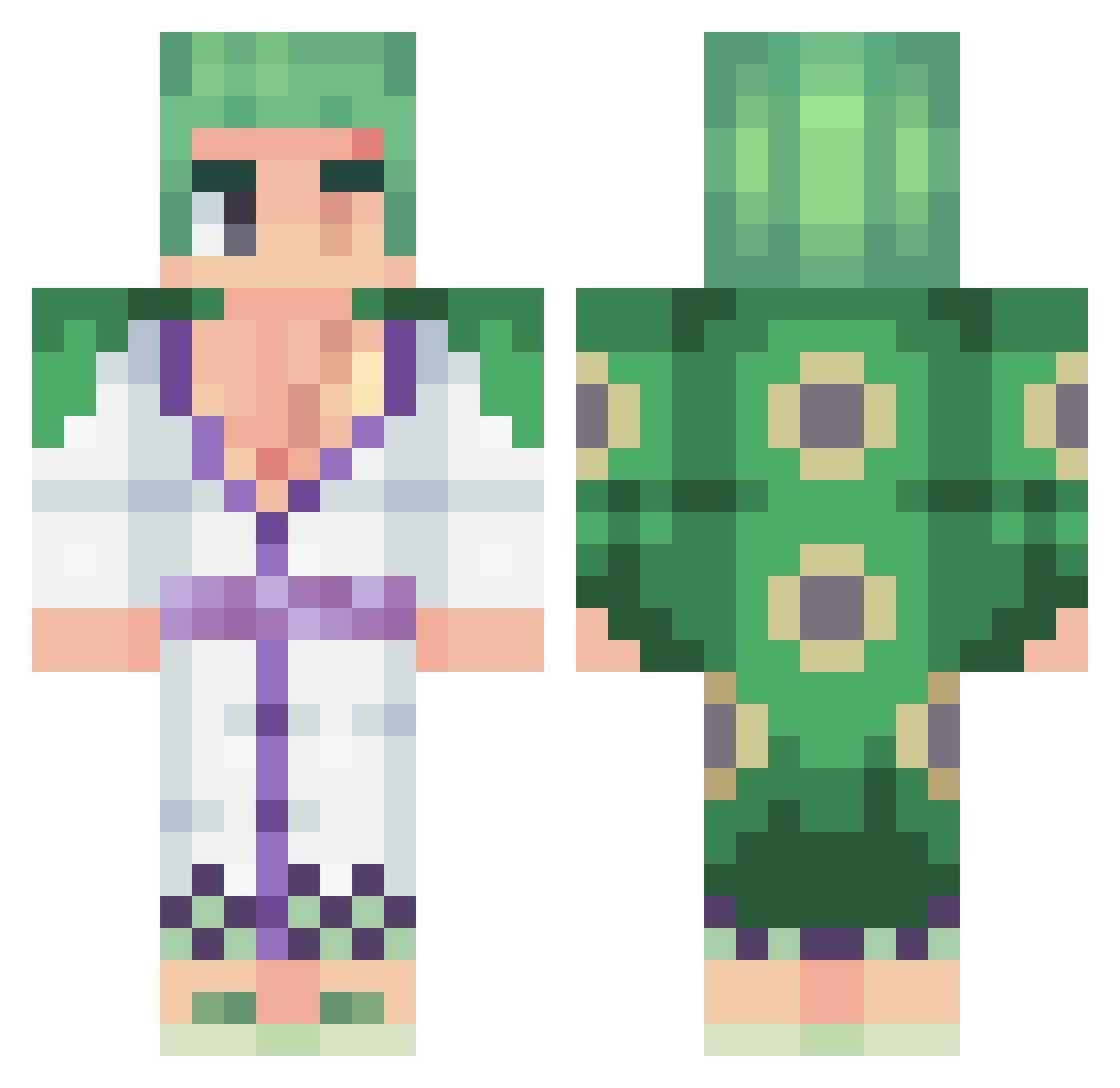
Current Minecraft skin of the player RY0GB, loaded from the official Mojang API. Rotate the 3D model with your mouse or finger, then download the skin as a PNG file and use it in Minecraft: Bedrock Edition or Java Edition for free. When RY0GB changes their skin, this page updates automatically and the old skin stays in the history below.
Other players with this skin (455)
RY0GB was the 137th player we have seen with this skin, first spotted on 25.08.2026. The same skin was seen on these players. Open a nickname to see their current skin and skin history.
 BlanKalashh FvkBoi NereoGaming Jamyang RoroNoah_Zoro SuperFlash6191 TFreeze24 JomiTheWinner Shad00n FalsoVegano DannyBrb Moyistico Mangoski1 jajaDKNjaja IIISLKIII Z3forak AdriiLina Roduls Mikkey69 LNR_Luke gr999ne Zoroak_D Ashura1234 David_df01 therhe andoBellako frogteam12 TAHA_G knox5k Pishtako ahreloco PezKoito Pragmaa_ 7MRED tengosed1223 Itz_pp sany4343reg AXKao MirinSkullz Telecanuto AYDDEX piksal_gaming GxDz_t0x1c Pacoo067 YoussLhm amin036 VikingFou62 SaumonFumax dzisiaj_wale_kox Gonzxxr LeesinTv JVzey ghostoyun MrTopRamen DeadByeMe JusDeGoyave Waeir LiHuoWang6968 03matt0413 lewo21
More Roronoa Zoro Minecraft skins
See all 340 Roronoa Zoro skins
How to install the RY0GB skin
- Press the Download button above to save the skin as a PNG file.
- Minecraft: Bedrock Edition (PE): open the Dressing Room from the main menu (or tap your character → Edit Character), go to Classic Skins → Owned, press the + (new skin) button, choose the downloaded PNG and pick the Classic (Steve) model. Works on PC and mobile; consoles cannot import custom skins.
- Minecraft: Java Edition: open the Minecraft Launcher, go to the Skins tab, click New Skin, load the PNG, pick the Classic (Steve) model and press Save & Use. You can also upload it at minecraft.net → Profile → Change Skin.
The skin does not show up after import - what should I do?
Restart Minecraft and open the Dressing Room again - imported skins sometimes appear only after a restart. Also make sure you selected the imported skin and picked the Classic (Steve) model.
Which model should I choose, Classic or Slim?
This skin is designed for the Classic (Steve) model. If you pick the wrong model, the arms of the skin will look stretched or squeezed.
Is the skin of RY0GB free to download?
Yes. Press Download, save the PNG file and use it in Minecraft: Bedrock Edition or Java Edition - no payment or registration needed. The skin also works on multiplayer servers and Realms.
More skins
Looking for more? Go back to all Minecraft skins and check the top skins of the week, month and all time, or find any player's skin by nickname.