
RILMIX - Minecraft Skins & Skin History
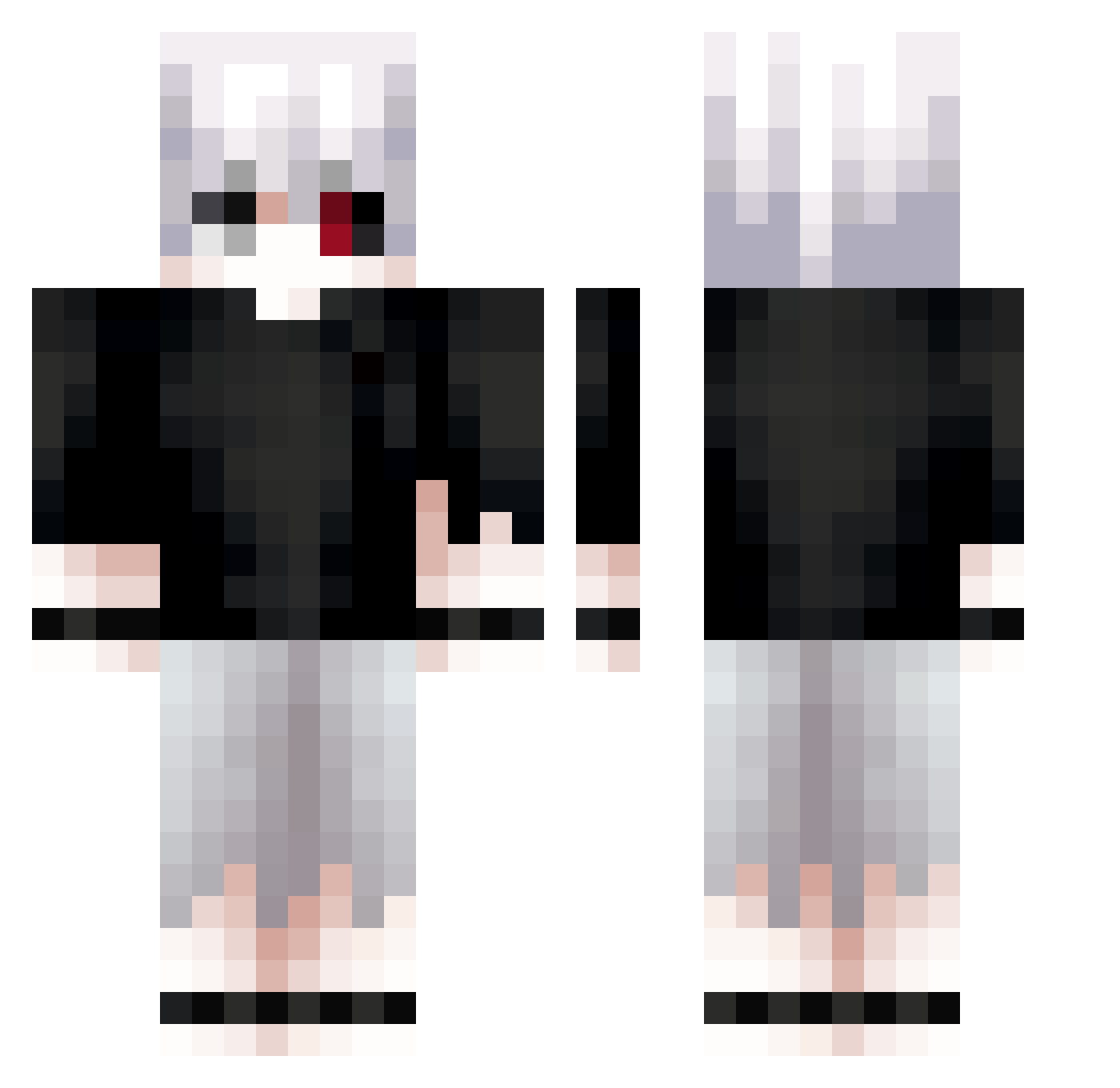
Current Minecraft skin of the player RILMIX, loaded from the official Mojang API. Rotate the 3D model with your mouse or finger, then download the skin as a PNG file and use it in Minecraft: Bedrock Edition or Java Edition for free. When RILMIX changes their skin, this page updates automatically and the old skin stays in the history below.
Other players with this skin (713)
RILMIX was the 416th player we have seen with this skin, first spotted on 27.09.2026. The same skin was seen on these players. Open a nickname to see their current skin and skin history.
 _jaw_ KaiserShot Ndrieno Ramppe K1raaaaaaa muslimpeep termisintheroom keefned Bausenss Sneaakx vandamonkei Valennn912 LynxxPlayzz xWes_ luvjrr LZRDucky YTBalexis C4TSOUP D7Xfps Bqqf ColossalYogurt _abomination_ insanejoka 637Lind ZRO_Razy N0SkillGi0 BlockBeandiger69 _One_EyeKing_ devows juzlth monolith124 Leftytesty_ ceaea zariiwyd Mlingr CloudySkies_YT BlueSkiMask Analivia7 DeadPan15 Coordinations HypoShox Xpye kisiel777 raimonman CoolTitan477756 atroftp 1Sinister1 RoseKeke OliverAiku_zas Ch1suke White_rxses_ Jql4 YourMomsExBF Jettivo xAlexeiin __Xo__ eqwr0110 vitsa OMGXDCOM sola1030
More Kaneki Minecraft skins
How to install the RILMIX skin
- Press the Download button above to save the skin as a PNG file.
- Minecraft: Bedrock Edition (PE): open the Dressing Room from the main menu (or tap your character → Edit Character), go to Classic Skins → Owned, press the + (new skin) button, choose the downloaded PNG and pick the Classic (Steve) model. Works on PC and mobile; consoles cannot import custom skins.
- Minecraft: Java Edition: open the Minecraft Launcher, go to the Skins tab, click New Skin, load the PNG, pick the Classic (Steve) model and press Save & Use. You can also upload it at minecraft.net → Profile → Change Skin.
The skin does not show up after import - what should I do?
Restart Minecraft and open the Dressing Room again - imported skins sometimes appear only after a restart. Also make sure you selected the imported skin and picked the Classic (Steve) model.
Which model should I choose, Classic or Slim?
This skin is designed for the Classic (Steve) model. If you pick the wrong model, the arms of the skin will look stretched or squeezed.
Is the skin of RILMIX free to download?
Yes. Press Download, save the PNG file and use it in Minecraft: Bedrock Edition or Java Edition - no payment or registration needed. The skin also works on multiplayer servers and Realms.
More skins
Looking for more? Go back to all Minecraft skins and check the top skins of the week, month and all time, or find any player's skin by nickname.