
RICOTTA03 - Minecraft Skins & Skin History
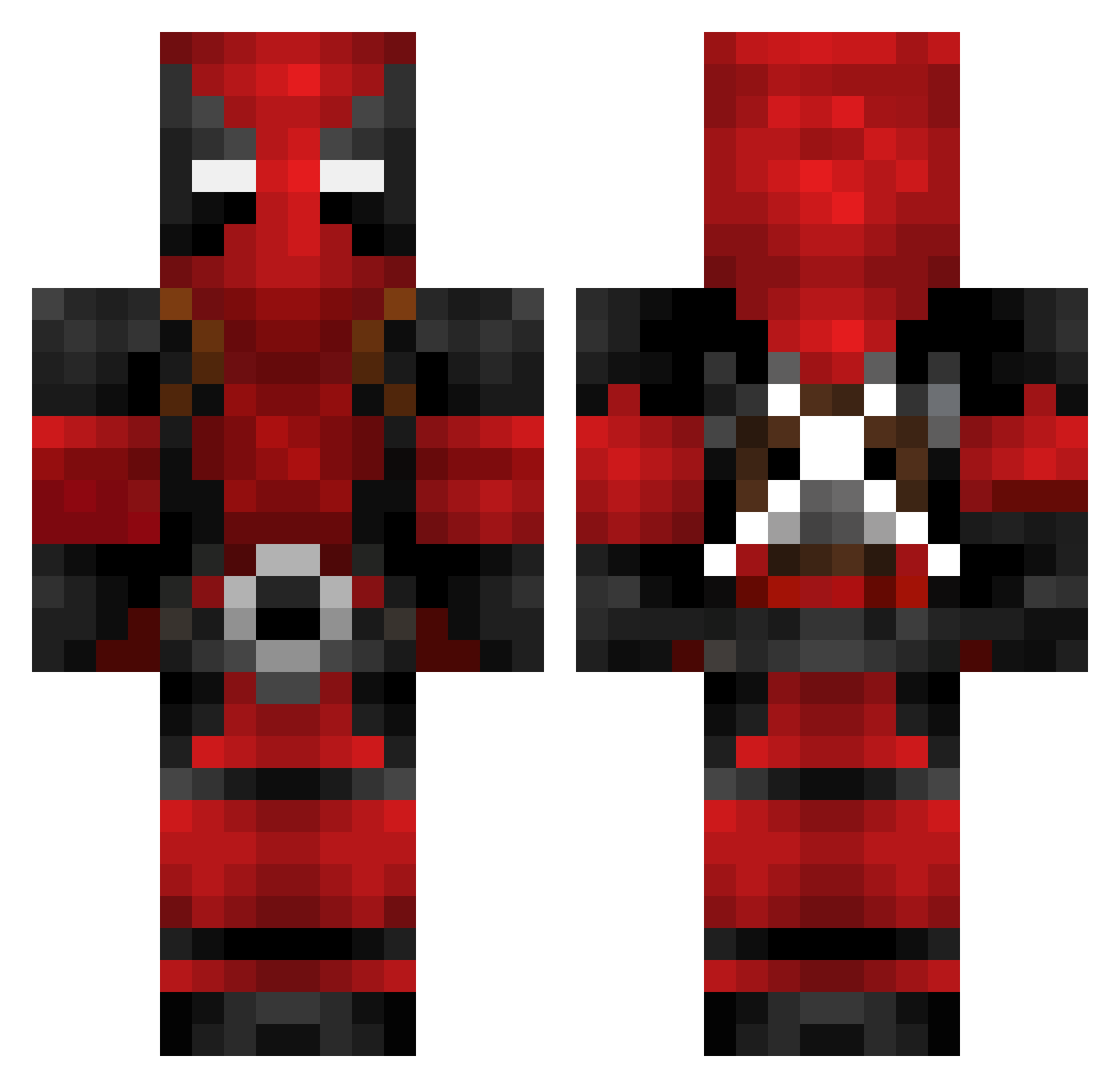
Current Minecraft skin of the player RICOTTA03, loaded from the official Mojang API. Rotate the 3D model with your mouse or finger, then download the skin as a PNG file and use it in Minecraft: Bedrock Edition or Java Edition for free. When RICOTTA03 changes their skin, this page updates automatically and the old skin stays in the history below.
Other players with this skin (621)
RICOTTA03 was the 49th player we have seen with this skin, first spotted on 30.07.2026. The same skin was seen on these players. Open a nickname to see their current skin and skin history.
 Zaheer94 mihailo_matke9 HyunAh0123 Dai_Ling_Ping weiwe1_ buccha9018 DarthCody94 Demien25 SchlimJim BigMesch wata7 Skyassassinn epiccTwiQ yong1433 Xxpancake51Xx zedgesor Mr_Zentaro Chillzies rplanas_33 Henex28 GonzaEhijos MineChan0 Maxls11 Hope25 Paso24 Mercenary618 Lexii1109 Chino11 XICY66X ShawnLK TheRealTyme zOolln3 Matth_fox
 Lockon_99 SRStewie AdamReenberg Steelconquest Ivanez Steimel zedapipoca shazan1213 Anderson855 mattshen Limitmaker Smadee Le_ballin Bobert371 swandoom Welshy7759 TF_ProDaaX YeetDabBoi Ozzy98 sours2434 killacam8976 Presleyrocksall2 Martines GoldenJesussj nighthawk2012 speedlock kelu02
More Deadpool Minecraft skins
How to install the RICOTTA03 skin
- Press the Download button above to save the skin as a PNG file.
- Minecraft: Bedrock Edition (PE): open the Dressing Room from the main menu (or tap your character → Edit Character), go to Classic Skins → Owned, press the + (new skin) button, choose the downloaded PNG and pick the Classic (Steve) model. Works on PC and mobile; consoles cannot import custom skins.
- Minecraft: Java Edition: open the Minecraft Launcher, go to the Skins tab, click New Skin, load the PNG, pick the Classic (Steve) model and press Save & Use. You can also upload it at minecraft.net → Profile → Change Skin.
The skin does not show up after import - what should I do?
Restart Minecraft and open the Dressing Room again - imported skins sometimes appear only after a restart. Also make sure you selected the imported skin and picked the Classic (Steve) model.
Which model should I choose, Classic or Slim?
This skin is designed for the Classic (Steve) model. If you pick the wrong model, the arms of the skin will look stretched or squeezed.
Is the skin of RICOTTA03 free to download?
Yes. Press Download, save the PNG file and use it in Minecraft: Bedrock Edition or Java Edition - no payment or registration needed. The skin also works on multiplayer servers and Realms.
More skins
Looking for more? Go back to all Minecraft skins and check the top skins of the week, month and all time, or find any player's skin by nickname.