
RENA12333 - Minecraft Skins & Skin History
Current Minecraft skin of the player RENA12333, loaded from the official Mojang API. Rotate the 3D model with your mouse or finger, then download the skin as a PNG file and use it in Minecraft: Bedrock Edition or Java Edition for free. When RENA12333 changes their skin, this page updates automatically and the old skin stays in the history below.
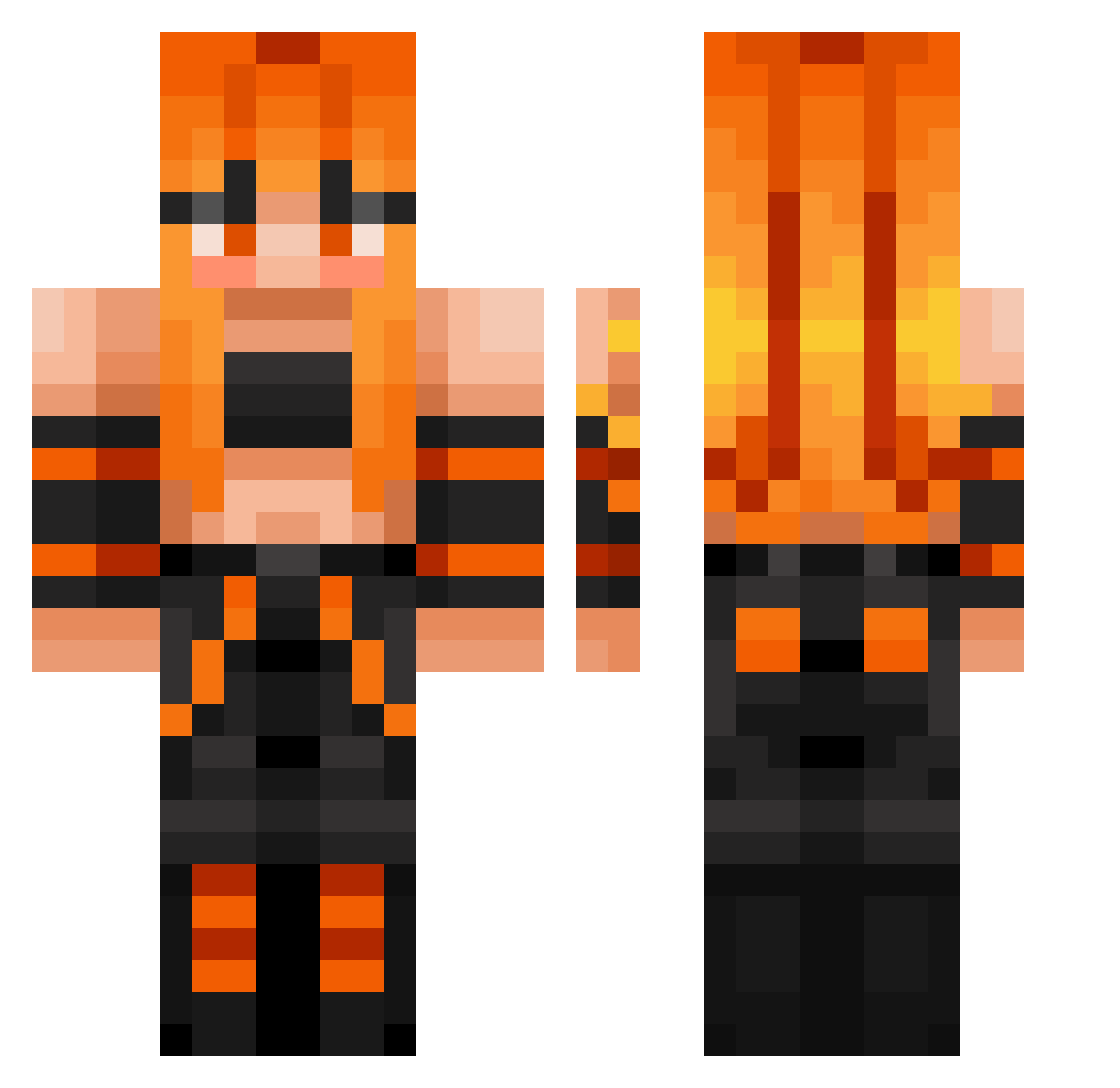
Other players with this skin (324)
RENA12333 was the 233rd player we have seen with this skin, first spotted on 28.09.2026. The same skin was seen on these players. Open a nickname to see their current skin and skin history.
 jmsii1 Xtrike03 Dirty_Person MissPoppyPayne KyoKiirna Dragon_Gummy aphmau52 Dragon_gamer315 luke823 Athedeus spring0913 0_LYTE unearthely sabdhdbh BlakFLah LBlade8 _R4MS3Y Isacus 109384 Mercy_Swan KitKu2015 eduuplay10 dddarkio Kuroeji Joshwauwu trshn rafaela1995 Thethroatofcraft byluu kiwiszn Vek4 fatalberry UnluckyCrew Joshes682 JasperDino14 NewJack57 Brandisg_ood1212 Itsjustababy Asbton Anasyasya Emma_202000 PermantNoob npchira Her_Majesty97 afra1114 batdanh Deceased_Bean Calihulk Radustefan03 ZombyCooky harerererere nyh91 monster_2000 DevilGatzu hubiiiii88 Hanni1708 Blubikk Pyrexian SuperSusu1 Insulin_Papi
More Girl Minecraft skins
How to install the RENA12333 skin
- Press the Download button above to save the skin as a PNG file.
- Minecraft: Bedrock Edition (PE): open the Dressing Room from the main menu (or tap your character → Edit Character), go to Classic Skins → Owned, press the + (new skin) button, choose the downloaded PNG and pick the Classic (Steve) model. Works on PC and mobile; consoles cannot import custom skins.
- Minecraft: Java Edition: open the Minecraft Launcher, go to the Skins tab, click New Skin, load the PNG, pick the Classic (Steve) model and press Save & Use. You can also upload it at minecraft.net → Profile → Change Skin.
The skin does not show up after import - what should I do?
Restart Minecraft and open the Dressing Room again - imported skins sometimes appear only after a restart. Also make sure you selected the imported skin and picked the Classic (Steve) model.
Which model should I choose, Classic or Slim?
This skin is designed for the Classic (Steve) model. If you pick the wrong model, the arms of the skin will look stretched or squeezed.
Is the skin of RENA12333 free to download?
Yes. Press Download, save the PNG file and use it in Minecraft: Bedrock Edition or Java Edition - no payment or registration needed. The skin also works on multiplayer servers and Realms.
More skins
Looking for more? Go back to all Minecraft skins and check the top skins of the week, month and all time, or find any player's skin by nickname.