
Qtjojo666 - Minecraft Skins & Skin History
Current Minecraft skin of the player Qtjojo666, loaded from the official Mojang API. Rotate the 3D model with your mouse or finger, then download the skin as a PNG file and use it in Minecraft: Bedrock Edition or Java Edition for free. When Qtjojo666 changes their skin, this page updates automatically and the old skin stays in the history below.
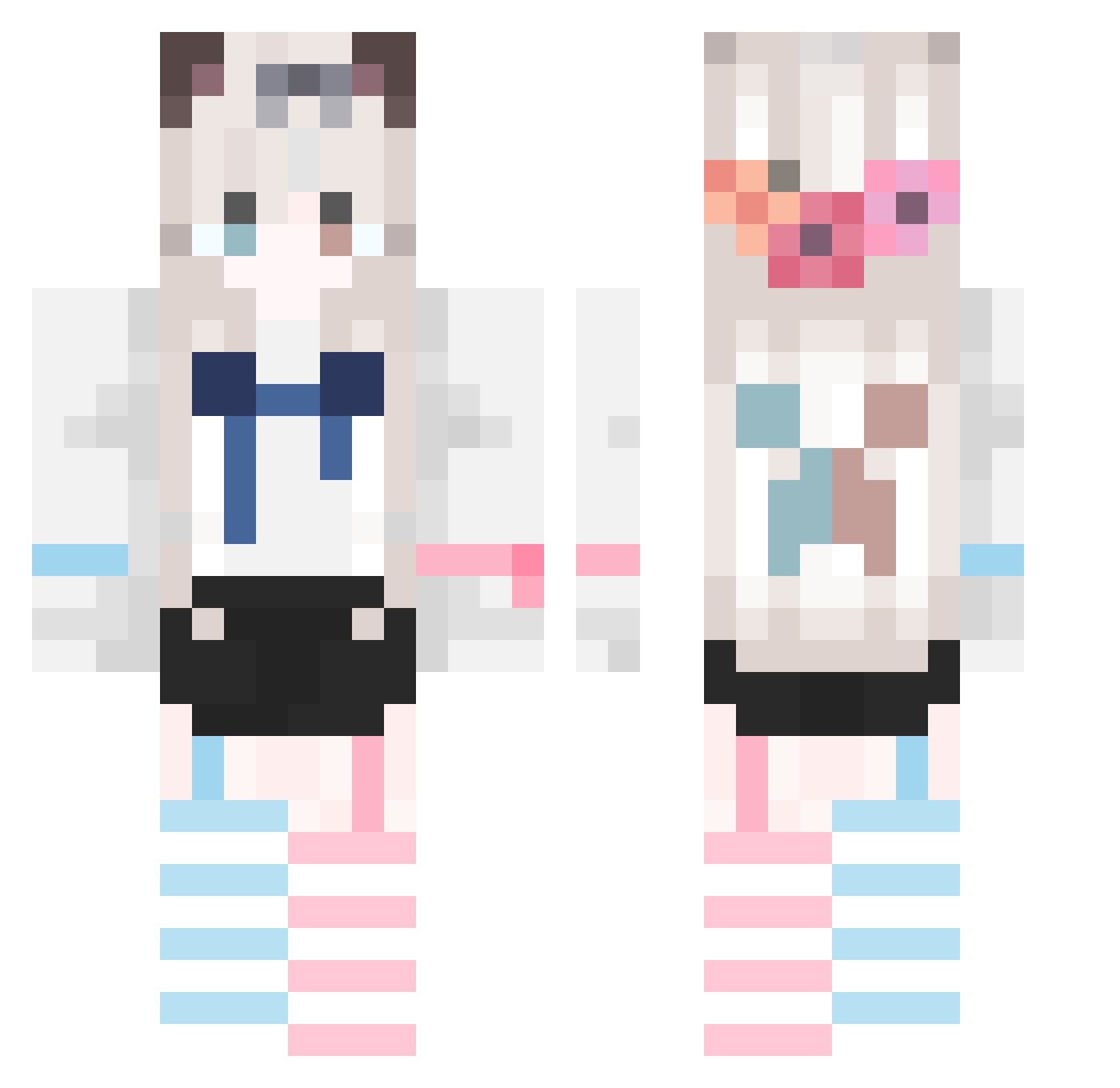
Other players with this skin (845)
Qtjojo666 was the 481st player we have seen with this skin, first spotted on 06.10.2026. The same skin was seen on these players. Open a nickname to see their current skin and skin history.
 IMacerama longmao114514 YOU436 Ender__Rain logomks jingli2001 Elysia151 qmcxy ZERO_son yexiaolou Mxg579 XuXiao56 Nihil_214 Komitio Nan_Yuan_ Solitufde Decears Surter001 MXY004 ackuj AZuQ_Q lyhph xiaoxin0428 zyh_h_h ZHLOFE baotianmi NSDSBA gushi12 Muyanqing MakkaPakkaMo xiebuyi haha051021 Rrayz_ BedrockDigger Lapland1126 Heartless66 huole123 AonoToki BabysRocket_ Jue_Y onetime14 JHGK xihuanmengbao zhouassassin tideng adccAA pldlsl whiteIn_ IIIKUNNN666 mczero95 Nero_Stuart sevele Dv_An Zhi_Qu xiaofei886 need_the_help KUNKUNBDK coookie_qwq Whisky_sir Pig_II
More Cat Ears Minecraft skins
How to install the Qtjojo666 skin
- Press the Download button above to save the skin as a PNG file.
- Minecraft: Bedrock Edition (PE): open the Dressing Room from the main menu (or tap your character → Edit Character), go to Classic Skins → Owned, press the + (new skin) button, choose the downloaded PNG and pick the Classic (Steve) model. Works on PC and mobile; consoles cannot import custom skins.
- Minecraft: Java Edition: open the Minecraft Launcher, go to the Skins tab, click New Skin, load the PNG, pick the Classic (Steve) model and press Save & Use. You can also upload it at minecraft.net → Profile → Change Skin.
The skin does not show up after import - what should I do?
Restart Minecraft and open the Dressing Room again - imported skins sometimes appear only after a restart. Also make sure you selected the imported skin and picked the Classic (Steve) model.
Which model should I choose, Classic or Slim?
This skin is designed for the Classic (Steve) model. If you pick the wrong model, the arms of the skin will look stretched or squeezed.
Is the skin of Qtjojo666 free to download?
Yes. Press Download, save the PNG file and use it in Minecraft: Bedrock Edition or Java Edition - no payment or registration needed. The skin also works on multiplayer servers and Realms.
More skins
Looking for more? Go back to all Minecraft skins and check the top skins of the week, month and all time, or find any player's skin by nickname.