
Qnwlr05 - Minecraft Skins & Skin History
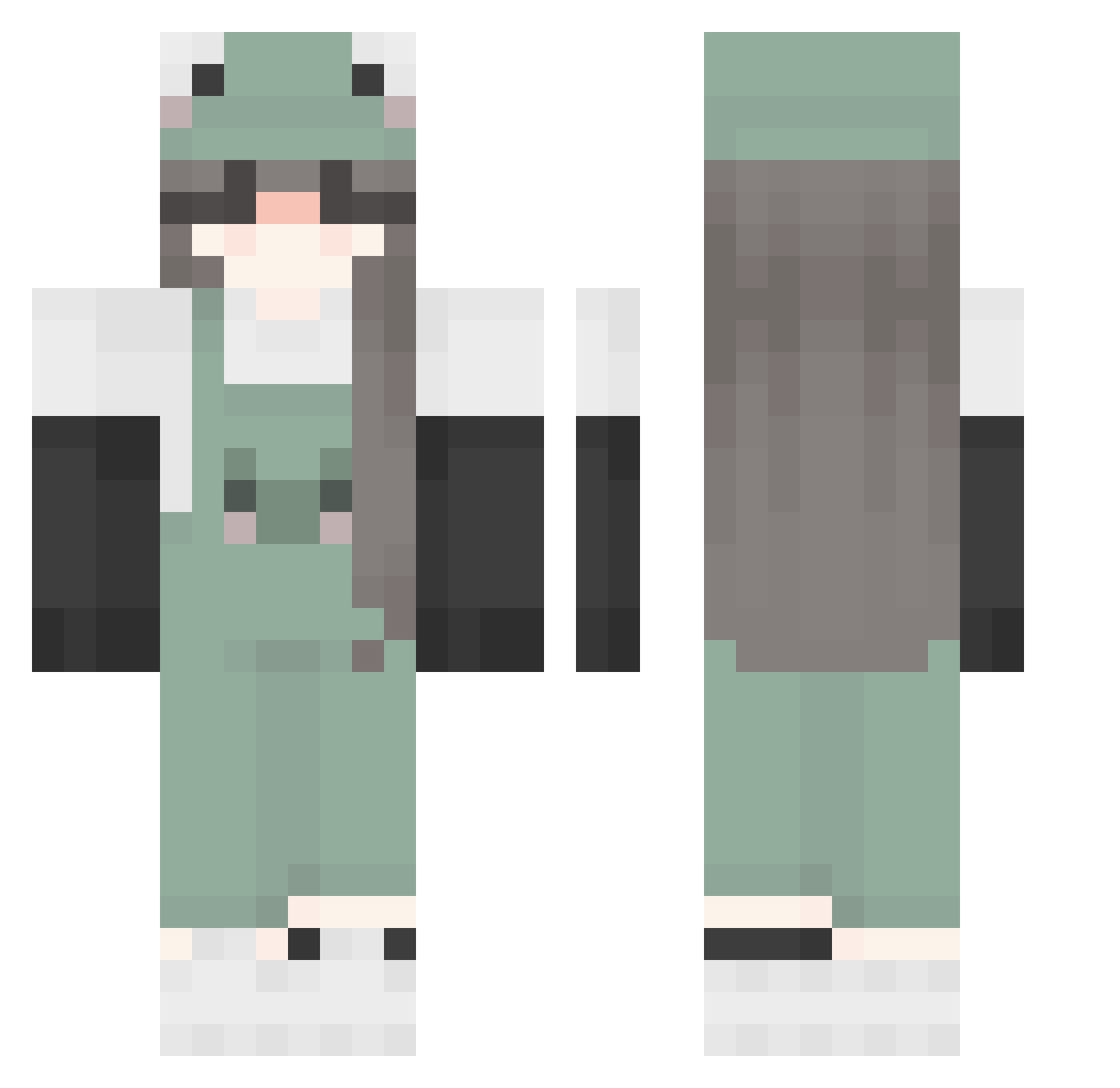
Current Minecraft skin of the player Qnwlr05, loaded from the official Mojang API. Rotate the 3D model with your mouse or finger, then download the skin as a PNG file and use it in Minecraft: Bedrock Edition or Java Edition for free. When Qnwlr05 changes their skin, this page updates automatically and the old skin stays in the history below.
Other players with this skin (230)
Qnwlr05 was the 150th player we have seen with this skin, first spotted on 04.10.2026. The same skin was seen on these players. Open a nickname to see their current skin and skin history.
 shujihan aki_failed_again chaosvanished vivinguyen MOJRIM_ZD flavished SealandFrog marleyfluffa MilkBlob RadoD Hegotnojams PeachyIsRubbish Tess0_0 Kotue SisterShook11 AnnNiwu Shadow_1997 BestYuki ummbri Myshilka ismetbeey lauraibanzz Oreo_Sakes djunaa Bellaicecream21 zCariii CyberBabyAng3L bigrockpeople umce2 GamerEmma66 froggyhop2 Oliii4 Dayaanaa 19010 umeiii tvdtoxmarvel core_16 FriendlyHuman SS0MA HelenaSujin yvne OllieZigZag SaritaOwO LaManka ru_po twomoon Zimberqualia rainin_ vcmxg melatomic KonekoMew feaxr_ Duam_X0 Ray_xiao_lei SpoiledYogurtCup little_sharky Legendary_Berry Catattak001 guava_bat Ralu1337
More Frog Hat Minecraft skins
How to install the Qnwlr05 skin
- Press the Download button above to save the skin as a PNG file.
- Minecraft: Bedrock Edition (PE): open the Dressing Room from the main menu (or tap your character → Edit Character), go to Classic Skins → Owned, press the + (new skin) button, choose the downloaded PNG and pick the Classic (Steve) model. Works on PC and mobile; consoles cannot import custom skins.
- Minecraft: Java Edition: open the Minecraft Launcher, go to the Skins tab, click New Skin, load the PNG, pick the Classic (Steve) model and press Save & Use. You can also upload it at minecraft.net → Profile → Change Skin.
The skin does not show up after import - what should I do?
Restart Minecraft and open the Dressing Room again - imported skins sometimes appear only after a restart. Also make sure you selected the imported skin and picked the Classic (Steve) model.
Which model should I choose, Classic or Slim?
This skin is designed for the Classic (Steve) model. If you pick the wrong model, the arms of the skin will look stretched or squeezed.
Is the skin of Qnwlr05 free to download?
Yes. Press Download, save the PNG file and use it in Minecraft: Bedrock Edition or Java Edition - no payment or registration needed. The skin also works on multiplayer servers and Realms.
More skins
Looking for more? Go back to all Minecraft skins and check the top skins of the week, month and all time, or find any player's skin by nickname.