
Q_uo - Minecraft Skins & Skin History
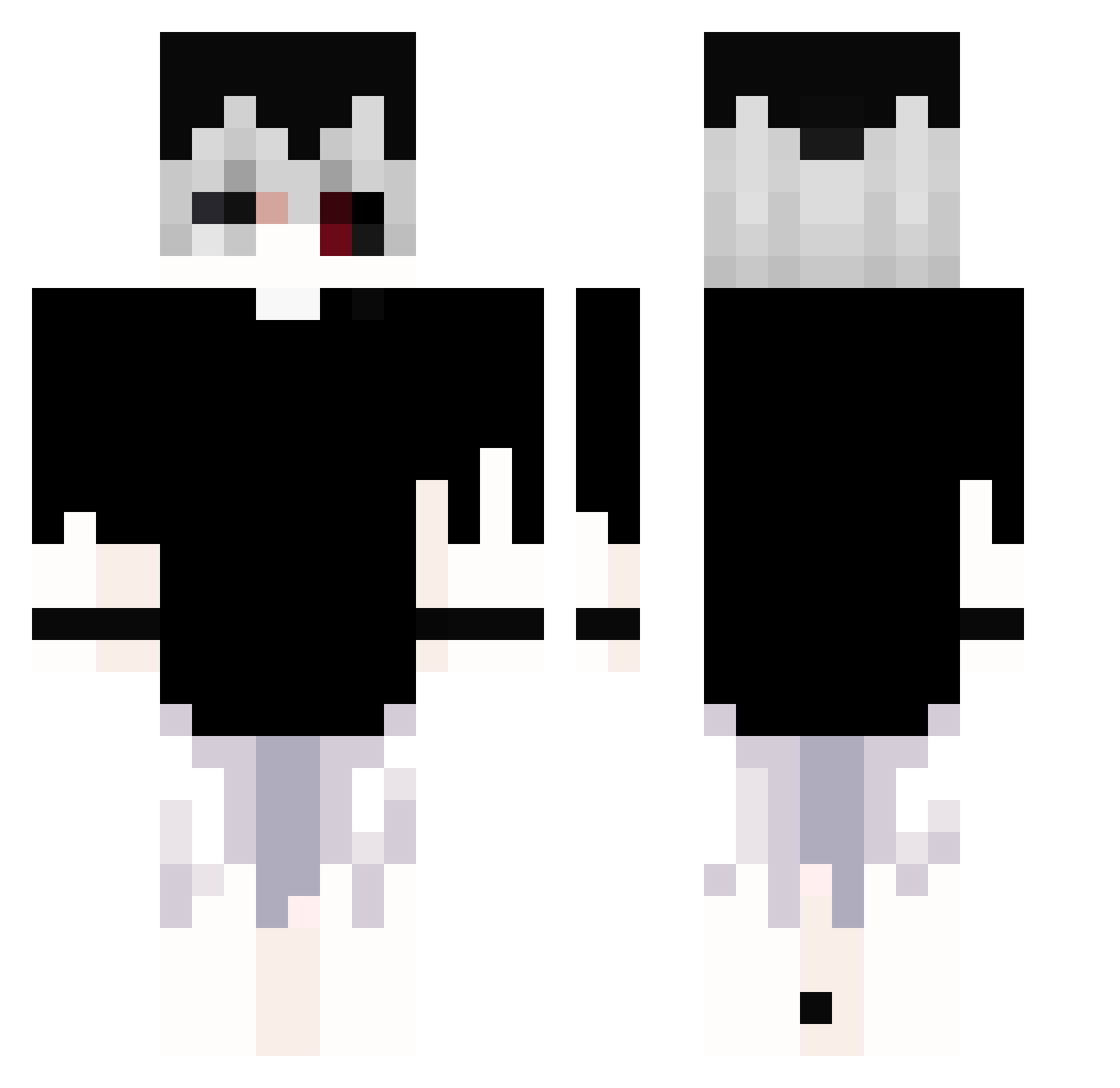
Current Minecraft skin of the player Q_uo, loaded from the official Mojang API. Rotate the 3D model with your mouse or finger, then download the skin as a PNG file and use it in Minecraft: Bedrock Edition or Java Edition for free. When Q_uo changes their skin, this page updates automatically and the old skin stays in the history below.
Other players with this skin (360)
Q_uo was the 210th player we have seen with this skin, first spotted on 29.09.2026. The same skin was seen on these players. Open a nickname to see their current skin and skin history.
 Orsen8522 TheRubbish kms3150 bokkinyiem goku7_ ITS_flayz heylogfann dragonking688 GiddyBrush41160 DanyaDisMoral CesarVT UrIiI__ royal_blue_great fmoretzsohn Lega129 xiaoqi1100 titanip_XD pressFtopay atskiydrochila2 KuroMS JAB18 stormz4rt TyrantSolar st12759 Lazzzzzzy ScaredOfGirls_ Betyss oldtonicomeback SrByakko EbZ312 YangCangPi GABOX0120 mao_shuying NotLeo_ Anfaraon DinoCanXS Hisokax22 _Zedrox_ CyberIdle Mier2030 Zer0372 Zalega_ Kraap1Va Rory0911 lkc3h_x FluxxDown mifran praverlo OVO822 Moran_L1fe nachothepluggg Xyecor KotoMaro05 qu1nque_ LEGENDARYLEON Sney2007 METEOR1889 riccz AstralSora _pxddy_
More Monochrome Minecraft skins
How to install the Q_uo skin
- Press the Download button above to save the skin as a PNG file.
- Minecraft: Bedrock Edition (PE): open the Dressing Room from the main menu (or tap your character → Edit Character), go to Classic Skins → Owned, press the + (new skin) button, choose the downloaded PNG and pick the Classic (Steve) model. Works on PC and mobile; consoles cannot import custom skins.
- Minecraft: Java Edition: open the Minecraft Launcher, go to the Skins tab, click New Skin, load the PNG, pick the Classic (Steve) model and press Save & Use. You can also upload it at minecraft.net → Profile → Change Skin.
The skin does not show up after import - what should I do?
Restart Minecraft and open the Dressing Room again - imported skins sometimes appear only after a restart. Also make sure you selected the imported skin and picked the Classic (Steve) model.
Which model should I choose, Classic or Slim?
This skin is designed for the Classic (Steve) model. If you pick the wrong model, the arms of the skin will look stretched or squeezed.
Is the skin of Q_uo free to download?
Yes. Press Download, save the PNG file and use it in Minecraft: Bedrock Edition or Java Edition - no payment or registration needed. The skin also works on multiplayer servers and Realms.
More skins
Looking for more? Go back to all Minecraft skins and check the top skins of the week, month and all time, or find any player's skin by nickname.