
QLL_LIN - Minecraft Skins & Skin History
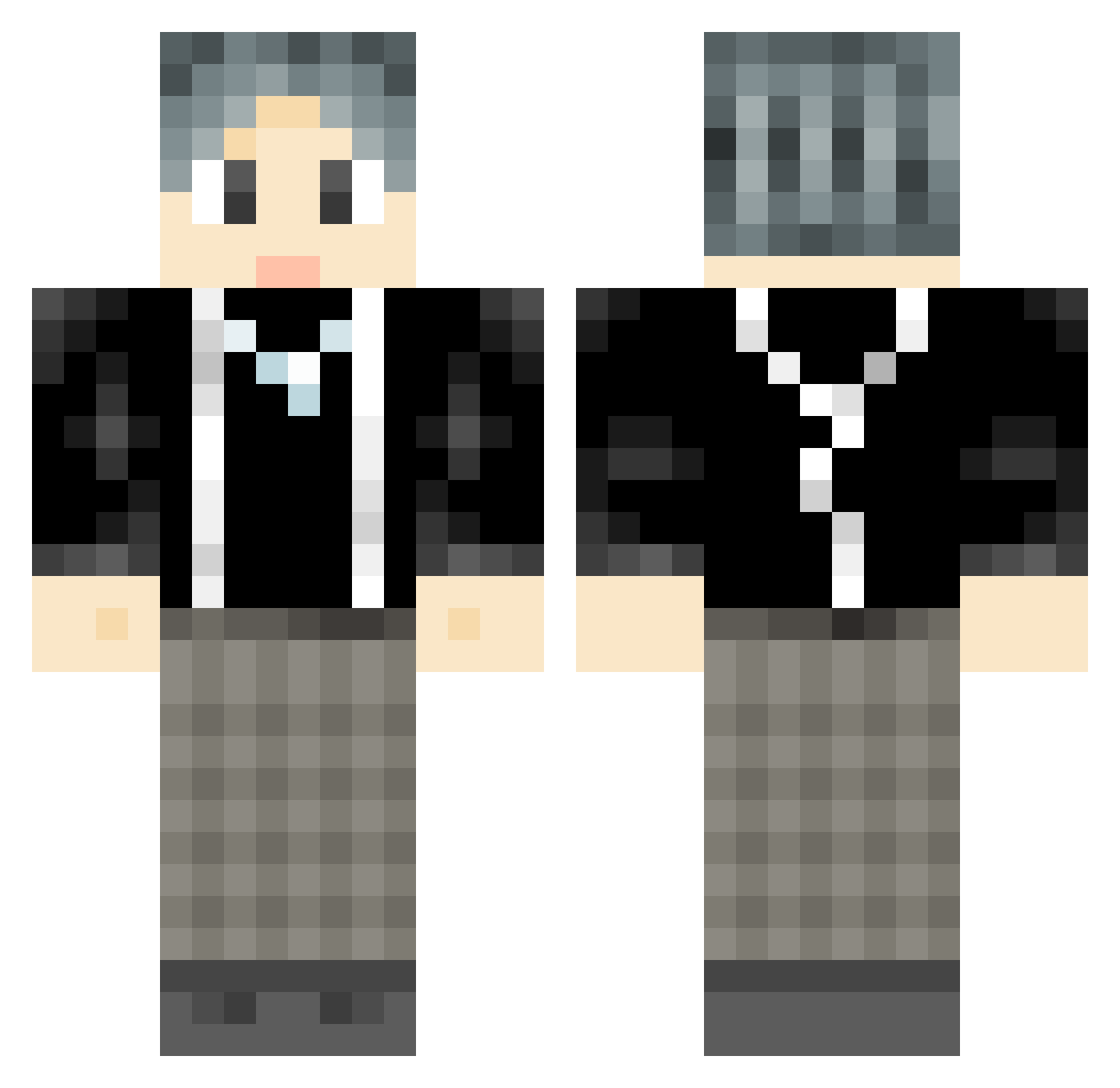
Current Minecraft skin of the player QLL_LIN, loaded from the official Mojang API. Rotate the 3D model with your mouse or finger, then download the skin as a PNG file and use it in Minecraft: Bedrock Edition or Java Edition for free. When QLL_LIN changes their skin, this page updates automatically and the old skin stays in the history below.
Other players with this skin (898)
QLL_LIN was the 473rd player we have seen with this skin, first spotted on 23.09.2026. The same skin was seen on these players. Open a nickname to see their current skin and skin history.
 Ruby_hap langcall renzhong111 Yc00 Holy_angel LEDMonkey Kaztora miaFoFo XiaoLZ_1102 Lxyv derderjian EthanWu_ RiderGenius nbrcc Moon_Chenxi Budinggou Yavvou xiaoMorgan SeainSummer Zz_Sky linzhanqi BEI_KEEEE Scropio fwing weilianga GinHeoi stj2333 nyhsxny1546 Really_IKUN_ikun Echeval Boss_Tom Magic_Rubys kotoko1337 Jhawke2002 Rtututu hcbiu emkazfz catkin_12138 rooch_ Jonny_Mike dashuaibing line_yu YangShiPeng ZheZhiDaShi UltradudeRW youxuan411 WILL_BE_THE_KING BIG_ZI_SHU Tohka_z xinye66 nuck1ary jisen8 mugenoo yeyou_ gumeng_ Fu77Xin 10YearOldBoy cassete Sheep_Feather_ Master_Bolin
How to install the QLL_LIN skin
- Press the Download button above to save the skin as a PNG file.
- Minecraft: Bedrock Edition (PE): open the Dressing Room from the main menu (or tap your character → Edit Character), go to Classic Skins → Owned, press the + (new skin) button, choose the downloaded PNG and pick the Classic (Steve) model. Works on PC and mobile; consoles cannot import custom skins.
- Minecraft: Java Edition: open the Minecraft Launcher, go to the Skins tab, click New Skin, load the PNG, pick the Classic (Steve) model and press Save & Use. You can also upload it at minecraft.net → Profile → Change Skin.
The skin does not show up after import - what should I do?
Restart Minecraft and open the Dressing Room again - imported skins sometimes appear only after a restart. Also make sure you selected the imported skin and picked the Classic (Steve) model.
Which model should I choose, Classic or Slim?
This skin is designed for the Classic (Steve) model. If you pick the wrong model, the arms of the skin will look stretched or squeezed.
Is the skin of QLL_LIN free to download?
Yes. Press Download, save the PNG file and use it in Minecraft: Bedrock Edition or Java Edition - no payment or registration needed. The skin also works on multiplayer servers and Realms.
More skins
Looking for more? Go back to all Minecraft skins and check the top skins of the week, month and all time, or find any player's skin by nickname.