
Pysete - Minecraft Skins & Skin History
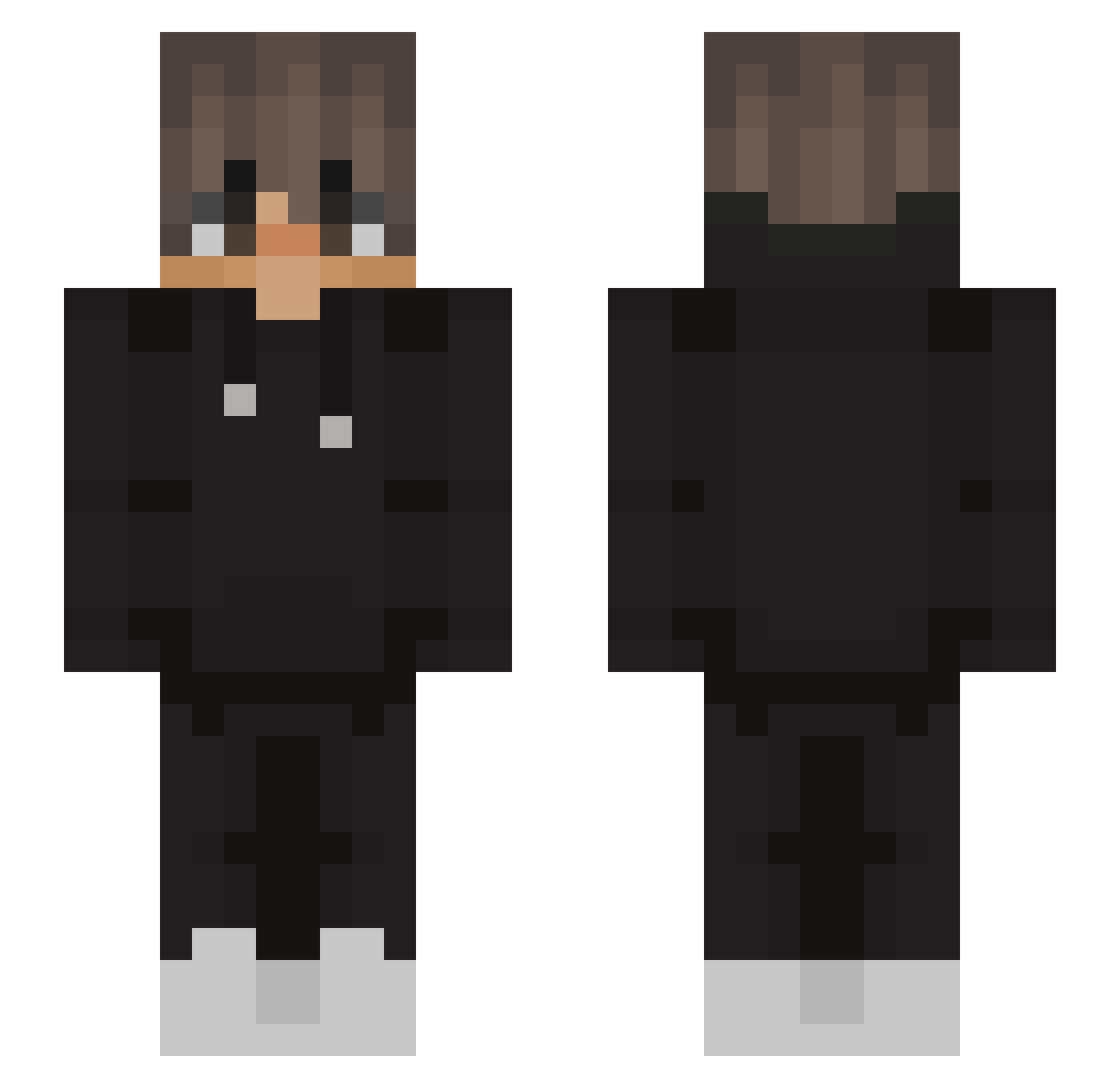
Current Minecraft skin of the player Pysete, loaded from the official Mojang API. Rotate the 3D model with your mouse or finger, then download the skin as a PNG file and use it in Minecraft: Bedrock Edition or Java Edition for free. When Pysete changes their skin, this page updates automatically and the old skin stays in the history below.
Other players with this skin (563)
Pysete was the 326th player we have seen with this skin, first spotted on 03.10.2026. The same skin was seen on these players. Open a nickname to see their current skin and skin history.
 Irssus papi_pablo_ EyemRuss Nico0274 choclatebars oAgoMC hannes_mw nzLeopard yusker4 Rathu204 tabularasa28 dedbasz YoItsJoel elglitcheur Barroca_ Keaytoo ArkuleeS Scopes666 RadiantGloww PATAGONIA247 Tidiix_ BlackArmony Puppet842 Nexhaz Simaaoo_ Action_Scryptig lpfe KingGregory23 Ognii TypicalSKE NotJxyz L3asy crab622 xDarkCloud niewiemescape Just_Zocker92 Sm0k3_ToXiC Interessantee TiNcHo2 XieZiHan666 Airzzr Xyqt_ wnoahh alexismera_14 Frodo_is_here linofelipe123_ smartek2020 AminDW LJonathan LionasK Panos8765 Snowskiii aPqnf Bantsbtw Kraziel LELEKK__ XxKiller920xX Slerrik Sewek8453 blameger
More Streetwear Minecraft skins
How to install the Pysete skin
- Press the Download button above to save the skin as a PNG file.
- Minecraft: Bedrock Edition (PE): open the Dressing Room from the main menu (or tap your character → Edit Character), go to Classic Skins → Owned, press the + (new skin) button, choose the downloaded PNG and pick the Slim (Alex) model. Works on PC and mobile; consoles cannot import custom skins.
- Minecraft: Java Edition: open the Minecraft Launcher, go to the Skins tab, click New Skin, load the PNG, pick the Slim (Alex) model and press Save & Use. You can also upload it at minecraft.net → Profile → Change Skin.
The skin does not show up after import - what should I do?
Restart Minecraft and open the Dressing Room again - imported skins sometimes appear only after a restart. Also make sure you selected the imported skin and picked the Slim (Alex) model.
Which model should I choose, Classic or Slim?
This skin is designed for the Slim (Alex) model. If you pick the wrong model, the arms of the skin will look stretched or squeezed.
Is the skin of Pysete free to download?
Yes. Press Download, save the PNG file and use it in Minecraft: Bedrock Edition or Java Edition - no payment or registration needed. The skin also works on multiplayer servers and Realms.
More skins
Looking for more? Go back to all Minecraft skins and check the top skins of the week, month and all time, or find any player's skin by nickname.