
Punchmike2010 - Minecraft Skins & Skin History
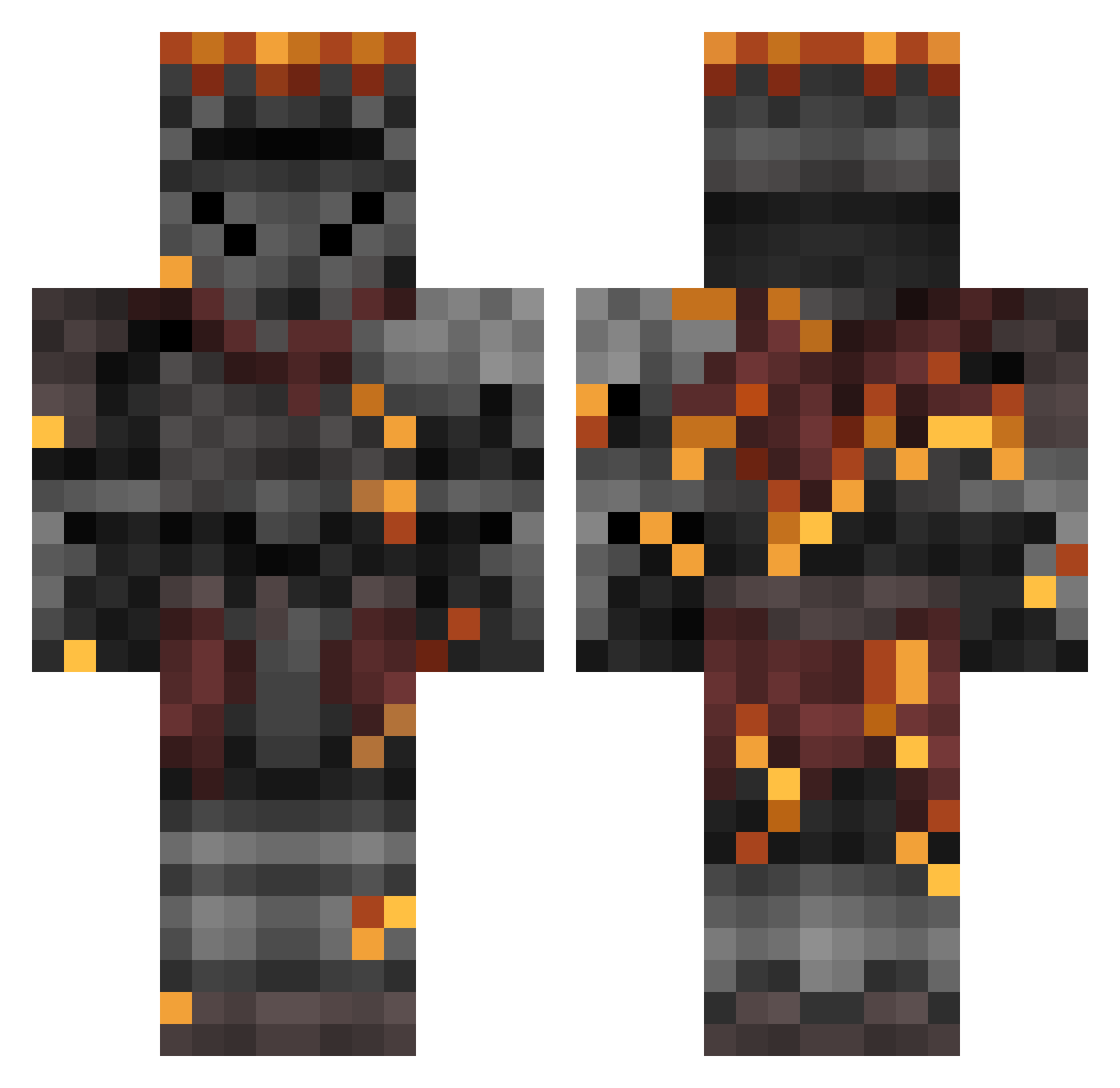
Current Minecraft skin of the player Punchmike2010, loaded from the official Mojang API. Rotate the 3D model with your mouse or finger, then download the skin as a PNG file and use it in Minecraft: Bedrock Edition or Java Edition for free. When Punchmike2010 changes their skin, this page updates automatically and the old skin stays in the history below.
Other players with this skin (48)
Punchmike2010 was the 12th player we have seen with this skin, first spotted on 20.08.2026. The same skin was seen on these players. Open a nickname to see their current skin and skin history.
 zhouziqi ryan_pro_1000 D4rkseige athersz
 Benkyoshi XPera03 ProfVale Fritz2272 Bigdg12 Juie89 HGrey pauloGIL Gojoscott OGdeadeyedudley ronaltoledo R0TAKS Lbnn DecayedGuard3276 Shadowrath13 Casan0v4 Swamp_Drained SparrowKnight386 Ha1r_ Novan_19 ONEAL9712 Pik4boo Mediaed Saltydrydra9adw DoutorLeto Marmotta__ SwiftGold SLENDERALT205 kekomashine JavixPlayer Minelda WarCriminaI0 SdrealM KXIZN Cool_guy_12 kaio_nr 4ct4 DeNy_Gemini strnad420 Kaymrex Deyonix ArcaneWanderer44 GwynnMorgan Abysswalker95
More Magma Minecraft skins
How to install the Punchmike2010 skin
- Press the Download button above to save the skin as a PNG file.
- Minecraft: Bedrock Edition (PE): open the Dressing Room from the main menu (or tap your character → Edit Character), go to Classic Skins → Owned, press the + (new skin) button, choose the downloaded PNG and pick the Classic (Steve) model. Works on PC and mobile; consoles cannot import custom skins.
- Minecraft: Java Edition: open the Minecraft Launcher, go to the Skins tab, click New Skin, load the PNG, pick the Classic (Steve) model and press Save & Use. You can also upload it at minecraft.net → Profile → Change Skin.
The skin does not show up after import - what should I do?
Restart Minecraft and open the Dressing Room again - imported skins sometimes appear only after a restart. Also make sure you selected the imported skin and picked the Classic (Steve) model.
Which model should I choose, Classic or Slim?
This skin is designed for the Classic (Steve) model. If you pick the wrong model, the arms of the skin will look stretched or squeezed.
Is the skin of Punchmike2010 free to download?
Yes. Press Download, save the PNG file and use it in Minecraft: Bedrock Edition or Java Edition - no payment or registration needed. The skin also works on multiplayer servers and Realms.
More skins
Looking for more? Go back to all Minecraft skins and check the top skins of the week, month and all time, or find any player's skin by nickname.