
ProtheusCZ - Minecraft Skins & Skin History
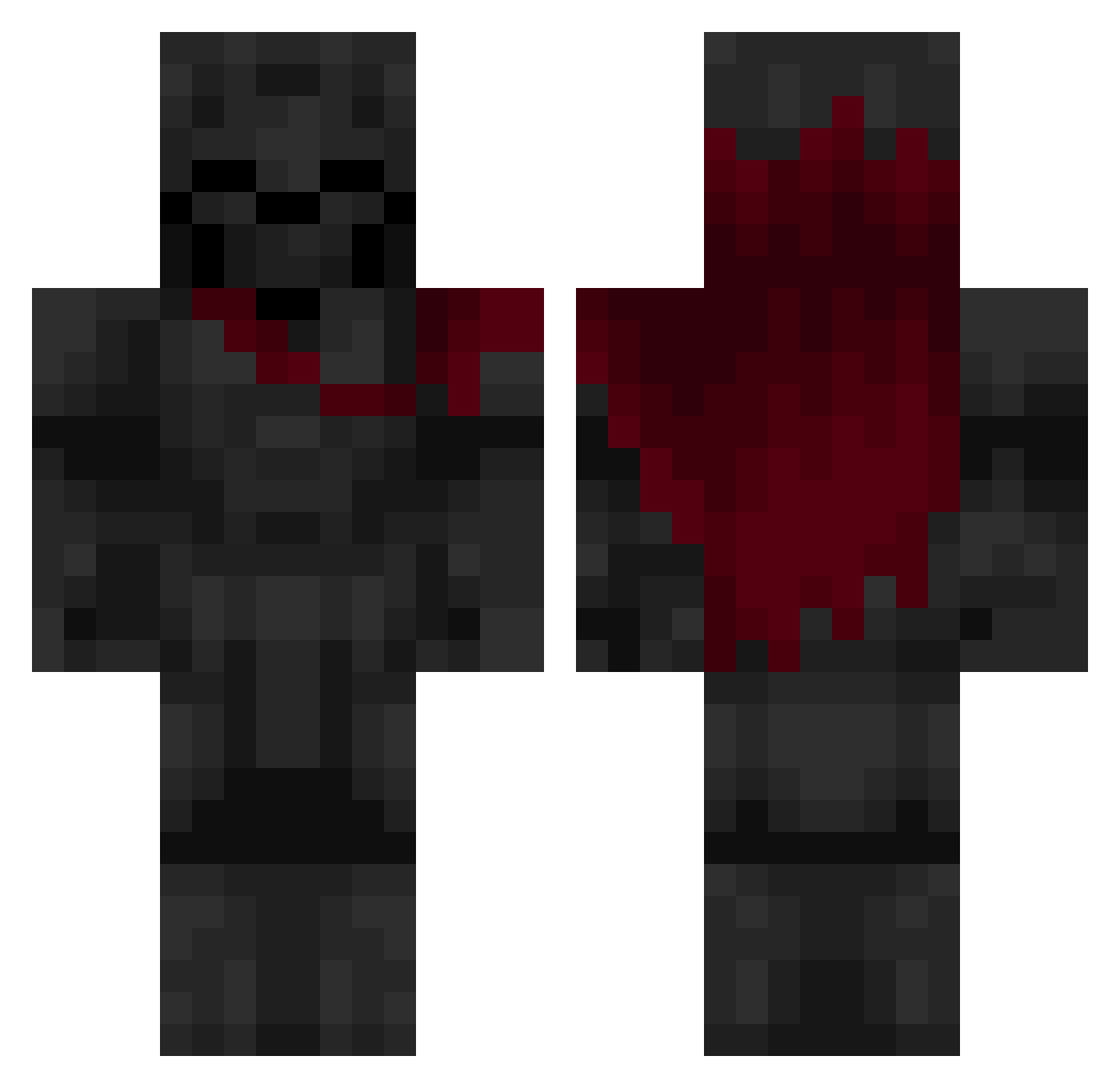
Current Minecraft skin of the player ProtheusCZ, loaded from the official Mojang API. Rotate the 3D model with your mouse or finger, then download the skin as a PNG file and use it in Minecraft: Bedrock Edition or Java Edition for free. When ProtheusCZ changes their skin, this page updates automatically and the old skin stays in the history below.
Other players with this skin (636)
ProtheusCZ was the 538th player we have seen with this skin, first spotted on 23.10.2026. The same skin was seen on these players. Open a nickname to see their current skin and skin history.
 TTVKBE_Ghost Landonator5 ARZOLA9 Petru8 ddfdddvx Quelapluie Alziarr MrEbob berti22 Lang_shao Tome303 Nyshal temnyjlord61 4LQ7 ToulouseGameShow Gasriel DariusCrowley11 TopLime_ morgan0614 jdght Igu86 LoXdk _HS__ Matcole Scorponoc iGen_x Adam_KO0O b1euu Suldaan_Alt Garfolomew MatiUkaz robertoi PapaFrank3 MatthewRV Dolgego TragicSaturn1 IzinValer igorgo MysterTea L_Hockley Alkadraz SX3_ TurningBlox joshy12321 Copasa29 ja_mes16 Reksio_00 LyidLeon A11R06 Zen000l spider_op314 NightHunter110 GRAV3Z Fanthorjr ken_kancki djgoint MileeX RageCursedJ NixTheOne1 xZafrax
More Knight Minecraft skins
How to install the ProtheusCZ skin
- Press the Download button above to save the skin as a PNG file.
- Minecraft: Bedrock Edition (PE): open the Dressing Room from the main menu (or tap your character → Edit Character), go to Classic Skins → Owned, press the + (new skin) button, choose the downloaded PNG and pick the Classic (Steve) model. Works on PC and mobile; consoles cannot import custom skins.
- Minecraft: Java Edition: open the Minecraft Launcher, go to the Skins tab, click New Skin, load the PNG, pick the Classic (Steve) model and press Save & Use. You can also upload it at minecraft.net → Profile → Change Skin.
The skin does not show up after import - what should I do?
Restart Minecraft and open the Dressing Room again - imported skins sometimes appear only after a restart. Also make sure you selected the imported skin and picked the Classic (Steve) model.
Which model should I choose, Classic or Slim?
This skin is designed for the Classic (Steve) model. If you pick the wrong model, the arms of the skin will look stretched or squeezed.
Is the skin of ProtheusCZ free to download?
Yes. Press Download, save the PNG file and use it in Minecraft: Bedrock Edition or Java Edition - no payment or registration needed. The skin also works on multiplayer servers and Realms.
More skins
Looking for more? Go back to all Minecraft skins and check the top skins of the week, month and all time, or find any player's skin by nickname.