
Prophet0465 - Minecraft Skins & Skin History
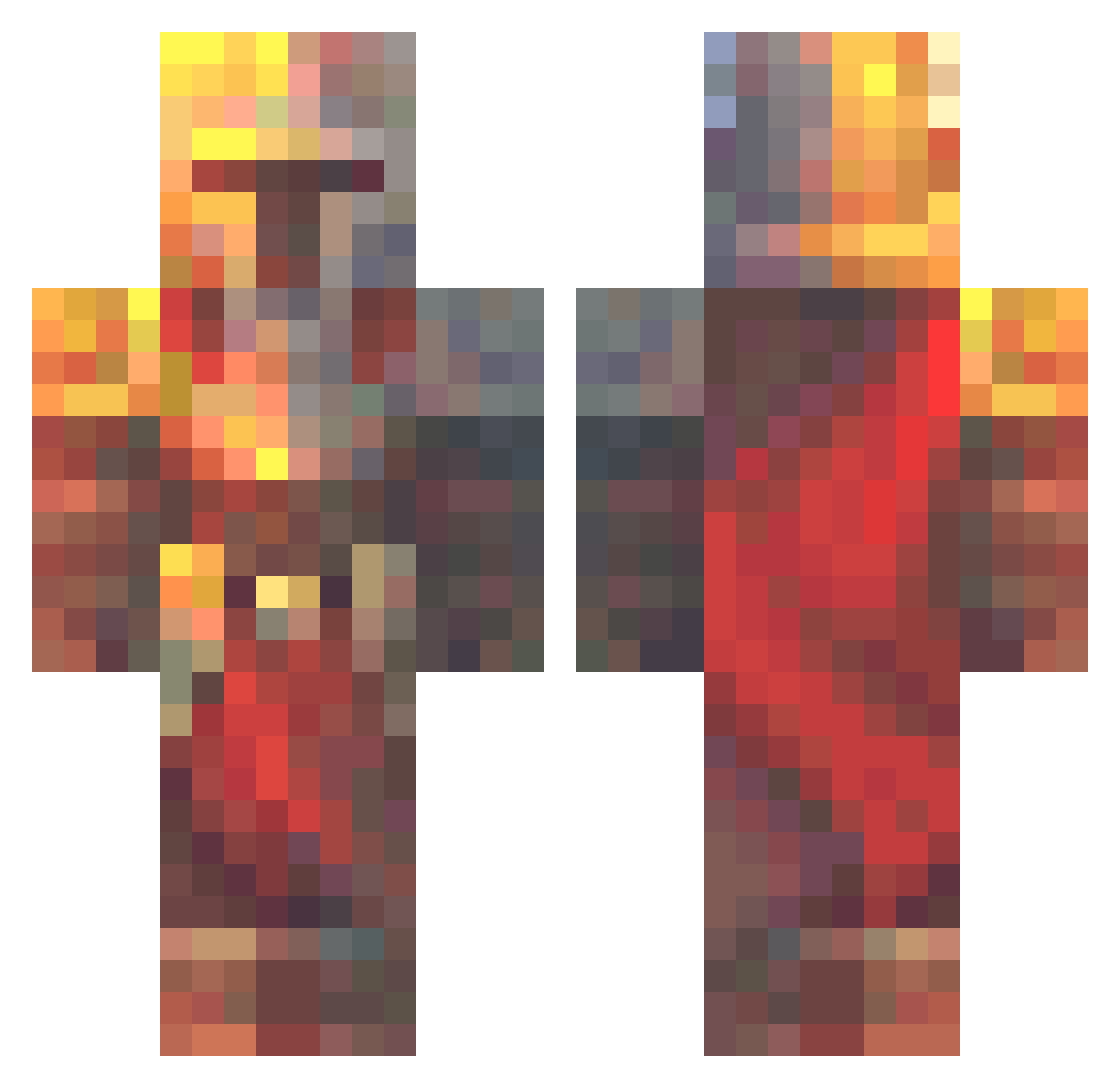
Current Minecraft skin of the player Prophet0465, loaded from the official Mojang API. Rotate the 3D model with your mouse or finger, then download the skin as a PNG file and use it in Minecraft: Bedrock Edition or Java Edition for free. When Prophet0465 changes their skin, this page updates automatically and the old skin stays in the history below.
Other players with this skin (574)
Prophet0465 was the 118th player we have seen with this skin, first spotted on 14.08.2026. The same skin was seen on these players. Open a nickname to see their current skin and skin history.
 yeezusseason Pa3k216 MarulAlex NCDragon Patrick8969 SakamotoKenji Arabdo WooshMoosh floppythewalrus Conters1 proekster Odvaha_ Nocna_Sowa2246 DaBestBrother Vergic BroGamer011 ajn42 LegendarySandGod beatroot72 Shogunsun69 PokeFede08 TachyonicCookie Rutzou4121 Boltman7616 NocheDeVeran0 RnVoyageur sourmixerry CptnCrafter hashisaki ggburak111 HeavyGamerX king20120 Grimdraga dognapper69 cfoy KATOuFOOL namebot_1 Ordensstaat Santtiago_2105 Luretaz1789 cavejoe123 1Knight_Lancelot liampcmaster NinjaPooPants WombatImBusch
 4Kam Iniqa666 UN_Blue_13
 NekoMaze Hazydays97 Anthonyali RYRY_BREAD1 tasdemirm Hotshot9 Httghj_ sSkeptik Mathalamieux Flamezey Anaklusmos7238 Capten_Bob
More Medieval Minecraft skins
How to install the Prophet0465 skin
- Press the Download button above to save the skin as a PNG file.
- Minecraft: Bedrock Edition (PE): open the Dressing Room from the main menu (or tap your character → Edit Character), go to Classic Skins → Owned, press the + (new skin) button, choose the downloaded PNG and pick the Classic (Steve) model. Works on PC and mobile; consoles cannot import custom skins.
- Minecraft: Java Edition: open the Minecraft Launcher, go to the Skins tab, click New Skin, load the PNG, pick the Classic (Steve) model and press Save & Use. You can also upload it at minecraft.net → Profile → Change Skin.
The skin does not show up after import - what should I do?
Restart Minecraft and open the Dressing Room again - imported skins sometimes appear only after a restart. Also make sure you selected the imported skin and picked the Classic (Steve) model.
Which model should I choose, Classic or Slim?
This skin is designed for the Classic (Steve) model. If you pick the wrong model, the arms of the skin will look stretched or squeezed.
Is the skin of Prophet0465 free to download?
Yes. Press Download, save the PNG file and use it in Minecraft: Bedrock Edition or Java Edition - no payment or registration needed. The skin also works on multiplayer servers and Realms.
More skins
Looking for more? Go back to all Minecraft skins and check the top skins of the week, month and all time, or find any player's skin by nickname.