
Pronsel - Minecraft Skins & Skin History
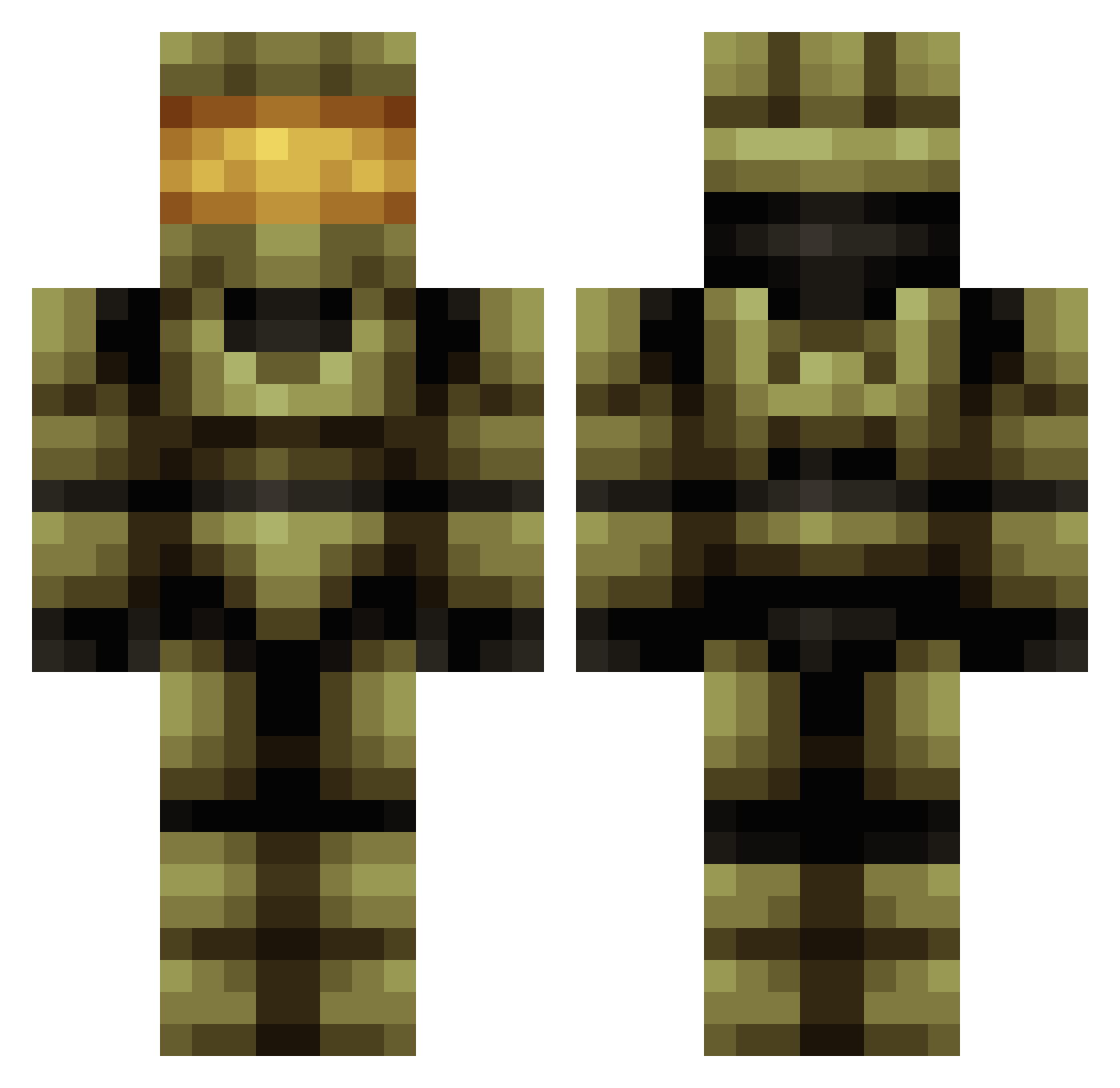
Current Minecraft skin of the player Pronsel, loaded from the official Mojang API. Rotate the 3D model with your mouse or finger, then download the skin as a PNG file and use it in Minecraft: Bedrock Edition or Java Edition for free. When Pronsel changes their skin, this page updates automatically and the old skin stays in the history below.
Other players with this skin (419)
Pronsel was the 340th player we have seen with this skin, first spotted on 14.10.2026. The same skin was seen on these players. Open a nickname to see their current skin and skin history.
 Sleighbo Deadshot053 RMZDady buthid casualcolton PseudoLimeT poppacease Naohuo Max2JZGTE xTrueNic Lemon7224 pochert Chaotic_Spirit GarretSicarius QGG114514 crossiron94 RAND0M_MANIAC Dimension2610 YoAbre zombie1620 King_Death76 griffin142009 Snowlord117 DFFz mastersier _Jose97_ FTPSpartan01 Zioxe Xanthibbe DeliveredRpm Mister_Stud Raptor3636 D27ShGUU HolyAvocado_ Qiqian3117 nobodyj3 ZEVN0 Blaze1tl ENERGY_SALT EvilKage360 giovaelboss IceCreamKony Animestorm5000 shiFt_Smexy DEADSH00T117 FrozenWildfire ozzy_286 FixingSilence Eternity323 euGenom PaperBlitz1 SpunkyWizard dardae P1aSt1C Laki2004 BALDO_TT xMimSx Leoide41 GlitchMaster468 TOPFIRE1957
More Master Chief Minecraft skins
See all 527 Master Chief skins
How to install the Pronsel skin
- Press the Download button above to save the skin as a PNG file.
- Minecraft: Bedrock Edition (PE): open the Dressing Room from the main menu (or tap your character → Edit Character), go to Classic Skins → Owned, press the + (new skin) button, choose the downloaded PNG and pick the Classic (Steve) model. Works on PC and mobile; consoles cannot import custom skins.
- Minecraft: Java Edition: open the Minecraft Launcher, go to the Skins tab, click New Skin, load the PNG, pick the Classic (Steve) model and press Save & Use. You can also upload it at minecraft.net → Profile → Change Skin.
The skin does not show up after import - what should I do?
Restart Minecraft and open the Dressing Room again - imported skins sometimes appear only after a restart. Also make sure you selected the imported skin and picked the Classic (Steve) model.
Which model should I choose, Classic or Slim?
This skin is designed for the Classic (Steve) model. If you pick the wrong model, the arms of the skin will look stretched or squeezed.
Is the skin of Pronsel free to download?
Yes. Press Download, save the PNG file and use it in Minecraft: Bedrock Edition or Java Edition - no payment or registration needed. The skin also works on multiplayer servers and Realms.
More skins
Looking for more? Go back to all Minecraft skins and check the top skins of the week, month and all time, or find any player's skin by nickname.