
Professor_Punk - Minecraft Skins & Skin History
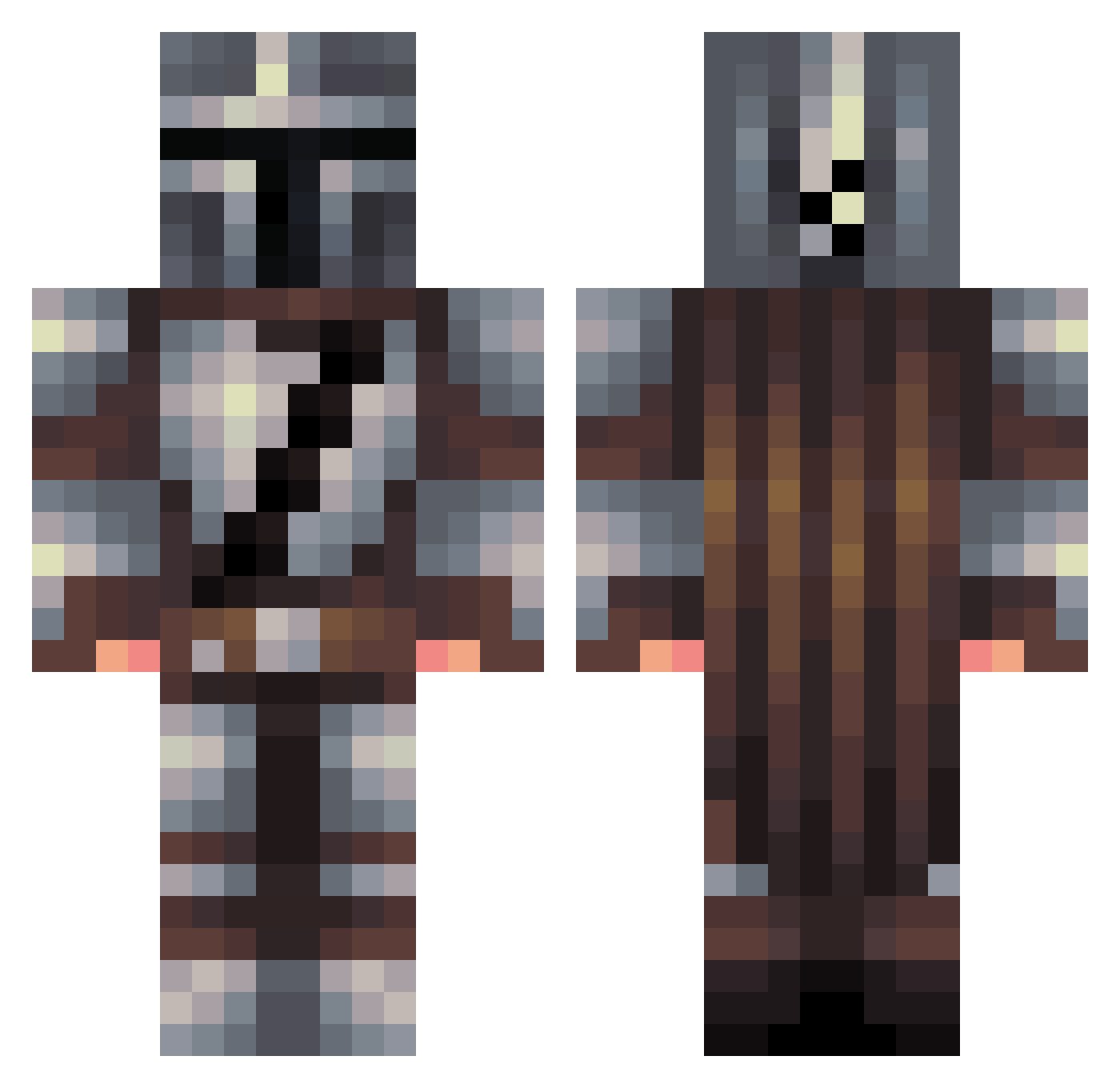
Current Minecraft skin of the player Professor_Punk, loaded from the official Mojang API. Rotate the 3D model with your mouse or finger, then download the skin as a PNG file and use it in Minecraft: Bedrock Edition or Java Edition for free. When Professor_Punk changes their skin, this page updates automatically and the old skin stays in the history below.
Other players with this skin (457)
Professor_Punk was the 114th player we have seen with this skin, first spotted on 19.08.2026. The same skin was seen on these players. Open a nickname to see their current skin and skin history.
 Creevee IL0veTurk3y gichan4u BeechMayte
 Domontracer lavedog45367 dingle_berry Razo_245 matthewwprice Stalkost IssaSauce tommyx34 ItzoEvo Olad54 TheGrogu Gromomo53 Mojo741m LeoSieghart Legoboyjr
 justin_lapatate denistest777 Nonchalant_ Sykotik_Prime Arguleon_Veq Darksong93 dw3dd OverlordElmo Bloemhofski MrLevinZONE Mynnor RedBeardGow Borja2430 richineitor The_Courier98 BabYoda8995 commanderdav1s pineapplelord11 Grass_Block123 Sgt_Blackburn27 vonwilbur Janno111 GirtB FaelGOD BornxSnare04K 6asy FlorestNerd Crawley84 Hublubby clasperss CloneTrooper418 Hackerbee Meyar5 VicAndTony A_Profile_Nahmei Armenian Willr9 Commander418 bjarmar ddsk8ter CXX55
More The Mandalorian Minecraft skins
See all 591 The Mandalorian skins
How to install the Professor_Punk skin
- Press the Download button above to save the skin as a PNG file.
- Minecraft: Bedrock Edition (PE): open the Dressing Room from the main menu (or tap your character → Edit Character), go to Classic Skins → Owned, press the + (new skin) button, choose the downloaded PNG and pick the Classic (Steve) model. Works on PC and mobile; consoles cannot import custom skins.
- Minecraft: Java Edition: open the Minecraft Launcher, go to the Skins tab, click New Skin, load the PNG, pick the Classic (Steve) model and press Save & Use. You can also upload it at minecraft.net → Profile → Change Skin.
The skin does not show up after import - what should I do?
Restart Minecraft and open the Dressing Room again - imported skins sometimes appear only after a restart. Also make sure you selected the imported skin and picked the Classic (Steve) model.
Which model should I choose, Classic or Slim?
This skin is designed for the Classic (Steve) model. If you pick the wrong model, the arms of the skin will look stretched or squeezed.
Is the skin of Professor_Punk free to download?
Yes. Press Download, save the PNG file and use it in Minecraft: Bedrock Edition or Java Edition - no payment or registration needed. The skin also works on multiplayer servers and Realms.
More skins
Looking for more? Go back to all Minecraft skins and check the top skins of the week, month and all time, or find any player's skin by nickname.