
ProGram3D - Minecraft Skins & Skin History
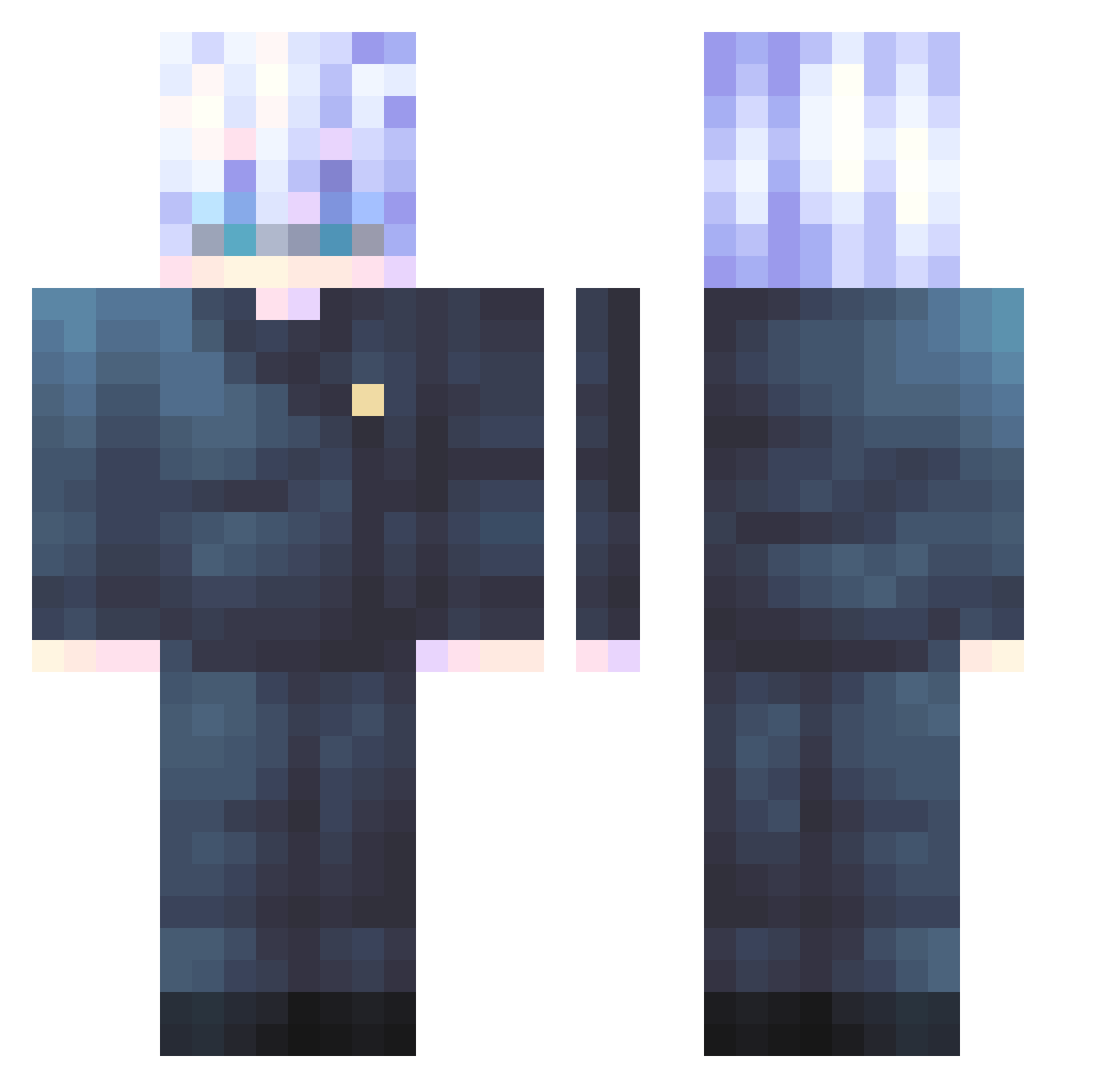
Current Minecraft skin of the player ProGram3D, loaded from the official Mojang API. Rotate the 3D model with your mouse or finger, then download the skin as a PNG file and use it in Minecraft: Bedrock Edition or Java Edition for free. When ProGram3D changes their skin, this page updates automatically and the old skin stays in the history below.
Other players with this skin (547)
ProGram3D was the 467th player we have seen with this skin, first spotted on 21.10.2026. The same skin was seen on these players. Open a nickname to see their current skin and skin history.
 hojini17 WildStrykerWon zi_b_ra aksmal NappingBacon lookatmelookatme Voider_2 darkyX223 SuperDogGamer1 G_Woooo AultherBOY LeinadErriuga Max30FPS MC_Sneaky chicken777033 Silvereater04 PZZThomas Smol1k Red_Yoshi28 ericky935 Czapsky MaxCaval Sinsarasee dezignful Godzilla1207 EmaNerox Viniwhats santihatake Shilokingcito HCLI_Kiluari Timolicon Sveshnikov7 wraith0o0 k_support BlackSocks1 romeo3847 VYUKY GatoPirata kryzNov lemenisdahora Arkay19 Dlany99 LinHao1129 Kyuubi00 frostubyte Asmareal isack2 SageCubed NerckSun pharo85 1tsT4FF sprite0610 Manchenghuayu WsgYt HollyLou42 Philophobia__ mtrkn Sa347 JayTheCoder Feen_X
More Satoru Gojo Minecraft skins
See all 1317 Satoru Gojo skins
How to install the ProGram3D skin
- Press the Download button above to save the skin as a PNG file.
- Minecraft: Bedrock Edition (PE): open the Dressing Room from the main menu (or tap your character → Edit Character), go to Classic Skins → Owned, press the + (new skin) button, choose the downloaded PNG and pick the Classic (Steve) model. Works on PC and mobile; consoles cannot import custom skins.
- Minecraft: Java Edition: open the Minecraft Launcher, go to the Skins tab, click New Skin, load the PNG, pick the Classic (Steve) model and press Save & Use. You can also upload it at minecraft.net → Profile → Change Skin.
The skin does not show up after import - what should I do?
Restart Minecraft and open the Dressing Room again - imported skins sometimes appear only after a restart. Also make sure you selected the imported skin and picked the Classic (Steve) model.
Which model should I choose, Classic or Slim?
This skin is designed for the Classic (Steve) model. If you pick the wrong model, the arms of the skin will look stretched or squeezed.
Is the skin of ProGram3D free to download?
Yes. Press Download, save the PNG file and use it in Minecraft: Bedrock Edition or Java Edition - no payment or registration needed. The skin also works on multiplayer servers and Realms.
More skins
Looking for more? Go back to all Minecraft skins and check the top skins of the week, month and all time, or find any player's skin by nickname.