
PrincessGiGi123 - Minecraft Skins & Skin History
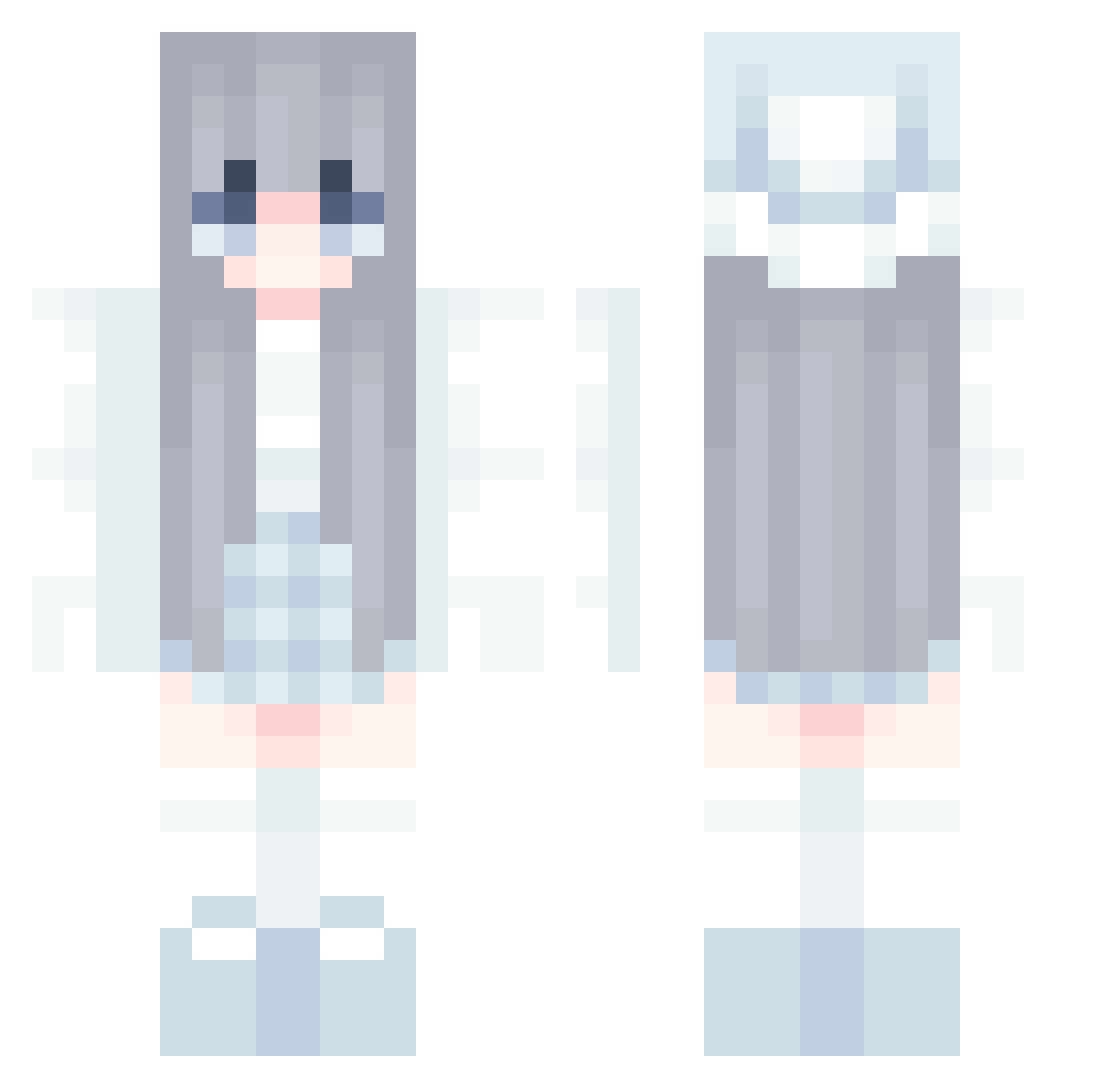
Current Minecraft skin of the player PrincessGiGi123, loaded from the official Mojang API. Rotate the 3D model with your mouse or finger, then download the skin as a PNG file and use it in Minecraft: Bedrock Edition or Java Edition for free. When PrincessGiGi123 changes their skin, this page updates automatically and the old skin stays in the history below.
Other players with this skin (711)
PrincessGiGi123 was the 660th player we have seen with this skin, first spotted on 12.11.2026. The same skin was seen on these players. Open a nickname to see their current skin and skin history.
 KitagawaMarine kororim BruMancebo SadyTrd fighteraex nyannko2024 Bamia_ cvrsedsx Erenelos riuiuiuiu Oerct JAftershock skeetty kittyvsj fangfishbaby honey006 Gi2x SvG_Sofiax peachcolours lyra_xx Planto1 Lychee_1207 Yui2336 mininiefan2 sleepycelest TomteFar_ tangkwakp kkiss0 Maissehr Aries4234 HousingSinger74 snowehhhh Heyy__ Kimchisan350 pigteammy Beckyono GyuSix Jcccsk IyoriIchie Paul_S2016 Celeste_YuFeng betty0104 teulisya Xulinger mincheul9592 alyphants Aina666666 vinal_0915 Soma_007 eharamiki moonlatte12 raveZf4BoQmY swandrea slmpleLiang _hamuhamu KHALID_DEEQ Roxibby MimiPrincesa Luna8882015 YellFlow
More Winter Minecraft skins
How to install the PrincessGiGi123 skin
- Press the Download button above to save the skin as a PNG file.
- Minecraft: Bedrock Edition (PE): open the Dressing Room from the main menu (or tap your character → Edit Character), go to Classic Skins → Owned, press the + (new skin) button, choose the downloaded PNG and pick the Classic (Steve) model. Works on PC and mobile; consoles cannot import custom skins.
- Minecraft: Java Edition: open the Minecraft Launcher, go to the Skins tab, click New Skin, load the PNG, pick the Classic (Steve) model and press Save & Use. You can also upload it at minecraft.net → Profile → Change Skin.
The skin does not show up after import - what should I do?
Restart Minecraft and open the Dressing Room again - imported skins sometimes appear only after a restart. Also make sure you selected the imported skin and picked the Classic (Steve) model.
Which model should I choose, Classic or Slim?
This skin is designed for the Classic (Steve) model. If you pick the wrong model, the arms of the skin will look stretched or squeezed.
Is the skin of PrincessGiGi123 free to download?
Yes. Press Download, save the PNG file and use it in Minecraft: Bedrock Edition or Java Edition - no payment or registration needed. The skin also works on multiplayer servers and Realms.
More skins
Looking for more? Go back to all Minecraft skins and check the top skins of the week, month and all time, or find any player's skin by nickname.