
PremKuno - Minecraft Skins & Skin History
Current Minecraft skin of the player PremKuno, loaded from the official Mojang API. Rotate the 3D model with your mouse or finger, then download the skin as a PNG file and use it in Minecraft: Bedrock Edition or Java Edition for free. When PremKuno changes their skin, this page updates automatically and the old skin stays in the history below.
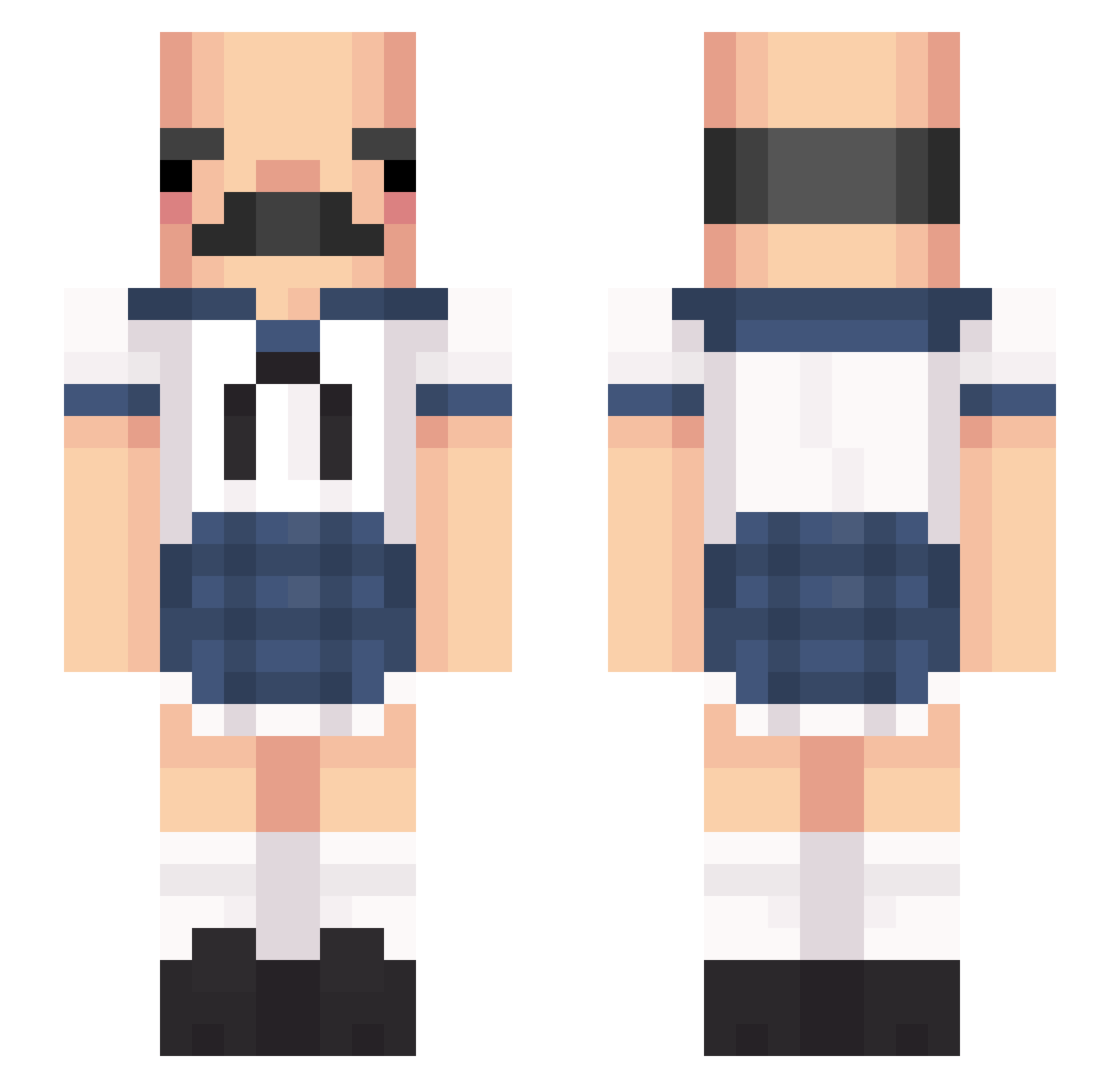
Other players with this skin (429)
PremKuno was the 104th player we have seen with this skin, first spotted on 22.08.2026. The same skin was seen on these players. Open a nickname to see their current skin and skin history.
 RogerTay1or TurrPhennir
 kaualindao PrinsessePalle AwaksLebig CRD__ c3c_o3o_x3x UNqreen David1002 lozzabro P0tat0Perplex xhzsybsjfdsz ThiccChuck IchBeissJanos shiire OjiMily Soralys Homerchuuuu
 pperla Skyryysh chrisgames1 zzi_yeolmu zordvigman fattrattt NEPOLO maruman1008 nery198 Aseroso oldgranpa DokZor_Play NUMBER_6974 Krypton1305 song_11 WesTom14 AkatD bjjemuu kerossine lvil HoBread_Brother antovsc eatbum Moonbaneheart momota0829 Nikoruz DSmarket milkybunz mustang_lilly pippenson Semocan46 MCCatfish Ovation_ trover20 KuesterThiel Shill SoyJoaN Sr_Dan iminisui LSHYJ nitnatnot Washingmachine50
More Sailor Uniform Minecraft skins
See all 260 Sailor Uniform skins
How to install the PremKuno skin
- Press the Download button above to save the skin as a PNG file.
- Minecraft: Bedrock Edition (PE): open the Dressing Room from the main menu (or tap your character → Edit Character), go to Classic Skins → Owned, press the + (new skin) button, choose the downloaded PNG and pick the Slim (Alex) model. Works on PC and mobile; consoles cannot import custom skins.
- Minecraft: Java Edition: open the Minecraft Launcher, go to the Skins tab, click New Skin, load the PNG, pick the Slim (Alex) model and press Save & Use. You can also upload it at minecraft.net → Profile → Change Skin.
The skin does not show up after import - what should I do?
Restart Minecraft and open the Dressing Room again - imported skins sometimes appear only after a restart. Also make sure you selected the imported skin and picked the Slim (Alex) model.
Which model should I choose, Classic or Slim?
This skin is designed for the Slim (Alex) model. If you pick the wrong model, the arms of the skin will look stretched or squeezed.
Is the skin of PremKuno free to download?
Yes. Press Download, save the PNG file and use it in Minecraft: Bedrock Edition or Java Edition - no payment or registration needed. The skin also works on multiplayer servers and Realms.
More skins
Looking for more? Go back to all Minecraft skins and check the top skins of the week, month and all time, or find any player's skin by nickname.