
Povi__S - Minecraft Skins & Skin History
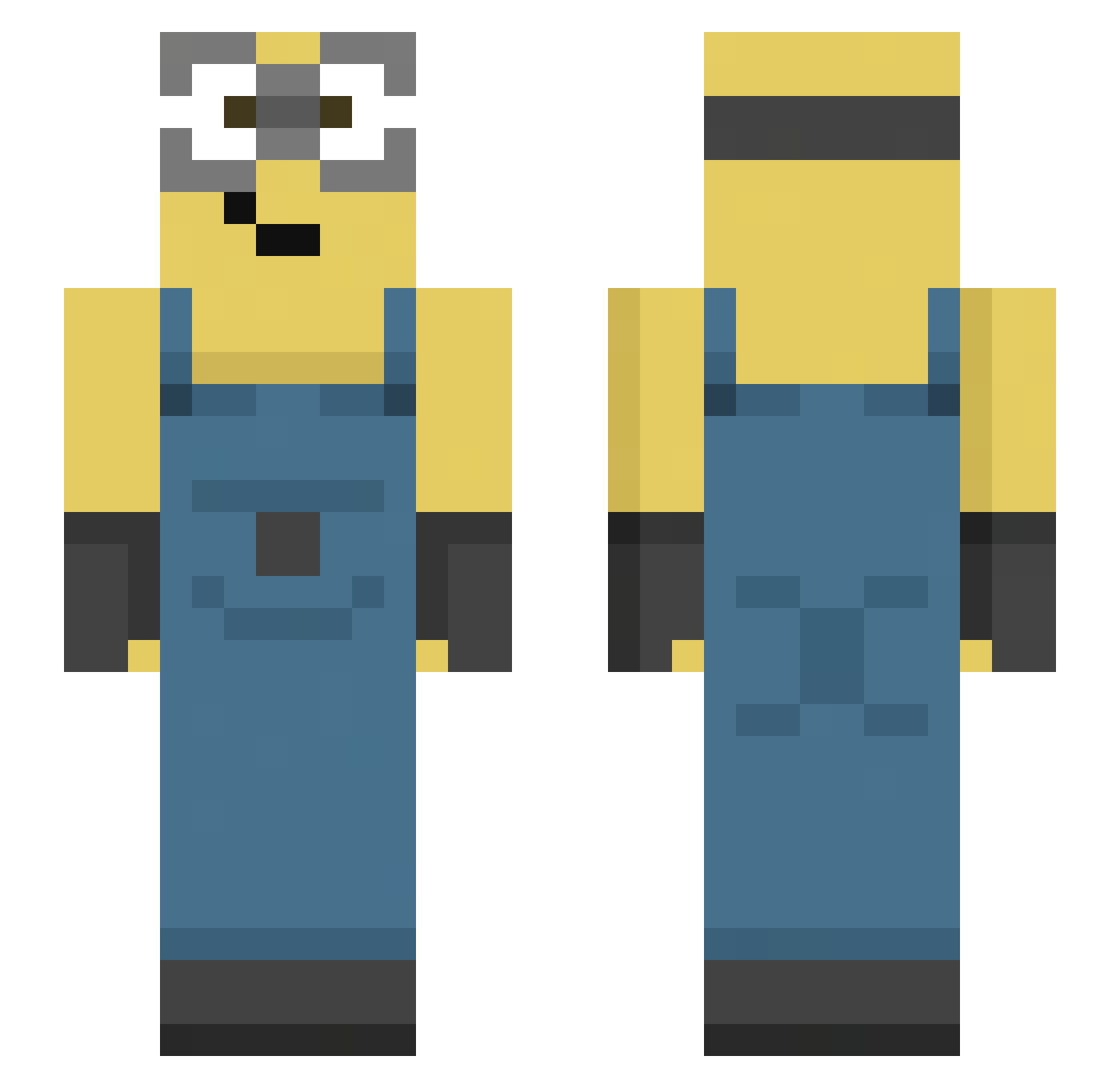
Current Minecraft skin of the player Povi__S, loaded from the official Mojang API. Rotate the 3D model with your mouse or finger, then download the skin as a PNG file and use it in Minecraft: Bedrock Edition or Java Edition for free. When Povi__S changes their skin, this page updates automatically and the old skin stays in the history below.
Other players with this skin (144)
Povi__S was the 102nd player we have seen with this skin, first spotted on 10.10.2026. The same skin was seen on these players. Open a nickname to see their current skin and skin history.
 Waiznn_ Futrik Wolfspirit6527 Mango4560 47Zenitch MutantKyus vale4526 BomaylaNamOk mzrtified Syke1977 santutuuuu_ a03z NicoWeko easonchen0615 Joply JudeLikesCats4 Whole_Sky ipop45 itsaviciouscycle Hodenkrebs6969 kolyavarvar2008 Box___man gqvwtf RealSonic01 qntjq gabrielpromejor vbrgamer0 ZbychuKondon Quisquilla melusune EsekSelcuk_jr Adamas22 denioziomek Snow_Minraft Maestro_X2 WERAXmc DianaSvyat ZahDoof Leonator6532 Rochieeeh VikiST68 psycho_venom21 w0jk0l BRUNO13xp Laurusiami21 Sigma_Gigachadov SuSSyBaKKaZ didgoat ssw1213 xTomasz _Splesh_ n6fn JavArda Chinoo_setsy Xadayashi titidedonissan_ R9B_ Miigwells WinterLad omotix
More Movie Minecraft skins
How to install the Povi__S skin
- Press the Download button above to save the skin as a PNG file.
- Minecraft: Bedrock Edition (PE): open the Dressing Room from the main menu (or tap your character → Edit Character), go to Classic Skins → Owned, press the + (new skin) button, choose the downloaded PNG and pick the Slim (Alex) model. Works on PC and mobile; consoles cannot import custom skins.
- Minecraft: Java Edition: open the Minecraft Launcher, go to the Skins tab, click New Skin, load the PNG, pick the Slim (Alex) model and press Save & Use. You can also upload it at minecraft.net → Profile → Change Skin.
The skin does not show up after import - what should I do?
Restart Minecraft and open the Dressing Room again - imported skins sometimes appear only after a restart. Also make sure you selected the imported skin and picked the Slim (Alex) model.
Which model should I choose, Classic or Slim?
This skin is designed for the Slim (Alex) model. If you pick the wrong model, the arms of the skin will look stretched or squeezed.
Is the skin of Povi__S free to download?
Yes. Press Download, save the PNG file and use it in Minecraft: Bedrock Edition or Java Edition - no payment or registration needed. The skin also works on multiplayer servers and Realms.
More skins
Looking for more? Go back to all Minecraft skins and check the top skins of the week, month and all time, or find any player's skin by nickname.