
Poto23 - Minecraft Skins & Skin History
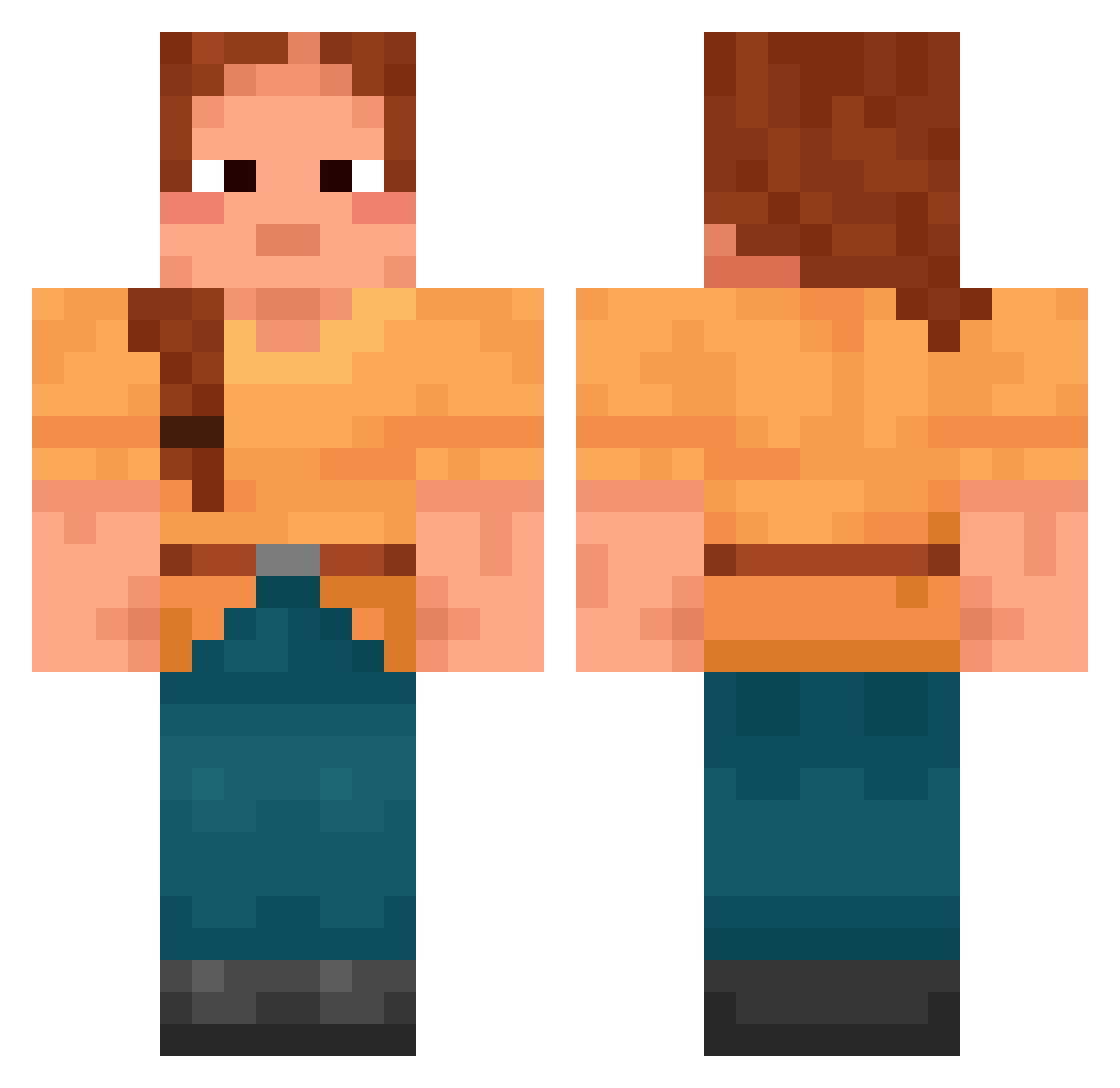
Current Minecraft skin of the player Poto23, loaded from the official Mojang API. Rotate the 3D model with your mouse or finger, then download the skin as a PNG file and use it in Minecraft: Bedrock Edition or Java Edition for free. When Poto23 changes their skin, this page updates automatically and the old skin stays in the history below.
Other players with this skin (1696)
Poto23 was the 1605th player we have seen with this skin, first spotted on 28.10.2026. The same skin was seen on these players. Open a nickname to see their current skin and skin history.
 Torquer valerio45 MammaMiaK Thouse iluv707 NotGAZDA SpareRib amster86 SuperSpoon locate chrisiii999 regicidal CLiwwY mc_Ania Quirks chevaux penelopesweets delaneysays polyphobia roomthy pabloescabo pantsless atodekangaeru BINI_NI Loitering K0f4 nightfish iLayda26 Coprinus mchillgaming QuaiVatBanhMi Leaper xituu Cestodes liash2412 Cnstr2 Circumventing harjassss TheSheepLord blackberyl Jewelkit Shadowmere_Swift Arixophon Grammarian Youten_YT Nathankami CakeInThePan Spikiness BenjiR289 luanick Grim_ReaperL rofuson Kilgore_Trout SpinachBrave AFlyingSilver T0AsTmAsTeR Craie reamiester hong1318 oleeenka
More Cottagecore Minecraft skins
See all 6455 Cottagecore skins
How to install the Poto23 skin
- Press the Download button above to save the skin as a PNG file.
- Minecraft: Bedrock Edition (PE): open the Dressing Room from the main menu (or tap your character → Edit Character), go to Classic Skins → Owned, press the + (new skin) button, choose the downloaded PNG and pick the Classic (Steve) model. Works on PC and mobile; consoles cannot import custom skins.
- Minecraft: Java Edition: open the Minecraft Launcher, go to the Skins tab, click New Skin, load the PNG, pick the Classic (Steve) model and press Save & Use. You can also upload it at minecraft.net → Profile → Change Skin.
The skin does not show up after import - what should I do?
Restart Minecraft and open the Dressing Room again - imported skins sometimes appear only after a restart. Also make sure you selected the imported skin and picked the Classic (Steve) model.
Which model should I choose, Classic or Slim?
This skin is designed for the Classic (Steve) model. If you pick the wrong model, the arms of the skin will look stretched or squeezed.
Is the skin of Poto23 free to download?
Yes. Press Download, save the PNG file and use it in Minecraft: Bedrock Edition or Java Edition - no payment or registration needed. The skin also works on multiplayer servers and Realms.
More skins
Looking for more? Go back to all Minecraft skins and check the top skins of the week, month and all time, or find any player's skin by nickname.