
PotionFFA - Minecraft Skins & Skin History
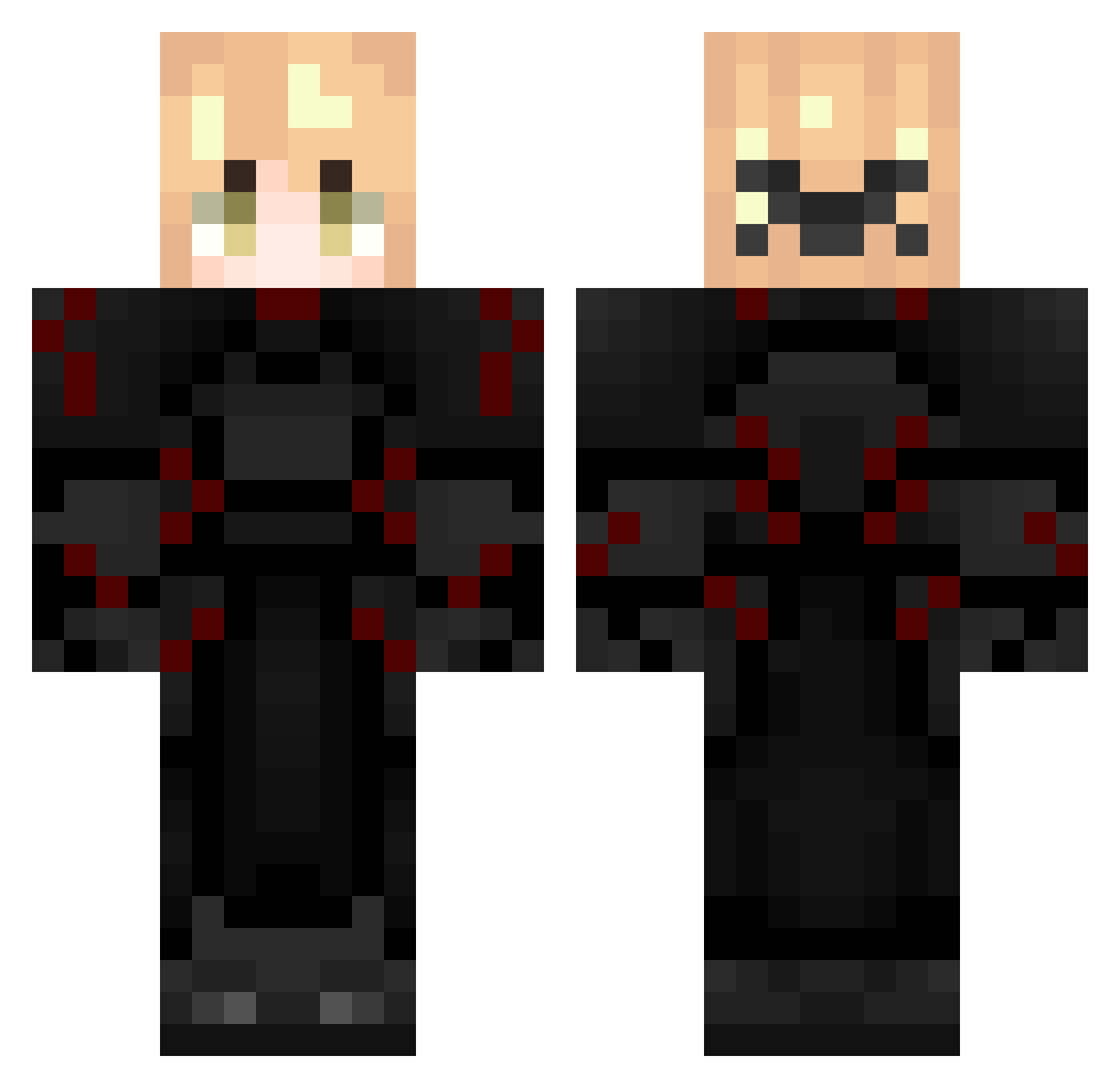
Current Minecraft skin of the player PotionFFA, loaded from the official Mojang API. Rotate the 3D model with your mouse or finger, then download the skin as a PNG file and use it in Minecraft: Bedrock Edition or Java Edition for free. When PotionFFA changes their skin, this page updates automatically and the old skin stays in the history below.
Other players with this skin (254)
PotionFFA was the 174th player we have seen with this skin, first spotted on 29.09.2026. The same skin was seen on these players. Open a nickname to see their current skin and skin history.
 distantfromyou _BoogyBoogy_ UJJWAL_GAMERnr10 CrystalHeavenFer billybob_alt2 MrSrakaManPL1337 bebiiKLO padla31 49msigma yTotal Hider500250 hauntinghorrors Oscar20137933 small_labubu Tercel_ Hardyoucker malekfadi turkucpodjadekes magixzx lKurox eim2unnatural179 Igkkmatjj SugiBest conexion_ sheeeeeeeesh69 righclick Hystob4 Ilovebm27 Littleconexion Jason300814 SouAtlon TheConexion LT5DemonXd lucassss4444 xConexion Almicko shuzu_ dragoncatfv Jimmy_Btw07 tpxlc scpjava trainboyTSW sia00 Mask990199 Sv2Shadegna svtboy7 zaqee A_muffin_ Ji9STAR21 phonex1234611 Blackoutgeo Riontyyy hung2k9 ValentinErik WhatA_XD 21_Brayden dad144210099 zivetVxAEC Tommythegnome adam_syed
More Knight Minecraft skins
How to install the PotionFFA skin
- Press the Download button above to save the skin as a PNG file.
- Minecraft: Bedrock Edition (PE): open the Dressing Room from the main menu (or tap your character → Edit Character), go to Classic Skins → Owned, press the + (new skin) button, choose the downloaded PNG and pick the Classic (Steve) model. Works on PC and mobile; consoles cannot import custom skins.
- Minecraft: Java Edition: open the Minecraft Launcher, go to the Skins tab, click New Skin, load the PNG, pick the Classic (Steve) model and press Save & Use. You can also upload it at minecraft.net → Profile → Change Skin.
The skin does not show up after import - what should I do?
Restart Minecraft and open the Dressing Room again - imported skins sometimes appear only after a restart. Also make sure you selected the imported skin and picked the Classic (Steve) model.
Which model should I choose, Classic or Slim?
This skin is designed for the Classic (Steve) model. If you pick the wrong model, the arms of the skin will look stretched or squeezed.
Is the skin of PotionFFA free to download?
Yes. Press Download, save the PNG file and use it in Minecraft: Bedrock Edition or Java Edition - no payment or registration needed. The skin also works on multiplayer servers and Realms.
More skins
Looking for more? Go back to all Minecraft skins and check the top skins of the week, month and all time, or find any player's skin by nickname.