
Popilol90 - Minecraft Skins & Skin History
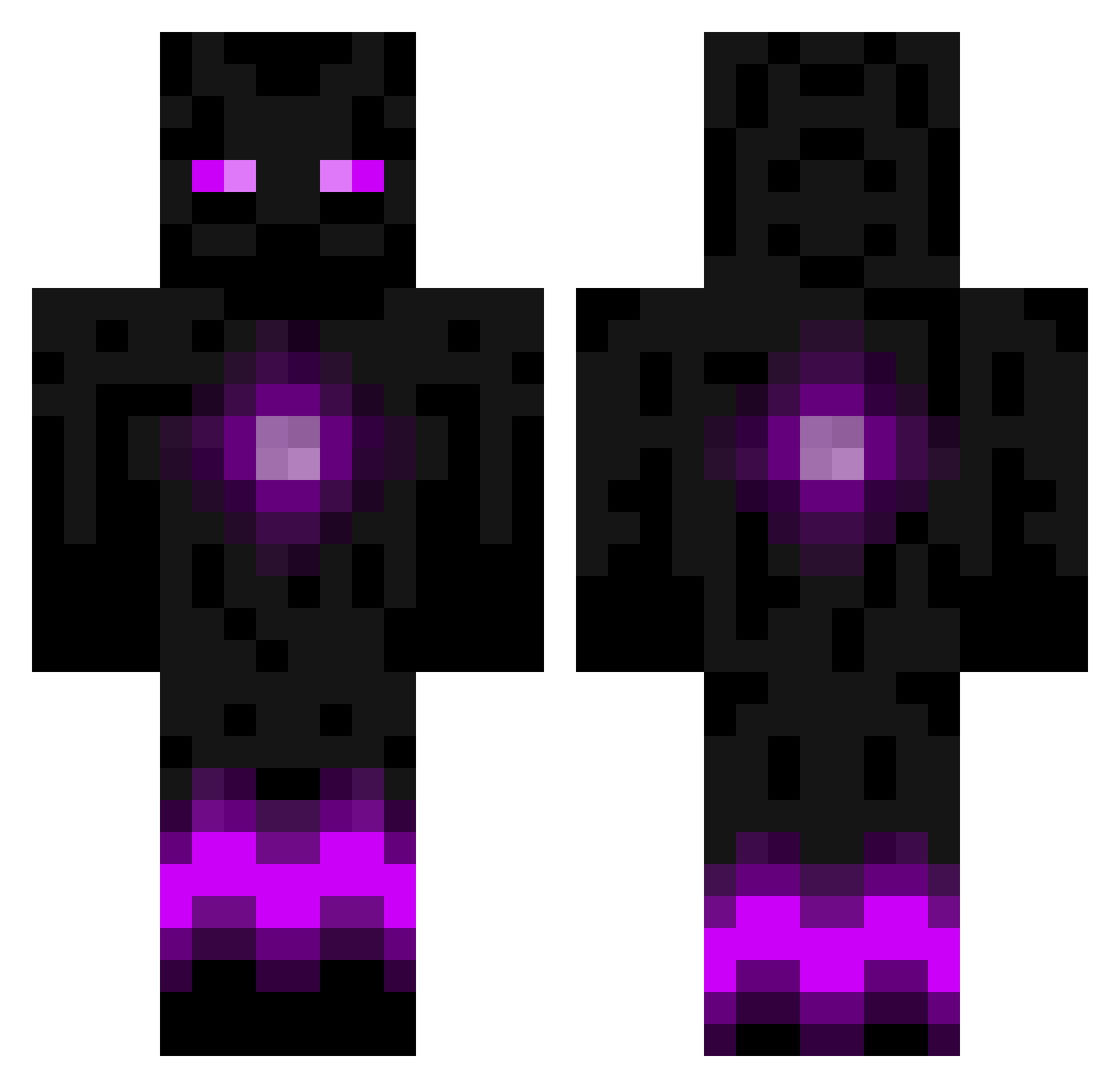
Current Minecraft skin of the player Popilol90, loaded from the official Mojang API. Rotate the 3D model with your mouse or finger, then download the skin as a PNG file and use it in Minecraft: Bedrock Edition or Java Edition for free. When Popilol90 changes their skin, this page updates automatically and the old skin stays in the history below.
Other players with this skin (788)
Popilol90 was the 270th player we have seen with this skin, first spotted on 30.08.2026. The same skin was seen on these players. Open a nickname to see their current skin and skin history.
 DasMarcel BeAstMoDe233 liamxj Jake_I simonhulten IZodacI Shaina1998 LiquidBitch vividanone SecretMiner24 Ares_03 pittboy2004 jjmstr ni_nja49 Sodajaq ccilence97 YJUFHJU sidisido Charcoalloll Peezee Sobrator IIGREENACIDx Wowadonkey Elmier Musi2007 foxhead5050 chrisnammour123 ETR_Fox Fenrir_sama Im_Example Creeperon943 devilCF dmohi missashfield FlociFlop brondert Fiction133 BlueTaco77 069studmuffin690 Katesboss33 Chemistrie 007Joakim OddNine Dzombie ImNotRight36 alex08222002 fabiian16 rtftw2 Lepeep Tannarog Culdaddy komodo23 spaceman11368 Blocksmasher549 ApocalypseAsylum Dazu_1999 rem12 HaCkEdMuFfInS Buildamania77 mag1cdrag0n
More Enderman Minecraft skins
How to install the Popilol90 skin
- Press the Download button above to save the skin as a PNG file.
- Minecraft: Bedrock Edition (PE): open the Dressing Room from the main menu (or tap your character → Edit Character), go to Classic Skins → Owned, press the + (new skin) button, choose the downloaded PNG and pick the Classic (Steve) model. Works on PC and mobile; consoles cannot import custom skins.
- Minecraft: Java Edition: open the Minecraft Launcher, go to the Skins tab, click New Skin, load the PNG, pick the Classic (Steve) model and press Save & Use. You can also upload it at minecraft.net → Profile → Change Skin.
The skin does not show up after import - what should I do?
Restart Minecraft and open the Dressing Room again - imported skins sometimes appear only after a restart. Also make sure you selected the imported skin and picked the Classic (Steve) model.
Which model should I choose, Classic or Slim?
This skin is designed for the Classic (Steve) model. If you pick the wrong model, the arms of the skin will look stretched or squeezed.
Is the skin of Popilol90 free to download?
Yes. Press Download, save the PNG file and use it in Minecraft: Bedrock Edition or Java Edition - no payment or registration needed. The skin also works on multiplayer servers and Realms.
More skins
Looking for more? Go back to all Minecraft skins and check the top skins of the week, month and all time, or find any player's skin by nickname.