
Pooguy12 - Minecraft Skins & Skin History
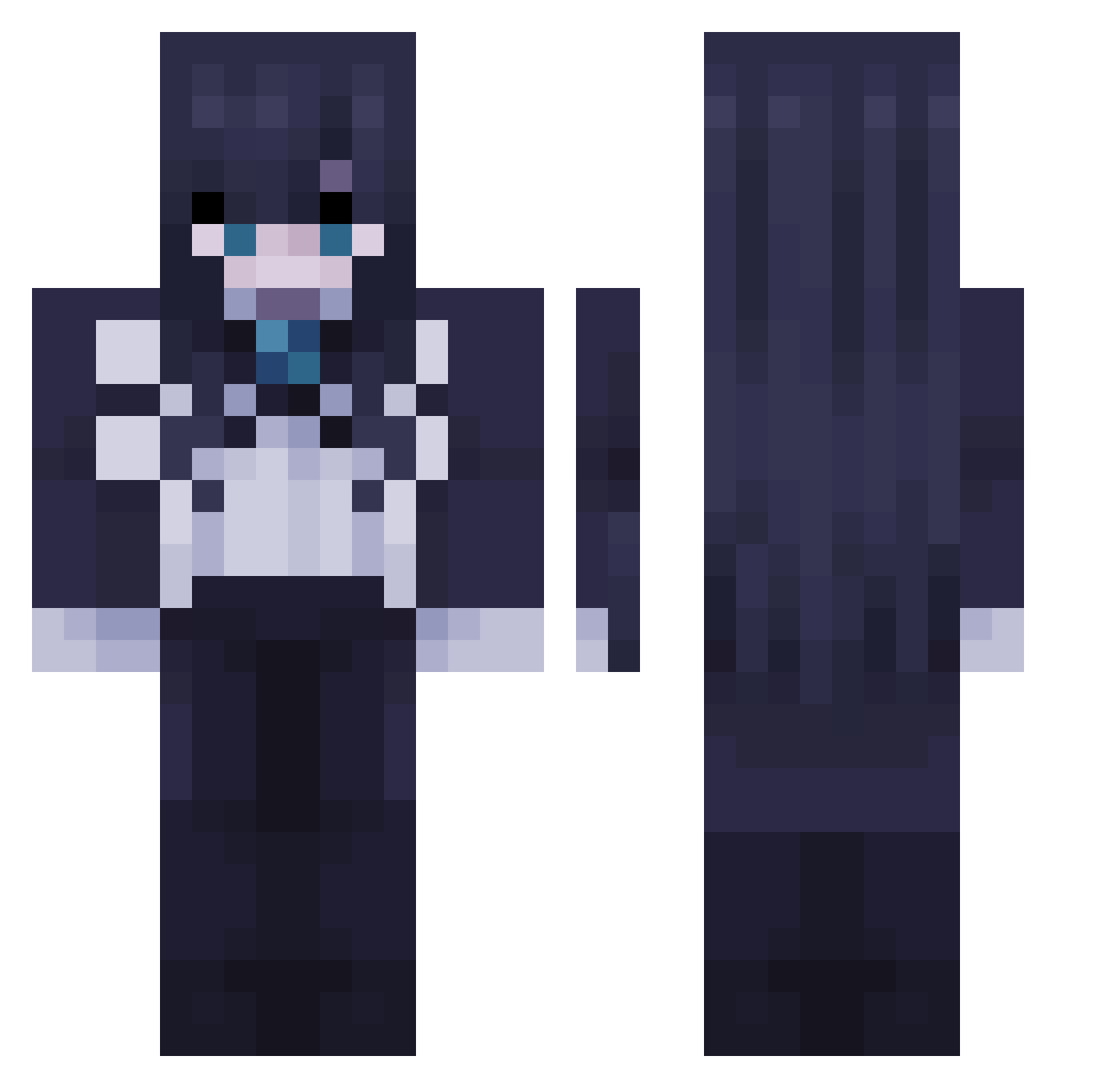
Current Minecraft skin of the player Pooguy12, loaded from the official Mojang API. Rotate the 3D model with your mouse or finger, then download the skin as a PNG file and use it in Minecraft: Bedrock Edition or Java Edition for free. When Pooguy12 changes their skin, this page updates automatically and the old skin stays in the history below.
Other players with this skin (50)
Pooguy12 was the 13th player we have seen with this skin, first spotted on 22.08.2026. The same skin was seen on these players. Open a nickname to see their current skin and skin history.
 ai_SOlate IcedGreenRat Larscorp HollowCloud00 Cukeev tungtungsahuruu Striker_2248
 Bwoo00 Rengiux bluevvhale skuna_t FachaL
 sophWLW csy0923 oFalz kaizch Philkx LuxannaLux raposa_azulbr AyakoMizuki pacman32808 AgusLolokk Be4t fraaxic AbsoluteQuality maxio1 lanbentiruy tomtor15 Tekorinki GivenHarry Saschq deaththekid1346 LBD_Lxcid Masukaanya StevenAFK Frankx141 iStorm30 iOxZv_ zoutak allan20610123 Rvywwq k1tsunnn Ferrr31 Newgamer3837 Ab5227 adogyaru Whalenugy lbtr975078 AdoFeatBocchi TacoJoig
More Anime Girl Minecraft skins
See all 13630 Anime Girl skins
How to install the Pooguy12 skin
- Press the Download button above to save the skin as a PNG file.
- Minecraft: Bedrock Edition (PE): open the Dressing Room from the main menu (or tap your character → Edit Character), go to Classic Skins → Owned, press the + (new skin) button, choose the downloaded PNG and pick the Classic (Steve) model. Works on PC and mobile; consoles cannot import custom skins.
- Minecraft: Java Edition: open the Minecraft Launcher, go to the Skins tab, click New Skin, load the PNG, pick the Classic (Steve) model and press Save & Use. You can also upload it at minecraft.net → Profile → Change Skin.
The skin does not show up after import - what should I do?
Restart Minecraft and open the Dressing Room again - imported skins sometimes appear only after a restart. Also make sure you selected the imported skin and picked the Classic (Steve) model.
Which model should I choose, Classic or Slim?
This skin is designed for the Classic (Steve) model. If you pick the wrong model, the arms of the skin will look stretched or squeezed.
Is the skin of Pooguy12 free to download?
Yes. Press Download, save the PNG file and use it in Minecraft: Bedrock Edition or Java Edition - no payment or registration needed. The skin also works on multiplayer servers and Realms.
More skins
Looking for more? Go back to all Minecraft skins and check the top skins of the week, month and all time, or find any player's skin by nickname.