
PolyLuvsDihao4 - Minecraft Skins & Skin History
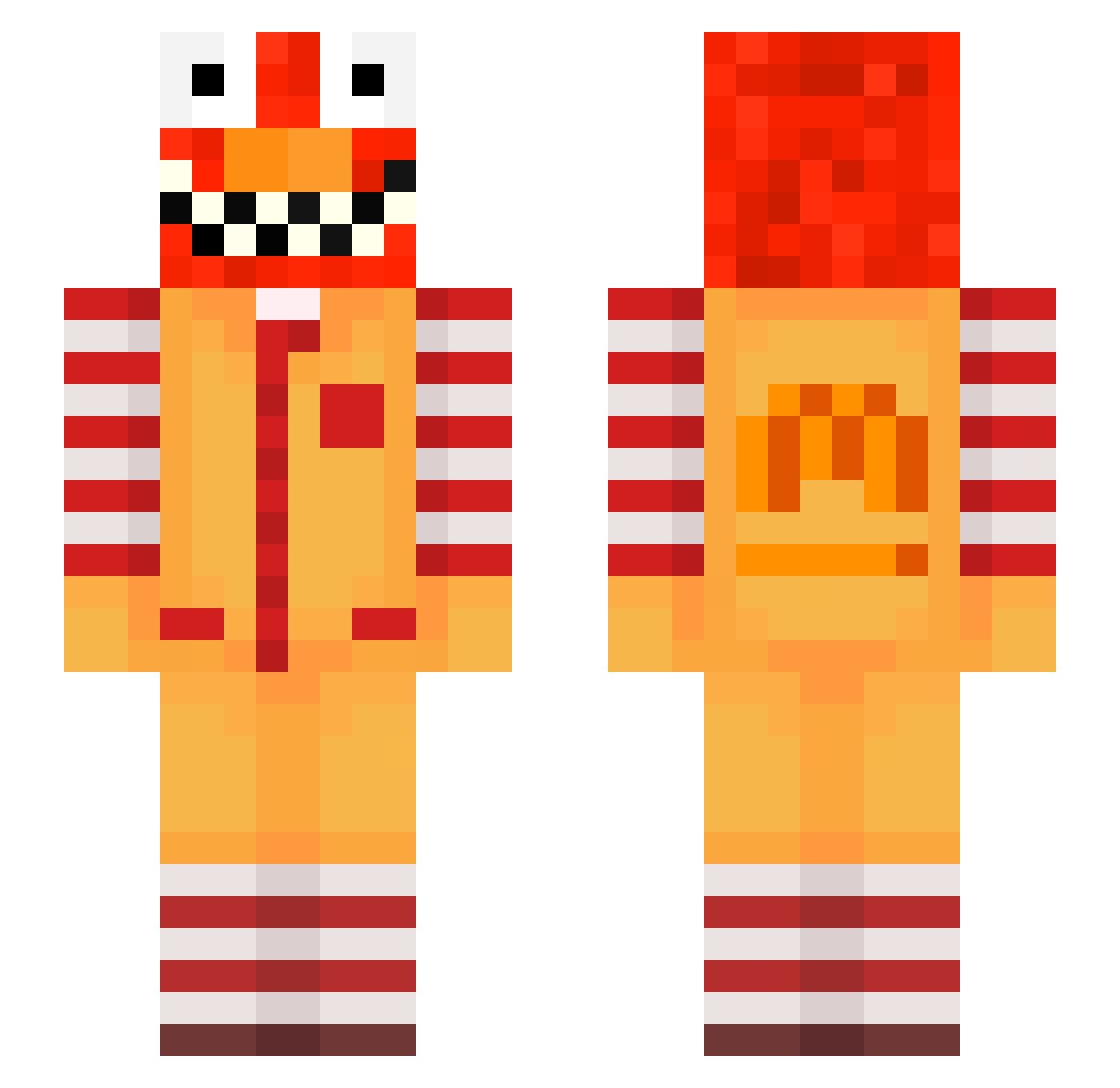
Current Minecraft skin of the player PolyLuvsDihao4, loaded from the official Mojang API. Rotate the 3D model with your mouse or finger, then download the skin as a PNG file and use it in Minecraft: Bedrock Edition or Java Edition for free. When PolyLuvsDihao4 changes their skin, this page updates automatically and the old skin stays in the history below.
Other players with this skin (605)
PolyLuvsDihao4 was the 284th player we have seen with this skin, first spotted on 10.09.2026. The same skin was seen on these players. Open a nickname to see their current skin and skin history.
 meowalt_umMDS_17 LinhlqMJE0129 NikoPitaya Austronant Rafty2964 2fe_msmc_uc7 Tomsik_old3 erli20critical43 Kosyke PASIR7yvyzb1ihvb kue_msmc_bpr tzi_ZGTa9_08_09 eblauwrepulsive5 REMAININ sakunohVL9 LinhkLPjQ0121 poo_0BYQu_10_03 kaisin_simasita jf4_msmc_7kr LinhAmPbM0121 Kaxi9471294 Sv2_Sharp_0cf konpoop bz_dCopb_10_21 Vacherlate688 Pulsive_IKrxy zz_YtUyT_11_26 governadora PASIR96wq1298g4r Aanestad_lean79 tzi_5Z0fg_11_13 CalamarBaleze raveJEzeYtgL SaborLuvsDihpq8 ostolansky_rich2 WimpersVLK 45y_msmc_jpt BonnieIV meowalt_MRyie_17 fvq_msmc_ose LinhFoxpqyUwU Noivictorious220 Carrot_guy_8888 tzi_cT05D_11_19 Insta_Brine zzxgp_xedtW Mantiz50 Katee_purple3 Ivensgiving305 Khalid_Riyadh DSaintKingSpider BRkoNja223 Sv2pkFBNaynVJSv2 LinhDuskhc6UwU nstreet_muddy705 chsler_zealous45 raveqeAr6PHT Refuzyutx2 nq66_MAzXX_0111 washeil
More Ronald Mcdonald Minecraft skins
See all 128 Ronald Mcdonald skins
How to install the PolyLuvsDihao4 skin
- Press the Download button above to save the skin as a PNG file.
- Minecraft: Bedrock Edition (PE): open the Dressing Room from the main menu (or tap your character → Edit Character), go to Classic Skins → Owned, press the + (new skin) button, choose the downloaded PNG and pick the Slim (Alex) model. Works on PC and mobile; consoles cannot import custom skins.
- Minecraft: Java Edition: open the Minecraft Launcher, go to the Skins tab, click New Skin, load the PNG, pick the Slim (Alex) model and press Save & Use. You can also upload it at minecraft.net → Profile → Change Skin.
The skin does not show up after import - what should I do?
Restart Minecraft and open the Dressing Room again - imported skins sometimes appear only after a restart. Also make sure you selected the imported skin and picked the Slim (Alex) model.
Which model should I choose, Classic or Slim?
This skin is designed for the Slim (Alex) model. If you pick the wrong model, the arms of the skin will look stretched or squeezed.
Is the skin of PolyLuvsDihao4 free to download?
Yes. Press Download, save the PNG file and use it in Minecraft: Bedrock Edition or Java Edition - no payment or registration needed. The skin also works on multiplayer servers and Realms.
More skins
Looking for more? Go back to all Minecraft skins and check the top skins of the week, month and all time, or find any player's skin by nickname.