
Pokemon_ZB - Minecraft Skins & Skin History
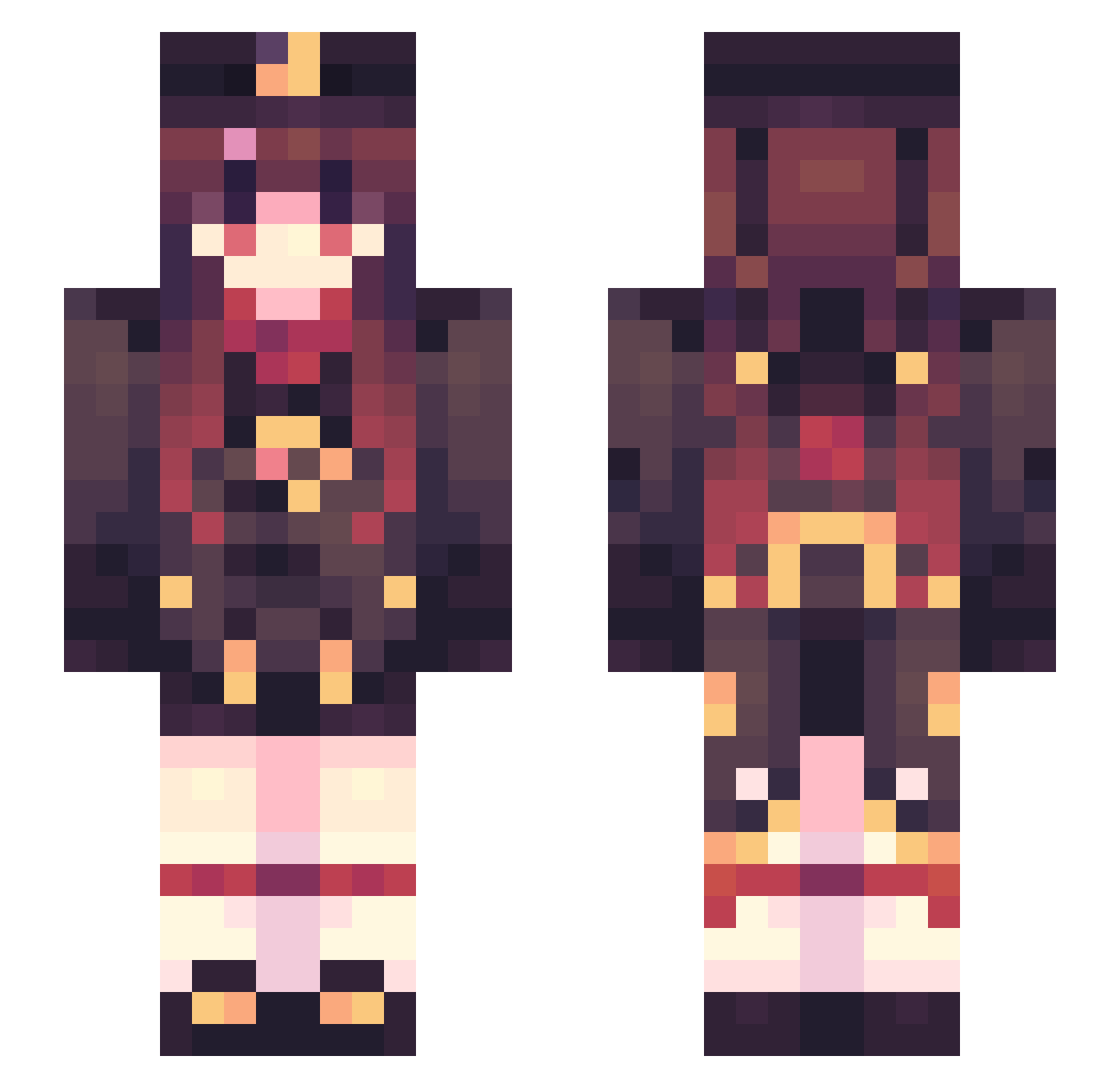
Current Minecraft skin of the player Pokemon_ZB, loaded from the official Mojang API. Rotate the 3D model with your mouse or finger, then download the skin as a PNG file and use it in Minecraft: Bedrock Edition or Java Edition for free. When Pokemon_ZB changes their skin, this page updates automatically and the old skin stays in the history below.
Other players with this skin (470)
Pokemon_ZB was the 108th player we have seen with this skin, first spotted on 14.08.2026. The same skin was seen on these players. Open a nickname to see their current skin and skin history.
 Pokelotl Lotuseaterss Irikun Pratacultural SkyPacific CleverYyt_ CialloBaka_0eUNj Sinsoledad lion_ne Extraend JiinTonic0217 Robbery_37 AsuKa2 mooyep chenxixxxxx Lunatic1777 Foreigner111 Hylacid hu_tao_0 KYUNG_0909 Blitz2656 TaoJY0221 xXPanUXx Han028 grimmruby Snovath luoj LinRainInk atozfors Harkether Sora12002 MOD_123 Chengmengle LiZiXianYv Shiai520 LaaTiao MCfyl Tsubaki_I luoxin64 tmam5133 FoginurI Sasukenr1 ghvhf Ping2004 ClackNorris Bianka23 WhitePeoNyzZ Pengi8 _xhg JiuTianzZ hututu123 RammsHo ExpertCarrot209 IamLDJY Elysian0_0 jackey_1 jaychounice liruan BazyliszekVee Navy275
More Hu Tao Minecraft skins
How to install the Pokemon_ZB skin
- Press the Download button above to save the skin as a PNG file.
- Minecraft: Bedrock Edition (PE): open the Dressing Room from the main menu (or tap your character → Edit Character), go to Classic Skins → Owned, press the + (new skin) button, choose the downloaded PNG and pick the Slim (Alex) model. Works on PC and mobile; consoles cannot import custom skins.
- Minecraft: Java Edition: open the Minecraft Launcher, go to the Skins tab, click New Skin, load the PNG, pick the Slim (Alex) model and press Save & Use. You can also upload it at minecraft.net → Profile → Change Skin.
The skin does not show up after import - what should I do?
Restart Minecraft and open the Dressing Room again - imported skins sometimes appear only after a restart. Also make sure you selected the imported skin and picked the Slim (Alex) model.
Which model should I choose, Classic or Slim?
This skin is designed for the Slim (Alex) model. If you pick the wrong model, the arms of the skin will look stretched or squeezed.
Is the skin of Pokemon_ZB free to download?
Yes. Press Download, save the PNG file and use it in Minecraft: Bedrock Edition or Java Edition - no payment or registration needed. The skin also works on multiplayer servers and Realms.
More skins
Looking for more? Go back to all Minecraft skins and check the top skins of the week, month and all time, or find any player's skin by nickname.