
Pll4yNat - Minecraft Skins & Skin History
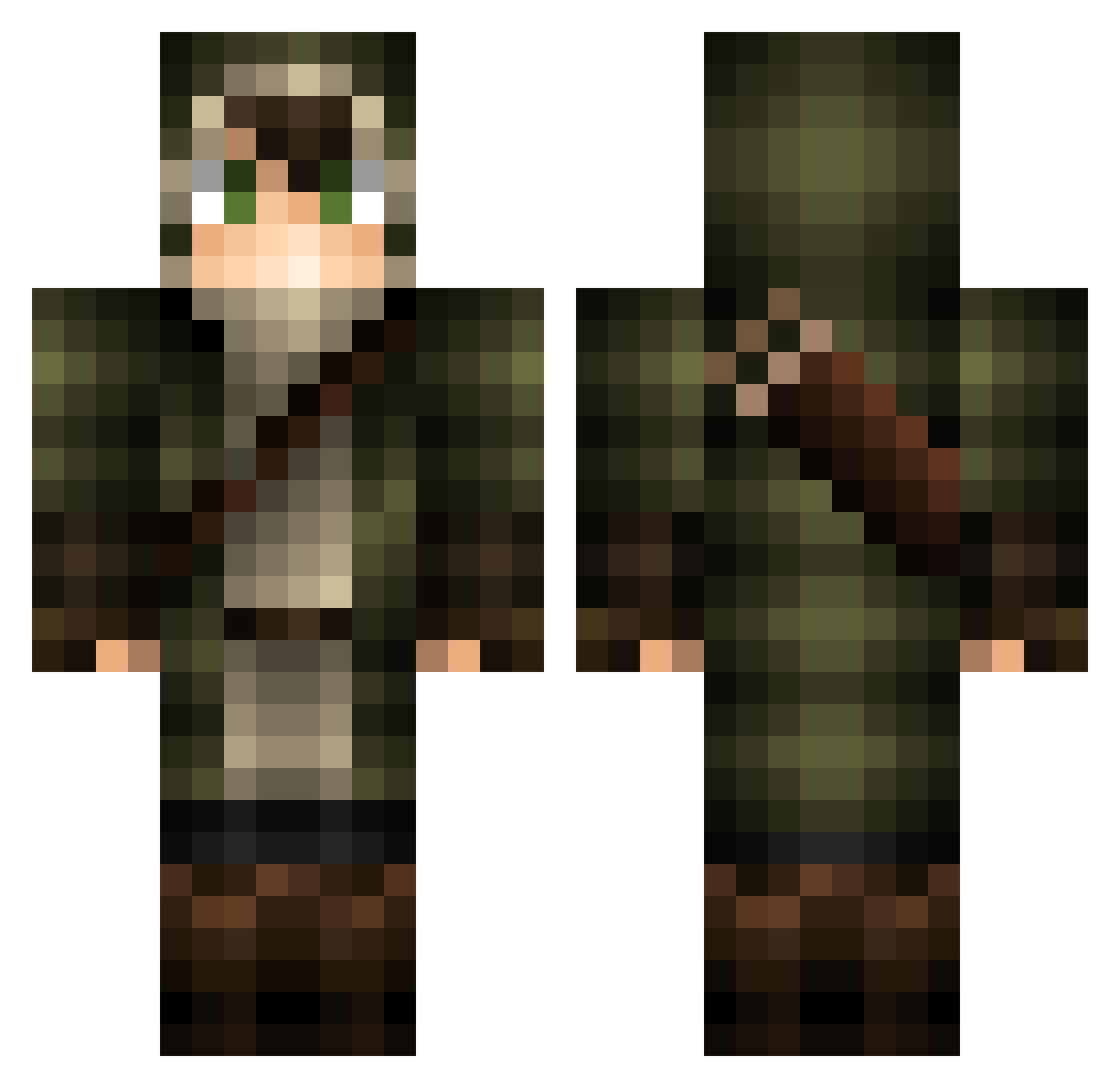
Current Minecraft skin of the player Pll4yNat, loaded from the official Mojang API. Rotate the 3D model with your mouse or finger, then download the skin as a PNG file and use it in Minecraft: Bedrock Edition or Java Edition for free. When Pll4yNat changes their skin, this page updates automatically and the old skin stays in the history below.
Other players with this skin (157)
Pll4yNat was the 57th player we have seen with this skin, first spotted on 04.09.2026. The same skin was seen on these players. Open a nickname to see their current skin and skin history.
 horrifiyc Birsmac GustavoTLGBR onebyone03 Orian142 mtbcam Ch4ron Mightyblue000 bean0bean Reducto2133 PATRYK1301 Devaileyy BreizhNox Indigo_01 Theleaguedead_ KbearGG 2x__ zMagpie Kraghar Morsius99 TekMaj Sennale blackromers nitsuji MaximisG ItsNotLuck rogbirdz
 EndRacismGuys fedecolopez dan99shine martimor34 SETO63 TheOnlyJak Lucifersix theisax7 orangesparkling haugenmitch FiveFingers___ BAKKALLA Strategydp FumbleMage OmegaWizard107 Tieyh ryuma_apple TurtleBooster1 ShinobiRequiem SeeMee90 123anonyme13 Jaszko GPro_X Castow Garrtza Puntss Zinc_game Assaan zkge HelvetiQ acj040405 UnexpectedCap Ahkefah
More Archer Minecraft skins
How to install the Pll4yNat skin
- Press the Download button above to save the skin as a PNG file.
- Minecraft: Bedrock Edition (PE): open the Dressing Room from the main menu (or tap your character → Edit Character), go to Classic Skins → Owned, press the + (new skin) button, choose the downloaded PNG and pick the Classic (Steve) model. Works on PC and mobile; consoles cannot import custom skins.
- Minecraft: Java Edition: open the Minecraft Launcher, go to the Skins tab, click New Skin, load the PNG, pick the Classic (Steve) model and press Save & Use. You can also upload it at minecraft.net → Profile → Change Skin.
The skin does not show up after import - what should I do?
Restart Minecraft and open the Dressing Room again - imported skins sometimes appear only after a restart. Also make sure you selected the imported skin and picked the Classic (Steve) model.
Which model should I choose, Classic or Slim?
This skin is designed for the Classic (Steve) model. If you pick the wrong model, the arms of the skin will look stretched or squeezed.
Is the skin of Pll4yNat free to download?
Yes. Press Download, save the PNG file and use it in Minecraft: Bedrock Edition or Java Edition - no payment or registration needed. The skin also works on multiplayer servers and Realms.
More skins
Looking for more? Go back to all Minecraft skins and check the top skins of the week, month and all time, or find any player's skin by nickname.