
Pilgaaard - Minecraft Skins & Skin History
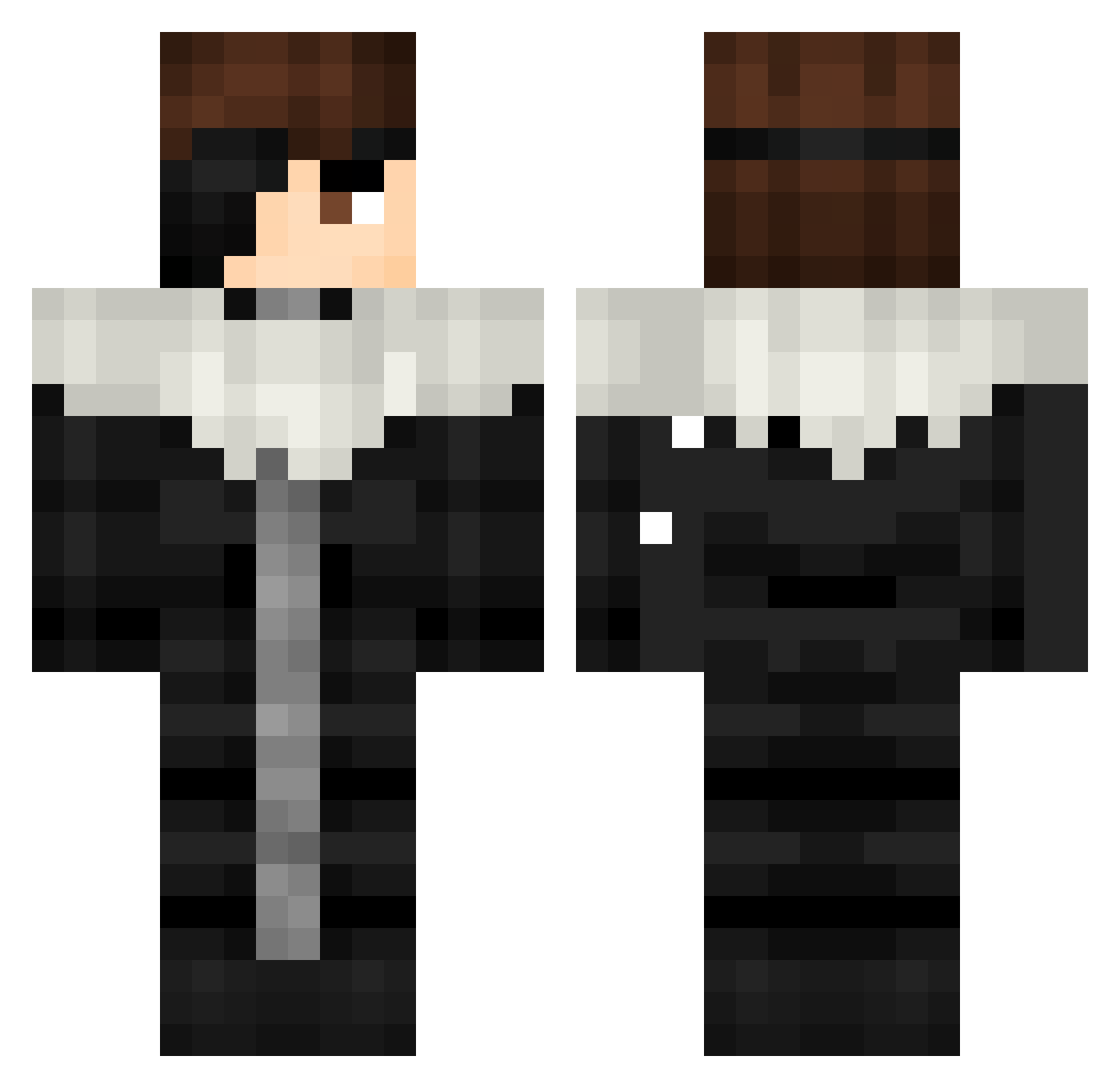
Current Minecraft skin of the player Pilgaaard, loaded from the official Mojang API. Rotate the 3D model with your mouse or finger, then download the skin as a PNG file and use it in Minecraft: Bedrock Edition or Java Edition for free. When Pilgaaard changes their skin, this page updates automatically and the old skin stays in the history below.
Other players with this skin (470)
Pilgaaard was the 321st player we have seen with this skin, first spotted on 07.10.2026. The same skin was seen on these players. Open a nickname to see their current skin and skin history.
 FairyChaos KaZuHa8246 KurodaMiharu ohfawaz Leoleb05 EscapeShott Nather_76 MadLuix Hyhkeh Jasonnn0 goteemgg Bored_x_ NewExpoMarker Loki511 sK_edw4rd OneAndOnlyJogoat Sarmaaa055 _ReMattia_ Kraftzzz Zhenyaslime SsSSOULSsS Contactors Trieqs Afel_18 SBEVERO Yamoshiro Just_Ice_World futurebeaver ttoendertas Reb442 ShortyBoy638 onimenogo Istanbul0 Pobrezaaaaaaaaar Challingus Shiru_9 Aiz3en Kiruuichi Quptan bassemzonog Chimelng diagnosedd dikowkaaaaa nicodiedd keeyang_ brokenlove8100 KatakuriCharlott zZendAsHi Rojak662 8anzai Censurado03 Scorpion12 Dr0pZ1 lim_e5 rtgg1315 Melenas2003 Killua_LF R_Tragarz Thxrfinn_0 dabby_69_
More Squall Leonhart Minecraft skins
See all 3 Squall Leonhart skins
How to install the Pilgaaard skin
- Press the Download button above to save the skin as a PNG file.
- Minecraft: Bedrock Edition (PE): open the Dressing Room from the main menu (or tap your character → Edit Character), go to Classic Skins → Owned, press the + (new skin) button, choose the downloaded PNG and pick the Classic (Steve) model. Works on PC and mobile; consoles cannot import custom skins.
- Minecraft: Java Edition: open the Minecraft Launcher, go to the Skins tab, click New Skin, load the PNG, pick the Classic (Steve) model and press Save & Use. You can also upload it at minecraft.net → Profile → Change Skin.
The skin does not show up after import - what should I do?
Restart Minecraft and open the Dressing Room again - imported skins sometimes appear only after a restart. Also make sure you selected the imported skin and picked the Classic (Steve) model.
Which model should I choose, Classic or Slim?
This skin is designed for the Classic (Steve) model. If you pick the wrong model, the arms of the skin will look stretched or squeezed.
Is the skin of Pilgaaard free to download?
Yes. Press Download, save the PNG file and use it in Minecraft: Bedrock Edition or Java Edition - no payment or registration needed. The skin also works on multiplayer servers and Realms.
More skins
Looking for more? Go back to all Minecraft skins and check the top skins of the week, month and all time, or find any player's skin by nickname.