
Picklejar21 - Minecraft Skins & Skin History
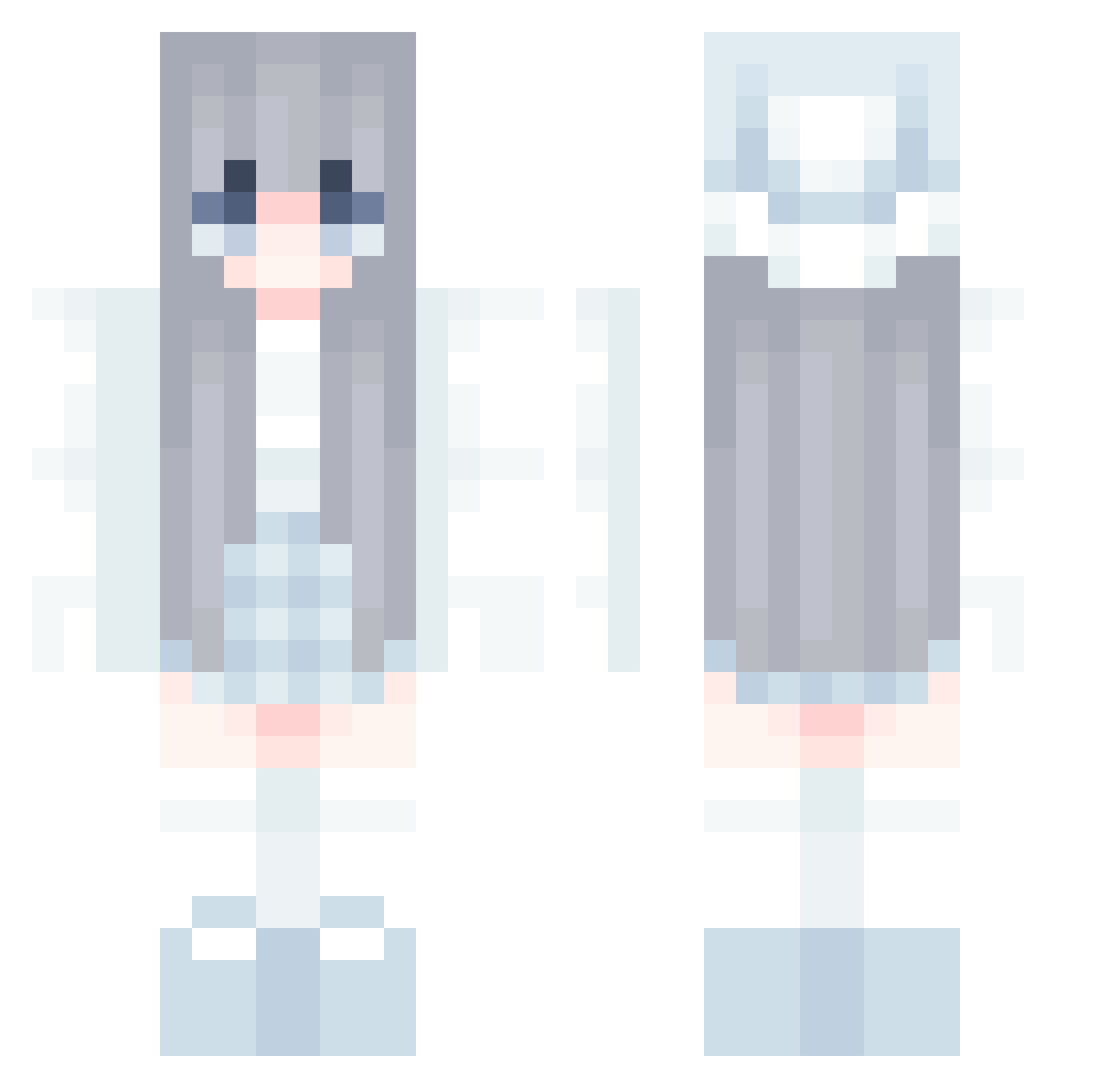
Current Minecraft skin of the player Picklejar21, loaded from the official Mojang API. Rotate the 3D model with your mouse or finger, then download the skin as a PNG file and use it in Minecraft: Bedrock Edition or Java Edition for free. When Picklejar21 changes their skin, this page updates automatically and the old skin stays in the history below.
Other players with this skin (581)
Picklejar21 was the 196th player we have seen with this skin, first spotted on 27.08.2026. The same skin was seen on these players. Open a nickname to see their current skin and skin history.
 eralapelouse Antimony114514 bxgou owo996633 JEN0524 LenaMariax3 gto369852 a11i55on ming1776 whydontyoudie Sia_A_ Violette1337 niumode_ Karzix Adanng 911skipper Jvll1lna KIMYEPPI CrafterB2 JeonYujin lontschi1 neco_61 SneezyyCat myownnightmare beicha06 karoxsdl chaojidan2467 FireBlast370 ji5ny kiaraida
 Yo_Fuyutuki Solchu1 PockyMi Kacper140416 Logan_rulz Flash_tea ChrisHPer QuietFluff Linslott Ruru41701 Laluna143 cookiefairyce grc1 Patihhh1 Sirasaurus Willst25 StarMoon04 SL33PD3PRIV3D AxiSoo dong_shan_ tencoco sokucu316231 ash_05 yankikong717 fuuutao JQT0831 killertiller39 Paksoredzik Angel_LightD SmokingMan3811
More Winter Minecraft skins
How to install the Picklejar21 skin
- Press the Download button above to save the skin as a PNG file.
- Minecraft: Bedrock Edition (PE): open the Dressing Room from the main menu (or tap your character → Edit Character), go to Classic Skins → Owned, press the + (new skin) button, choose the downloaded PNG and pick the Classic (Steve) model. Works on PC and mobile; consoles cannot import custom skins.
- Minecraft: Java Edition: open the Minecraft Launcher, go to the Skins tab, click New Skin, load the PNG, pick the Classic (Steve) model and press Save & Use. You can also upload it at minecraft.net → Profile → Change Skin.
The skin does not show up after import - what should I do?
Restart Minecraft and open the Dressing Room again - imported skins sometimes appear only after a restart. Also make sure you selected the imported skin and picked the Classic (Steve) model.
Which model should I choose, Classic or Slim?
This skin is designed for the Classic (Steve) model. If you pick the wrong model, the arms of the skin will look stretched or squeezed.
Is the skin of Picklejar21 free to download?
Yes. Press Download, save the PNG file and use it in Minecraft: Bedrock Edition or Java Edition - no payment or registration needed. The skin also works on multiplayer servers and Realms.
More skins
Looking for more? Go back to all Minecraft skins and check the top skins of the week, month and all time, or find any player's skin by nickname.