
Phillondon - Minecraft Skins & Skin History
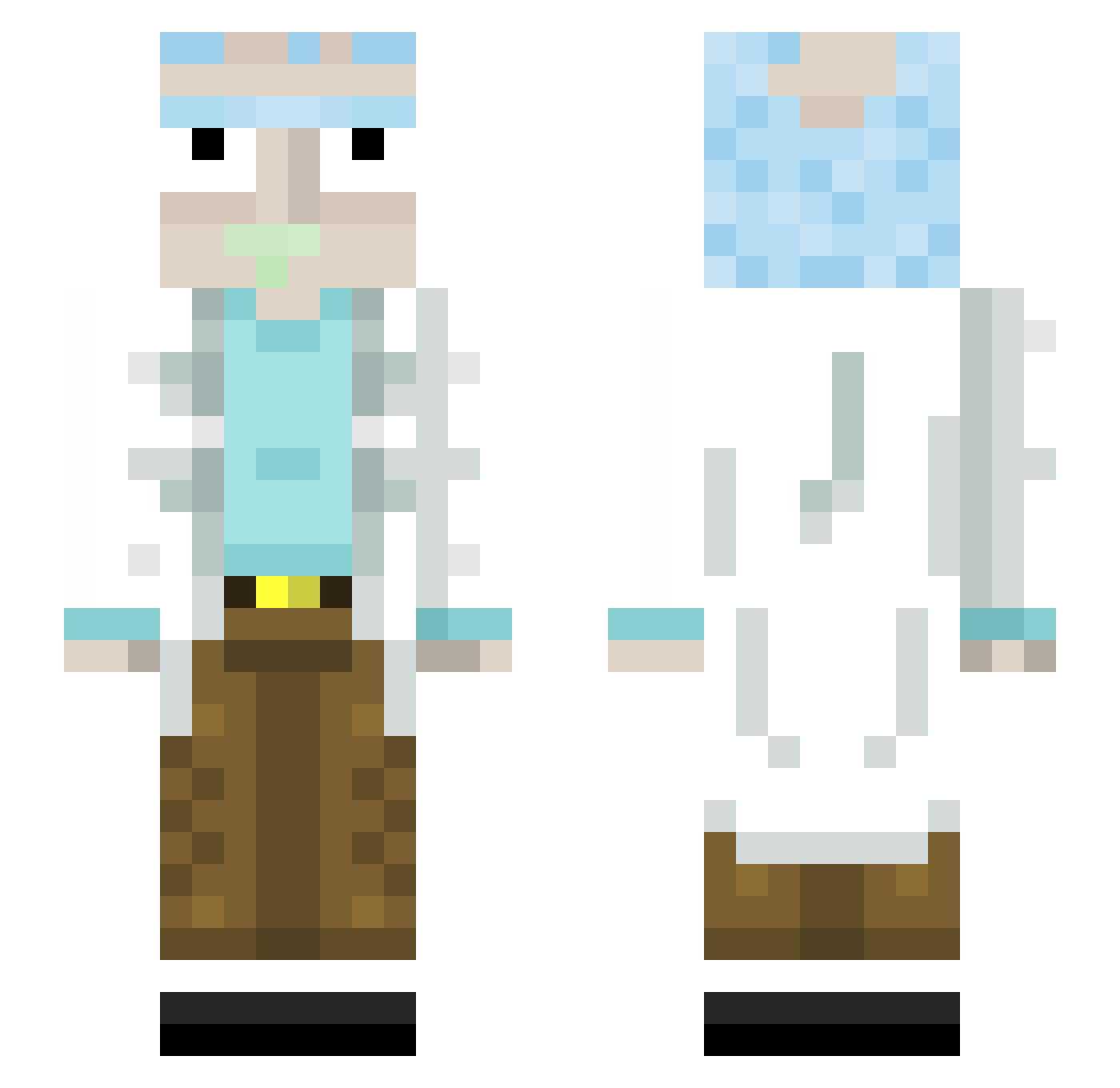
Current Minecraft skin of the player Phillondon, loaded from the official Mojang API. Rotate the 3D model with your mouse or finger, then download the skin as a PNG file and use it in Minecraft: Bedrock Edition or Java Edition for free. When Phillondon changes their skin, this page updates automatically and the old skin stays in the history below.
Other players with this skin (445)
Phillondon was the 100th player we have seen with this skin, first spotted on 20.08.2026. The same skin was seen on these players. Open a nickname to see their current skin and skin history.
 Weedily Choc73 GLjespere Theo13P Yozgatli aALFFRZz LegacyyPlayz Progidioo GoldenSpud JakeSmokie MaximumLynerd fullyloadedmag thedaykid Vin_Diesel_69 Hawsmaster Naiff_D A_K_A_P_S RickSanchez___ polorolo12 slashhops BigBoiChungo420 Nagetto_24 LeonderASYLANT Onslaught63 RickC136 fedevelasco sjj816 matyas96 steevo_94 Amiced Jiorden imsha seveun777 AlpheusMMV Domipower Rastazop J0NTEX_ alekhaan El_Docu ED18 Pickleric137 sekkaii VESP_12 Tuphphy Worlyn Boof_Boy NodorTulip ROASTEDDANIEL Gmoneysplash5 lexasak Pasha132009 1Sandler harry0601 Shakehispear ZadCore TrueRickSanchez
 jGpFonseca MiniMeatMage vitto_mada uTSwift
More Rick Sanchez Minecraft skins
See all 218 Rick Sanchez skins
How to install the Phillondon skin
- Press the Download button above to save the skin as a PNG file.
- Minecraft: Bedrock Edition (PE): open the Dressing Room from the main menu (or tap your character → Edit Character), go to Classic Skins → Owned, press the + (new skin) button, choose the downloaded PNG and pick the Slim (Alex) model. Works on PC and mobile; consoles cannot import custom skins.
- Minecraft: Java Edition: open the Minecraft Launcher, go to the Skins tab, click New Skin, load the PNG, pick the Slim (Alex) model and press Save & Use. You can also upload it at minecraft.net → Profile → Change Skin.
The skin does not show up after import - what should I do?
Restart Minecraft and open the Dressing Room again - imported skins sometimes appear only after a restart. Also make sure you selected the imported skin and picked the Slim (Alex) model.
Which model should I choose, Classic or Slim?
This skin is designed for the Slim (Alex) model. If you pick the wrong model, the arms of the skin will look stretched or squeezed.
Is the skin of Phillondon free to download?
Yes. Press Download, save the PNG file and use it in Minecraft: Bedrock Edition or Java Edition - no payment or registration needed. The skin also works on multiplayer servers and Realms.
More skins
Looking for more? Go back to all Minecraft skins and check the top skins of the week, month and all time, or find any player's skin by nickname.