
PeterWeis - Minecraft Skins & Skin History
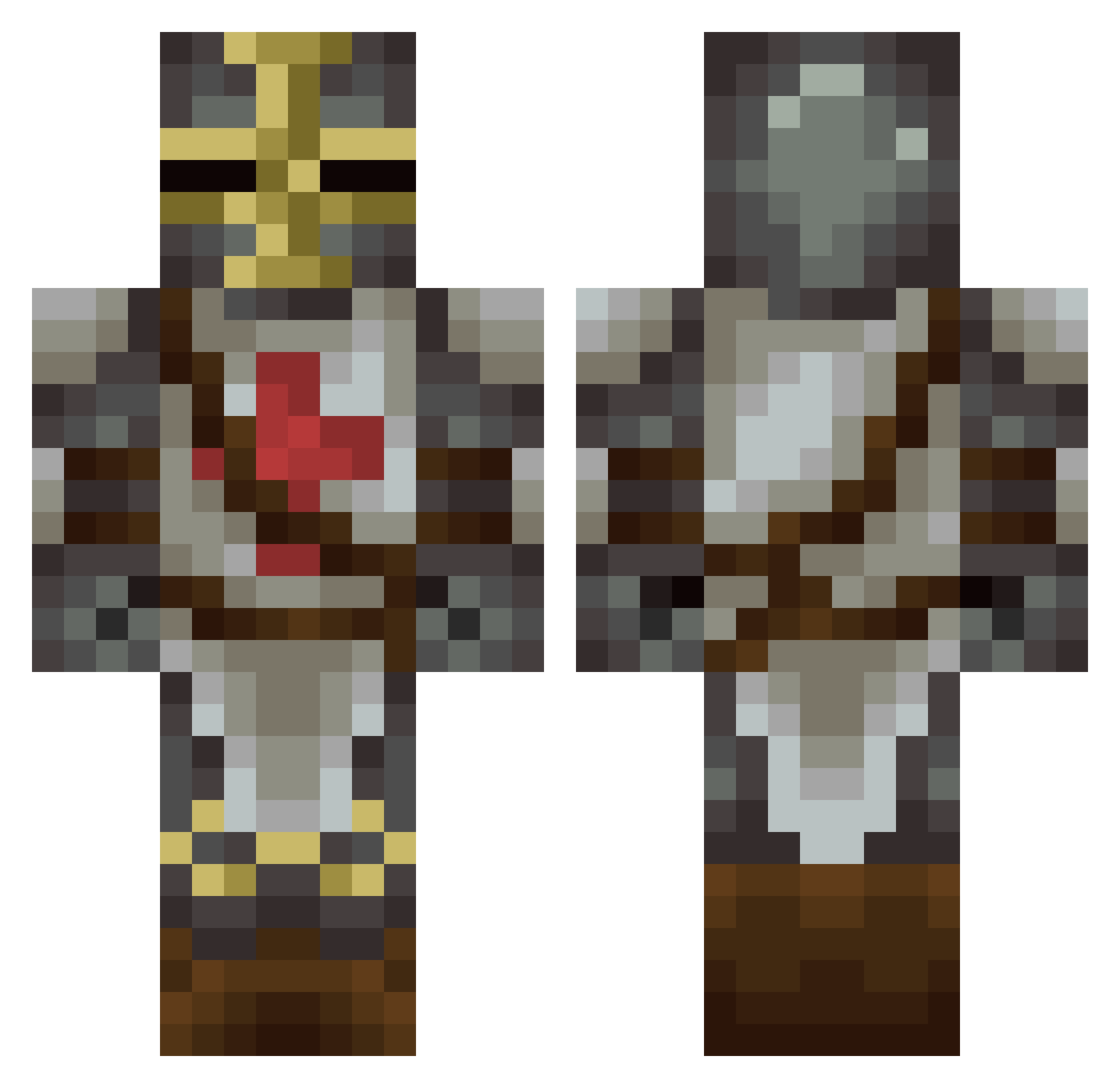
Current Minecraft skin of the player PeterWeis, loaded from the official Mojang API. Rotate the 3D model with your mouse or finger, then download the skin as a PNG file and use it in Minecraft: Bedrock Edition or Java Edition for free. When PeterWeis changes their skin, this page updates automatically and the old skin stays in the history below.
Other players with this skin (228)
PeterWeis was the 115th player we have seen with this skin, first spotted on 22.09.2026. The same skin was seen on these players. Open a nickname to see their current skin and skin history.
 sgt_skidmarks93 Eradicator8 SheriffBrody Ben_Greene Jenkisss Eirdate donny008813 calzabob EmpereurLecid HGUK_Ross zayo leopoq Os3daX LoNgHoRNs__ AK1ASSASSIN spitfire103 coum78 Animated Ninou69 almightySAJE MrCreeper001 MaximkaND nemomen Craftmat02 Margotis JOSE007831 OundH Cheese_Booger sokkar212 Plebles Menaquinone h0plita biggay_116 thomas2540 FeetFetish Savage359 jish55 hyoa Mystrunner gullebulle Minorasus cjnwcc1996 _Seriff_ Tana_Boy KING_RANCE bufallobillcody olivermorgen AntoineG30 Rimbyx CaptainHastings OP_GUY football4312 Khannath pascalhoenisch Bockscar_ soccerfca natester9 Lennart795 amouwoux2 dogeway
More Crusader Minecraft skins
How to install the PeterWeis skin
- Press the Download button above to save the skin as a PNG file.
- Minecraft: Bedrock Edition (PE): open the Dressing Room from the main menu (or tap your character → Edit Character), go to Classic Skins → Owned, press the + (new skin) button, choose the downloaded PNG and pick the Classic (Steve) model. Works on PC and mobile; consoles cannot import custom skins.
- Minecraft: Java Edition: open the Minecraft Launcher, go to the Skins tab, click New Skin, load the PNG, pick the Classic (Steve) model and press Save & Use. You can also upload it at minecraft.net → Profile → Change Skin.
The skin does not show up after import - what should I do?
Restart Minecraft and open the Dressing Room again - imported skins sometimes appear only after a restart. Also make sure you selected the imported skin and picked the Classic (Steve) model.
Which model should I choose, Classic or Slim?
This skin is designed for the Classic (Steve) model. If you pick the wrong model, the arms of the skin will look stretched or squeezed.
Is the skin of PeterWeis free to download?
Yes. Press Download, save the PNG file and use it in Minecraft: Bedrock Edition or Java Edition - no payment or registration needed. The skin also works on multiplayer servers and Realms.
More skins
Looking for more? Go back to all Minecraft skins and check the top skins of the week, month and all time, or find any player's skin by nickname.