
Pescado72 - Minecraft Skins & Skin History
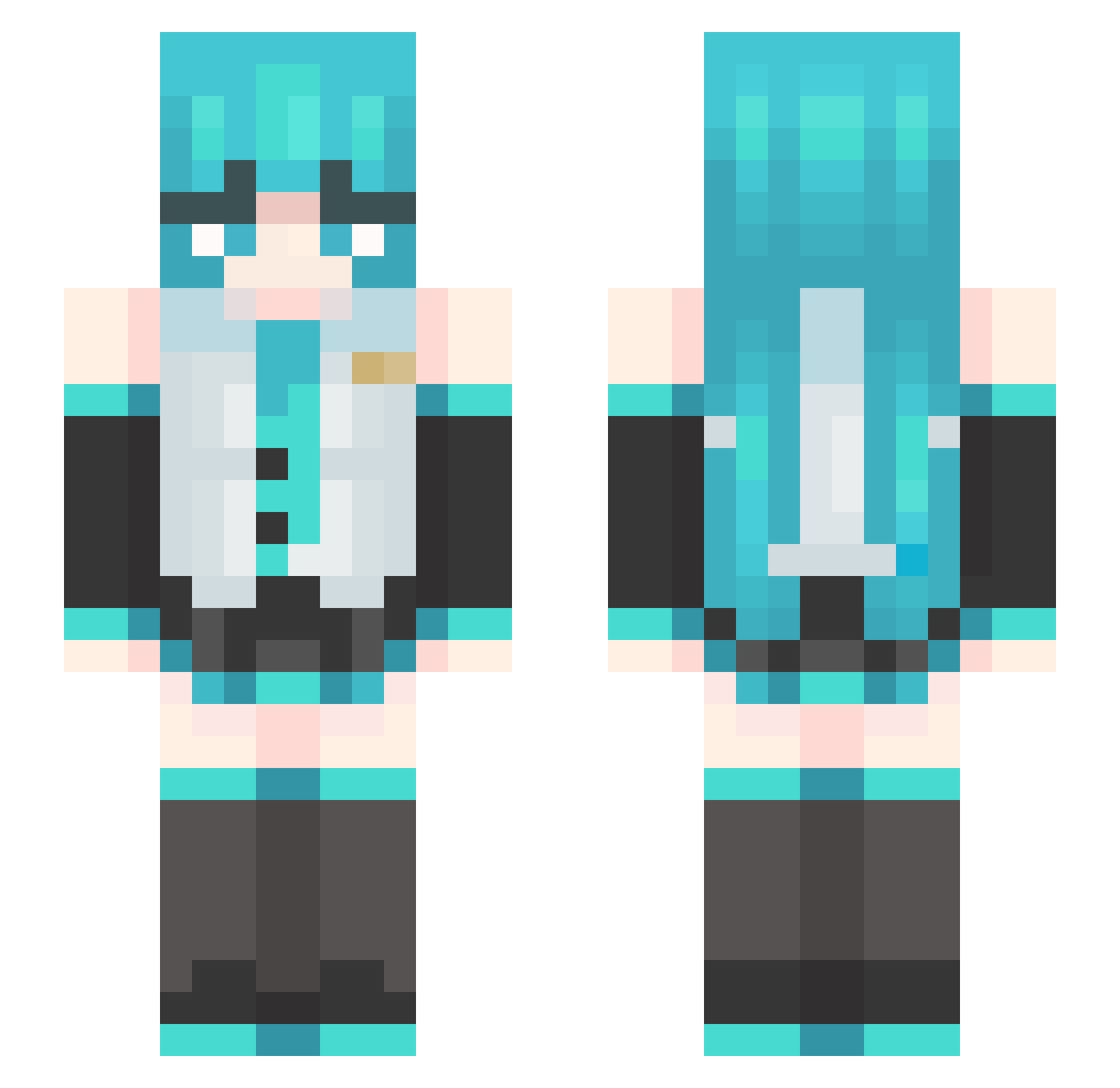
Current Minecraft skin of the player Pescado72, loaded from the official Mojang API. Rotate the 3D model with your mouse or finger, then download the skin as a PNG file and use it in Minecraft: Bedrock Edition or Java Edition for free. When Pescado72 changes their skin, this page updates automatically and the old skin stays in the history below.
Other players with this skin (555)
Pescado72 was the 506th player we have seen with this skin, first spotted on 10.11.2026. The same skin was seen on these players. Open a nickname to see their current skin and skin history.
 Kamien2000 Terry981010 LebonkJames Irishbaytreee FAS777KimetuXD amelili99 JID_1 Star_9eaovvafbt3 alexuwua Amajon_ P4lom4P Saber146 KingGod263 ElyGalaxy Albertf listeel OFFSHONG Chase_NK Yue_0531 sus482 matiff9 MapogoMiku Rachimboi CHXY277 Terrident moolyyx DjQ37 BulbasaurPro724 twisted4561 Kwquexy AAWatermelon jack2225 EchIm NEL1G Juno_Rocks HzCubun capcapcap1 SrSuki01 ShootyMcShot23 ProminXD sekusuu HaleyAV Julianofpheonix Mizru vincy1010 MissLilith37 Ashley0429 Darksnowkun clouds908 Gamakutabi Xxiii007 alwaystay pissmasterxdxd kerayd notomee Kaiju54 zhouzihe jiaxin2333 KittywayGD Gambino_Kasino
More Hatsune Miku Minecraft skins
See all 981 Hatsune Miku skins
How to install the Pescado72 skin
- Press the Download button above to save the skin as a PNG file.
- Minecraft: Bedrock Edition (PE): open the Dressing Room from the main menu (or tap your character → Edit Character), go to Classic Skins → Owned, press the + (new skin) button, choose the downloaded PNG and pick the Slim (Alex) model. Works on PC and mobile; consoles cannot import custom skins.
- Minecraft: Java Edition: open the Minecraft Launcher, go to the Skins tab, click New Skin, load the PNG, pick the Slim (Alex) model and press Save & Use. You can also upload it at minecraft.net → Profile → Change Skin.
The skin does not show up after import - what should I do?
Restart Minecraft and open the Dressing Room again - imported skins sometimes appear only after a restart. Also make sure you selected the imported skin and picked the Slim (Alex) model.
Which model should I choose, Classic or Slim?
This skin is designed for the Slim (Alex) model. If you pick the wrong model, the arms of the skin will look stretched or squeezed.
Is the skin of Pescado72 free to download?
Yes. Press Download, save the PNG file and use it in Minecraft: Bedrock Edition or Java Edition - no payment or registration needed. The skin also works on multiplayer servers and Realms.
More skins
Looking for more? Go back to all Minecraft skins and check the top skins of the week, month and all time, or find any player's skin by nickname.