
Pedroal010 - Minecraft Skins & Skin History
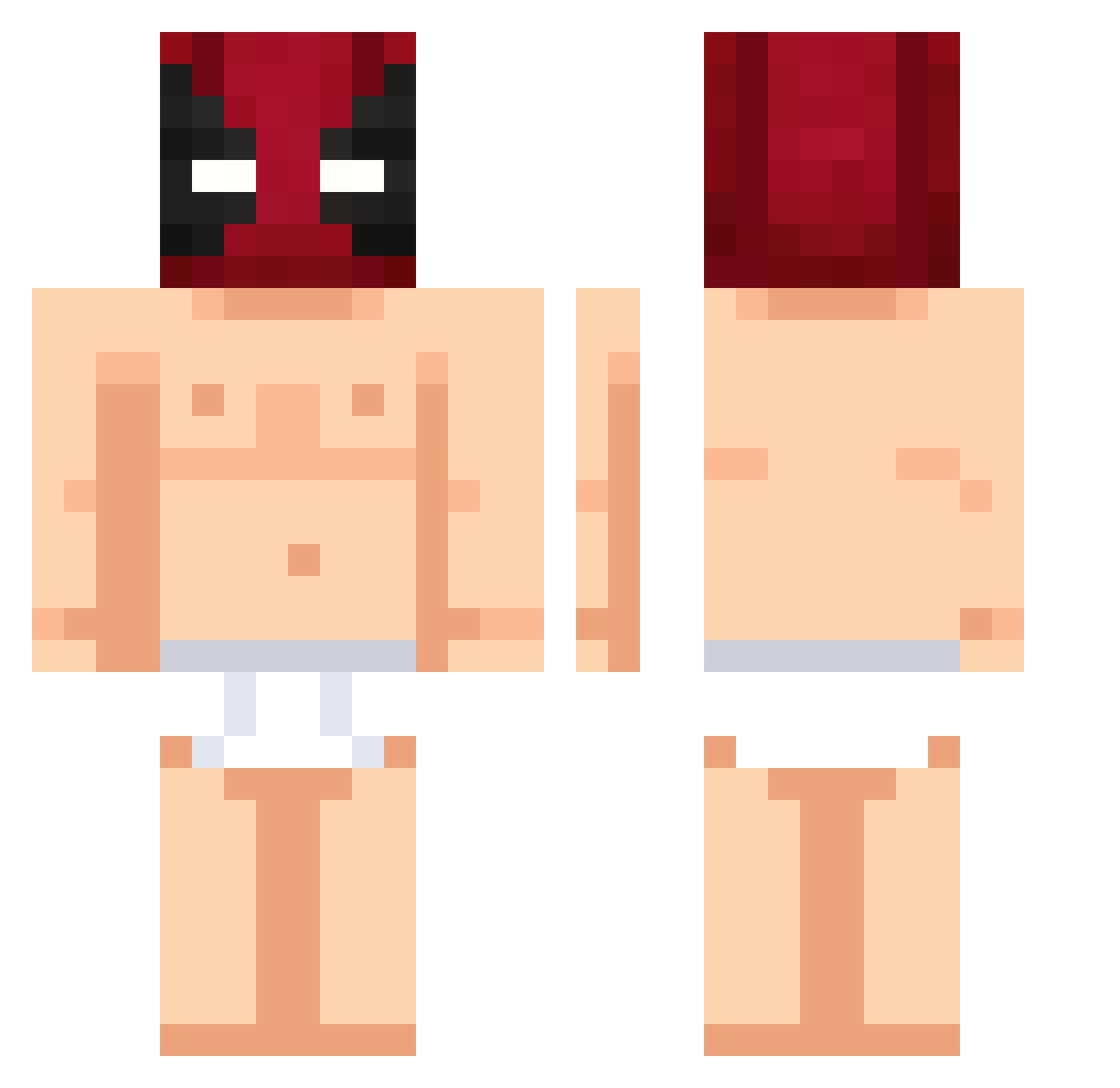
Current Minecraft skin of the player Pedroal010, loaded from the official Mojang API. Rotate the 3D model with your mouse or finger, then download the skin as a PNG file and use it in Minecraft: Bedrock Edition or Java Edition for free. When Pedroal010 changes their skin, this page updates automatically and the old skin stays in the history below.
Other players with this skin (424)
Pedroal010 was the 202nd player we have seen with this skin, first spotted on 09.09.2026. The same skin was seen on these players. Open a nickname to see their current skin and skin history.
 Daxiup Davidakasteve Apollo13_ YayaMi_ L4RS24 DwixLive maran123 4D4__ aipet Bukrat iLoveD0rit0s FranckDominguez ZotaMM angel2221 gimchiyumi TOXICMONSTER60 Emes57 TsaiCC Xedak01 jbro666 Daloa1 Vecort_ Tristanpanpan Briggs52 JaeDoesMinecraft Ramoncito111 miky3000fulli CAPSZER4 VARGAX01 Andredragon27 Endless_Night1 Pussenti jvmzb FraggleRock234 bobbygodjoe KecksKrummel DaiiRob TimboSlice420 Kulls_gamin ma111111 Mitschh UABOPOTENTE MrPander17 AssassinsZomber Raju_2003 MurderKH D_17 tobki HonestMan18 Ang3lDX hhyunsw0907 BartuKoray1409 einstine_calc67 Wuein quan6615 Pik_sz YiCheng00 Alazul21 Schwede1997 _Oliwka_Z_Oliwek
More Deadpool Minecraft skins
How to install the Pedroal010 skin
- Press the Download button above to save the skin as a PNG file.
- Minecraft: Bedrock Edition (PE): open the Dressing Room from the main menu (or tap your character → Edit Character), go to Classic Skins → Owned, press the + (new skin) button, choose the downloaded PNG and pick the Classic (Steve) model. Works on PC and mobile; consoles cannot import custom skins.
- Minecraft: Java Edition: open the Minecraft Launcher, go to the Skins tab, click New Skin, load the PNG, pick the Classic (Steve) model and press Save & Use. You can also upload it at minecraft.net → Profile → Change Skin.
The skin does not show up after import - what should I do?
Restart Minecraft and open the Dressing Room again - imported skins sometimes appear only after a restart. Also make sure you selected the imported skin and picked the Classic (Steve) model.
Which model should I choose, Classic or Slim?
This skin is designed for the Classic (Steve) model. If you pick the wrong model, the arms of the skin will look stretched or squeezed.
Is the skin of Pedroal010 free to download?
Yes. Press Download, save the PNG file and use it in Minecraft: Bedrock Edition or Java Edition - no payment or registration needed. The skin also works on multiplayer servers and Realms.
More skins
Looking for more? Go back to all Minecraft skins and check the top skins of the week, month and all time, or find any player's skin by nickname.