
PawpaWilly - Minecraft Skins & Skin History
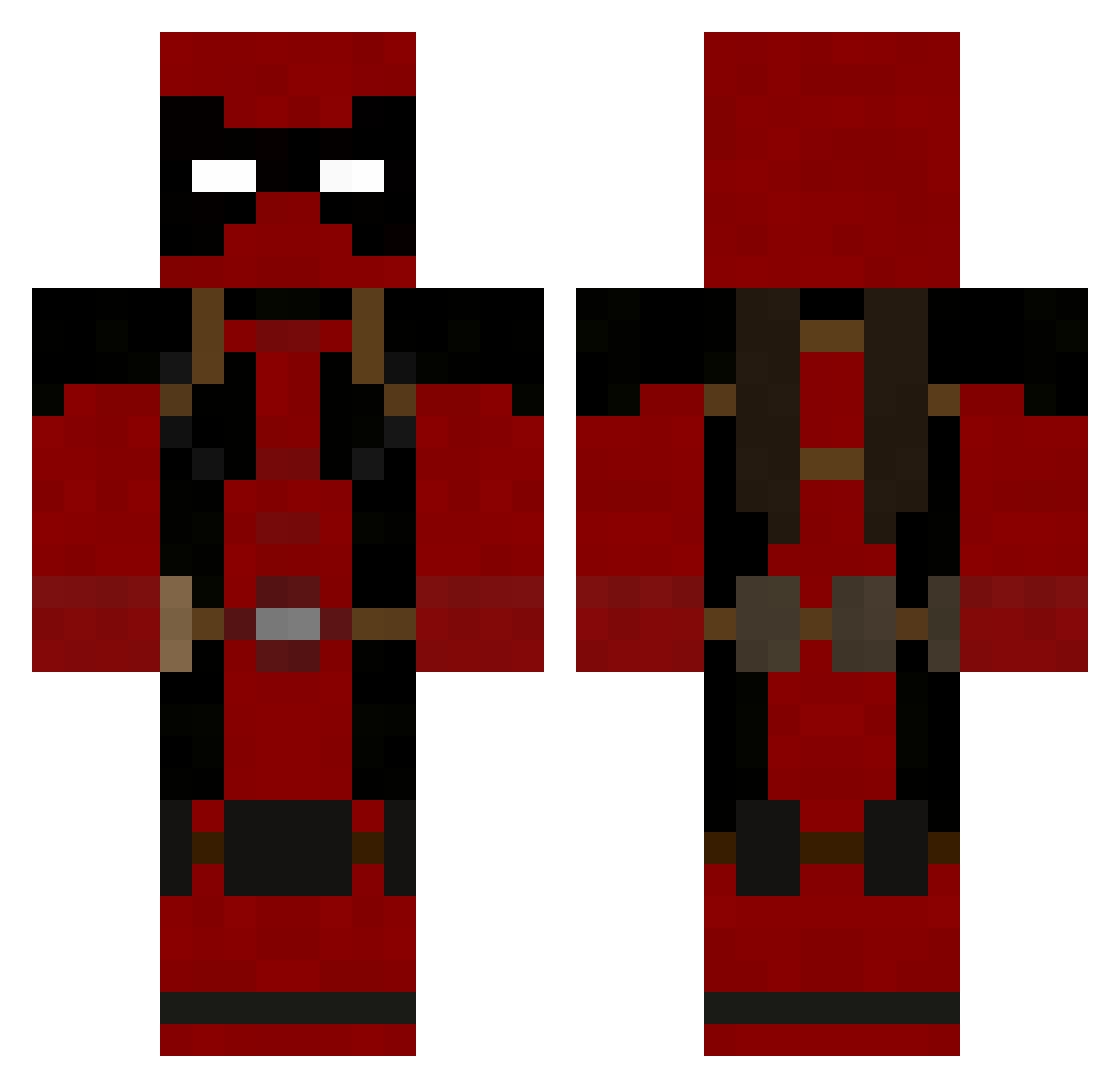
Current Minecraft skin of the player PawpaWilly, loaded from the official Mojang API. Rotate the 3D model with your mouse or finger, then download the skin as a PNG file and use it in Minecraft: Bedrock Edition or Java Edition for free. When PawpaWilly changes their skin, this page updates automatically and the old skin stays in the history below.
Other players with this skin (755)
PawpaWilly was the 59th player we have seen with this skin, first spotted on 01.08.2026. The same skin was seen on these players. Open a nickname to see their current skin and skin history.
 Yoxido chucky118 Downfqll_ Zallick Kabralius Adroitologist spidermonkey722 JeremyTurtle YellZombie Alphaghetti jimmy_ton CodeCharlie badnewsoit yuusuke1 xDeBo brogg27 Qexqaneh iBuyEverything druaga12 tttttoddy Drake82334 Accrocyx Markk450 gekisin Southmoor themighteeone H3LIX_FL4ME KackTheTripper Famineone ZiziDu13 Mammer244 Jesus_Andre sonhutch Cold_Crusader element9057 Wizard1564 McAwesomeshit DisappearThere laungvud Telumex Moodyman90 tarzar99 RockyP91 Deatpool AlecK19 Encryptors Sgtroach26 Rayne511 GriffinKnight100 Covahn Gikyoushin cskerbo Spidermarns King_Conor123 VincentDupart Envahisseur BenAdkins HoplaBOOM DarkExperiment bigglebog
More Deadpool Minecraft skins
How to install the PawpaWilly skin
- Press the Download button above to save the skin as a PNG file.
- Minecraft: Bedrock Edition (PE): open the Dressing Room from the main menu (or tap your character → Edit Character), go to Classic Skins → Owned, press the + (new skin) button, choose the downloaded PNG and pick the Classic (Steve) model. Works on PC and mobile; consoles cannot import custom skins.
- Minecraft: Java Edition: open the Minecraft Launcher, go to the Skins tab, click New Skin, load the PNG, pick the Classic (Steve) model and press Save & Use. You can also upload it at minecraft.net → Profile → Change Skin.
The skin does not show up after import - what should I do?
Restart Minecraft and open the Dressing Room again - imported skins sometimes appear only after a restart. Also make sure you selected the imported skin and picked the Classic (Steve) model.
Which model should I choose, Classic or Slim?
This skin is designed for the Classic (Steve) model. If you pick the wrong model, the arms of the skin will look stretched or squeezed.
Is the skin of PawpaWilly free to download?
Yes. Press Download, save the PNG file and use it in Minecraft: Bedrock Edition or Java Edition - no payment or registration needed. The skin also works on multiplayer servers and Realms.
More skins
Looking for more? Go back to all Minecraft skins and check the top skins of the week, month and all time, or find any player's skin by nickname.