
Partybus03 - Minecraft Skins & Skin History
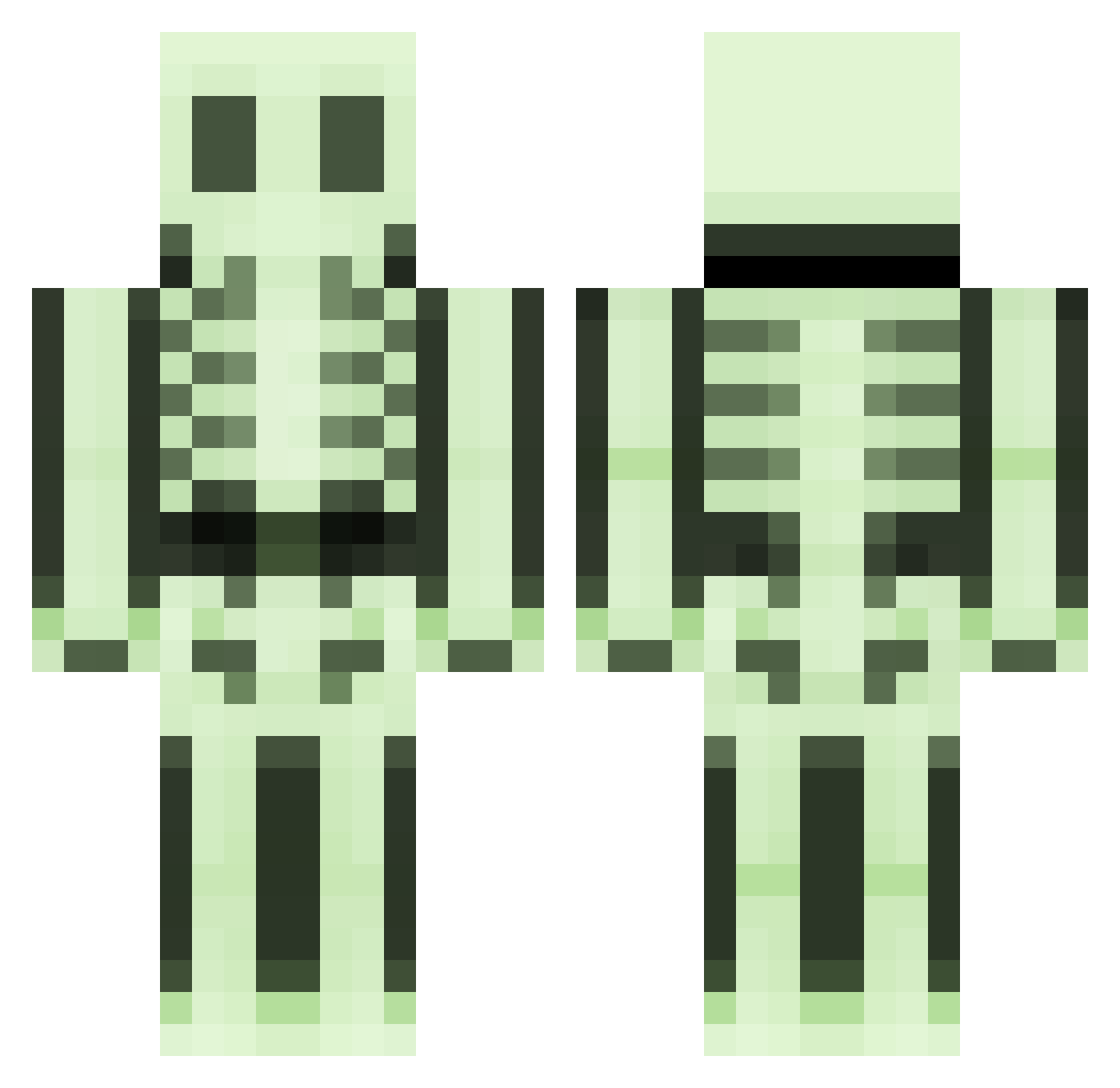
Current Minecraft skin of the player Partybus03, loaded from the official Mojang API. Rotate the 3D model with your mouse or finger, then download the skin as a PNG file and use it in Minecraft: Bedrock Edition or Java Edition for free. When Partybus03 changes their skin, this page updates automatically and the old skin stays in the history below.
Other players with this skin (175)
Partybus03 was the 101st player we have seen with this skin, first spotted on 01.10.2026. The same skin was seen on these players. Open a nickname to see their current skin and skin history.
 MisterBoney BowminatoRR H_APOLO ruhmirez Titan_2 Watchdog_Timeout Full_Penny ReconJustice gurenhai CaptainCrunchTG Maxou_94500 ollehduck FeelingLonely DDoki1786 Bonex6000 Heesel12 tjucce Aezarog13 zcmisterio IronicStrand Xander_818 Aqr1sss IncredibleJames5 teethzombie 888ssa Bone4sh FearTheIdol dunkelherzx NHTY Eishnikov LokiiPerturbed ImHaunted nothing_man fabruit1 MaDDGaMers SleeplessGrizzly Buelli daviPooo professor_ab Potion__Seller sjq666 MrPurple4417 LittleMentalist Taupikeur dazeng spacedsock MangoSkull SKYGOLONE Pantheras86 qlimax420 Sharivan___ SumoSamosa sfbln Mrs_Pinky Runoper Thewitherstorm1 Anrdomeda Stinkyboy4 JuicyBones sombersounds
More Skeleton Minecraft skins
How to install the Partybus03 skin
- Press the Download button above to save the skin as a PNG file.
- Minecraft: Bedrock Edition (PE): open the Dressing Room from the main menu (or tap your character → Edit Character), go to Classic Skins → Owned, press the + (new skin) button, choose the downloaded PNG and pick the Classic (Steve) model. Works on PC and mobile; consoles cannot import custom skins.
- Minecraft: Java Edition: open the Minecraft Launcher, go to the Skins tab, click New Skin, load the PNG, pick the Classic (Steve) model and press Save & Use. You can also upload it at minecraft.net → Profile → Change Skin.
The skin does not show up after import - what should I do?
Restart Minecraft and open the Dressing Room again - imported skins sometimes appear only after a restart. Also make sure you selected the imported skin and picked the Classic (Steve) model.
Which model should I choose, Classic or Slim?
This skin is designed for the Classic (Steve) model. If you pick the wrong model, the arms of the skin will look stretched or squeezed.
Is the skin of Partybus03 free to download?
Yes. Press Download, save the PNG file and use it in Minecraft: Bedrock Edition or Java Edition - no payment or registration needed. The skin also works on multiplayer servers and Realms.
More skins
Looking for more? Go back to all Minecraft skins and check the top skins of the week, month and all time, or find any player's skin by nickname.