
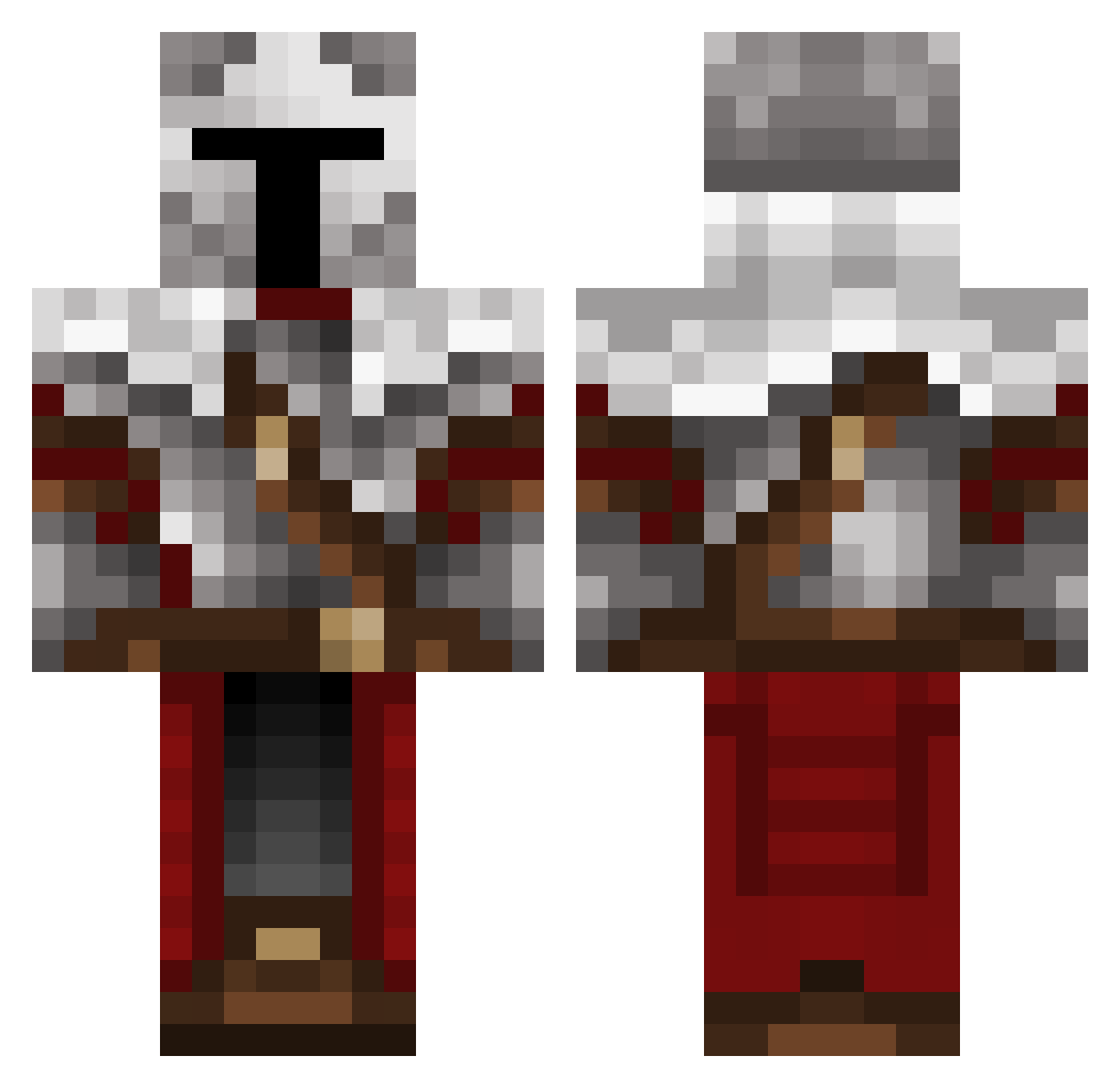
Current Minecraft skin of the player Paogom, loaded from the official Mojang API. Rotate the 3D model with your mouse or finger, then download the skin as a PNG file and use it in Minecraft: Bedrock Edition or Java Edition for free. When Paogom changes their skin, this page updates automatically and the old skin stays in the history below.
Other players with this skin (281)
Paogom was the 160th player we have seen with this skin, first spotted on 20.09.2026. The same skin was seen on these players. Open a nickname to see their current skin and skin history.
 Josh_EnTen G_zero_ KerryKen Artick56 wertzu46 Shaider12 BallzViking UhhChocolate HerzogVonFranken MaartenC BaconBomb3r zarni4 Felpo0 Libeck Scorpeon228 mil0sz1 Nutellao16 Fluree_ Deri163 Oblivion505 Player_Warrior Yeericus Kiciiiiii Reno24137 Joker_1024 CllsgnBINGO Soluyia Sideesp _bubbless__ Sheron2008 Gamescout42 DuntsYT AdmiralPhil verleon MasterChief455 TXHerron balint35 Spieler_14 Broken_Atlas DumbGaymer enesuto IKrYpToINiTe iszNK Ellemenael Gomez9911 Hobo_Tojo mrxgod1 BrainFR0G shiny__knight IRL_Scarecrow ArienBeanie Sparkssy Eeveiii Gronius Arczi1215 Desman_ kolibutyi_13 ASUPER4578 xboxgamer4562 Kallorian
More Crusader Minecraft skins
How to install the Paogom skin
- Press the Download button above to save the skin as a PNG file.
- Minecraft: Bedrock Edition (PE): open the Dressing Room from the main menu (or tap your character → Edit Character), go to Classic Skins → Owned, press the + (new skin) button, choose the downloaded PNG and pick the Classic (Steve) model. Works on PC and mobile; consoles cannot import custom skins.
- Minecraft: Java Edition: open the Minecraft Launcher, go to the Skins tab, click New Skin, load the PNG, pick the Classic (Steve) model and press Save & Use. You can also upload it at minecraft.net → Profile → Change Skin.
The skin does not show up after import - what should I do?
Restart Minecraft and open the Dressing Room again - imported skins sometimes appear only after a restart. Also make sure you selected the imported skin and picked the Classic (Steve) model.
Which model should I choose, Classic or Slim?
This skin is designed for the Classic (Steve) model. If you pick the wrong model, the arms of the skin will look stretched or squeezed.
Is the skin of Paogom free to download?
Yes. Press Download, save the PNG file and use it in Minecraft: Bedrock Edition or Java Edition - no payment or registration needed. The skin also works on multiplayer servers and Realms.
More skins
Looking for more? Go back to all Minecraft skins and check the top skins of the week, month and all time, or find any player's skin by nickname.