
Pacemak1r1168 - Minecraft Skins & Skin History
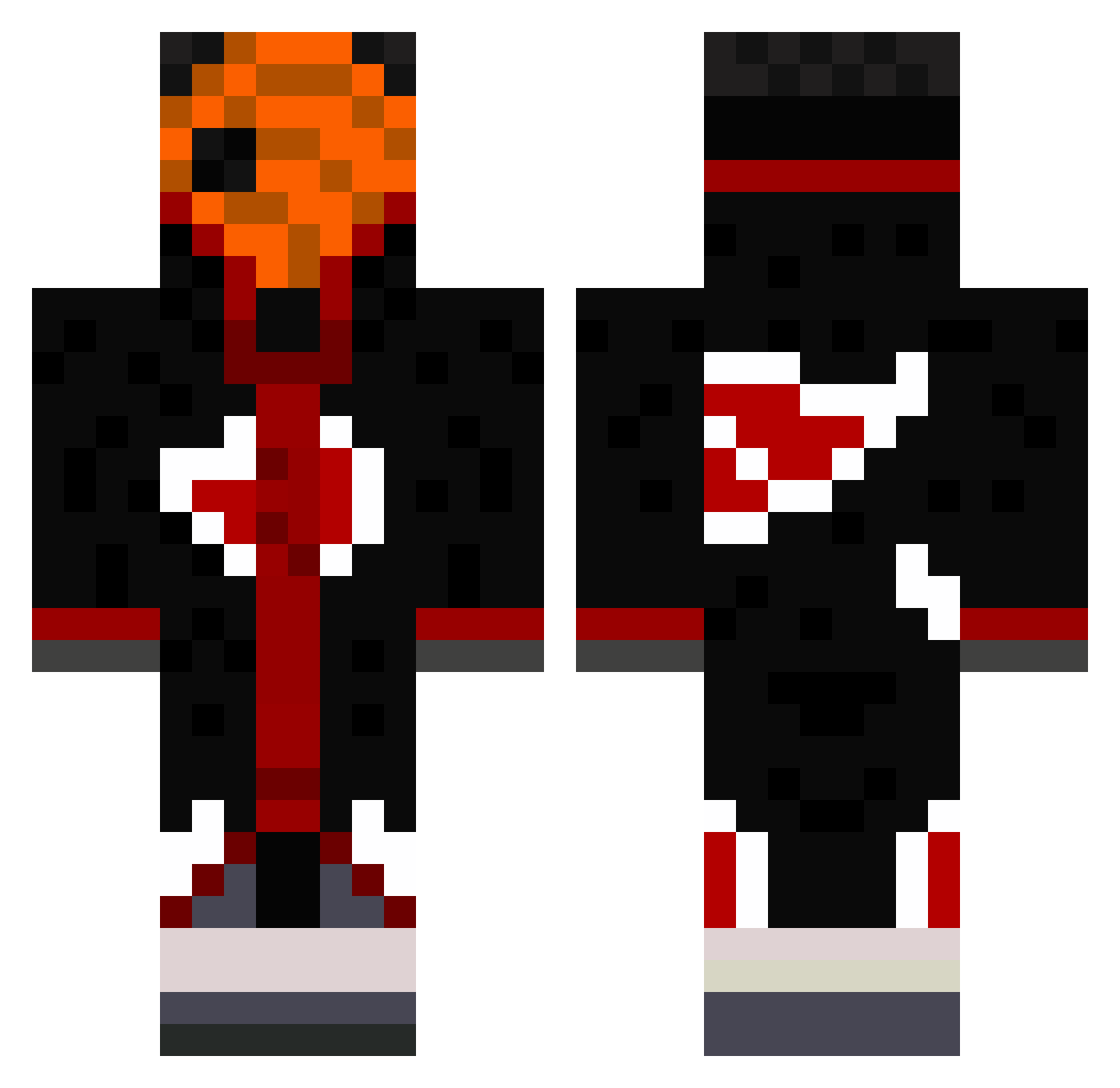
Current Minecraft skin of the player Pacemak1r1168, loaded from the official Mojang API. Rotate the 3D model with your mouse or finger, then download the skin as a PNG file and use it in Minecraft: Bedrock Edition or Java Edition for free. When Pacemak1r1168 changes their skin, this page updates automatically and the old skin stays in the history below.
Other players with this skin (490)
Pacemak1r1168 was the 342nd player we have seen with this skin, first spotted on 10.10.2026. The same skin was seen on these players. Open a nickname to see their current skin and skin history.
 Dr_Senku Thaanuus Wenzyyyyyyyyyy Sifhulin dubcatx1 Blenin lmzm2016 zinzin24 morsh22 Salkoo_ Londayz naruto_pinguin KonSolosAll vSalad DavidKany BanWaveFFA25 Tarsal6 Kentovos Walter0White Fatttyissoboring Tshx18 Weez_Deus Last_Night_3AM itslolicon BudnickAlex kouakou23 YvngGelly millonetaomuerto ALTF4_ALTF4 Raffinengo 08ragan_ LarcadeYT_ juanMB RashyR SHARlNGAN RDTK_07 SSTELIAN El_Monty l_Kyze_l Joao__ Super_Troopers 3maurice9 IEat_Alot kliggy2 Hamoza_ Karstodd Leccy_Lay vitAogameplays TobiV3 DaddyRayza De1tog Gabi10Zx LoKozaMeK Zarpperia Kryptzzz N452310 MyNameIsSpeedy GansoHx juicy3001 Gizlo6
More Obito Uchiha Minecraft skins
See all 171 Obito Uchiha skins
How to install the Pacemak1r1168 skin
- Press the Download button above to save the skin as a PNG file.
- Minecraft: Bedrock Edition (PE): open the Dressing Room from the main menu (or tap your character → Edit Character), go to Classic Skins → Owned, press the + (new skin) button, choose the downloaded PNG and pick the Classic (Steve) model. Works on PC and mobile; consoles cannot import custom skins.
- Minecraft: Java Edition: open the Minecraft Launcher, go to the Skins tab, click New Skin, load the PNG, pick the Classic (Steve) model and press Save & Use. You can also upload it at minecraft.net → Profile → Change Skin.
The skin does not show up after import - what should I do?
Restart Minecraft and open the Dressing Room again - imported skins sometimes appear only after a restart. Also make sure you selected the imported skin and picked the Classic (Steve) model.
Which model should I choose, Classic or Slim?
This skin is designed for the Classic (Steve) model. If you pick the wrong model, the arms of the skin will look stretched or squeezed.
Is the skin of Pacemak1r1168 free to download?
Yes. Press Download, save the PNG file and use it in Minecraft: Bedrock Edition or Java Edition - no payment or registration needed. The skin also works on multiplayer servers and Realms.
More skins
Looking for more? Go back to all Minecraft skins and check the top skins of the week, month and all time, or find any player's skin by nickname.