
PIXEL58624 - Minecraft Skins & Skin History
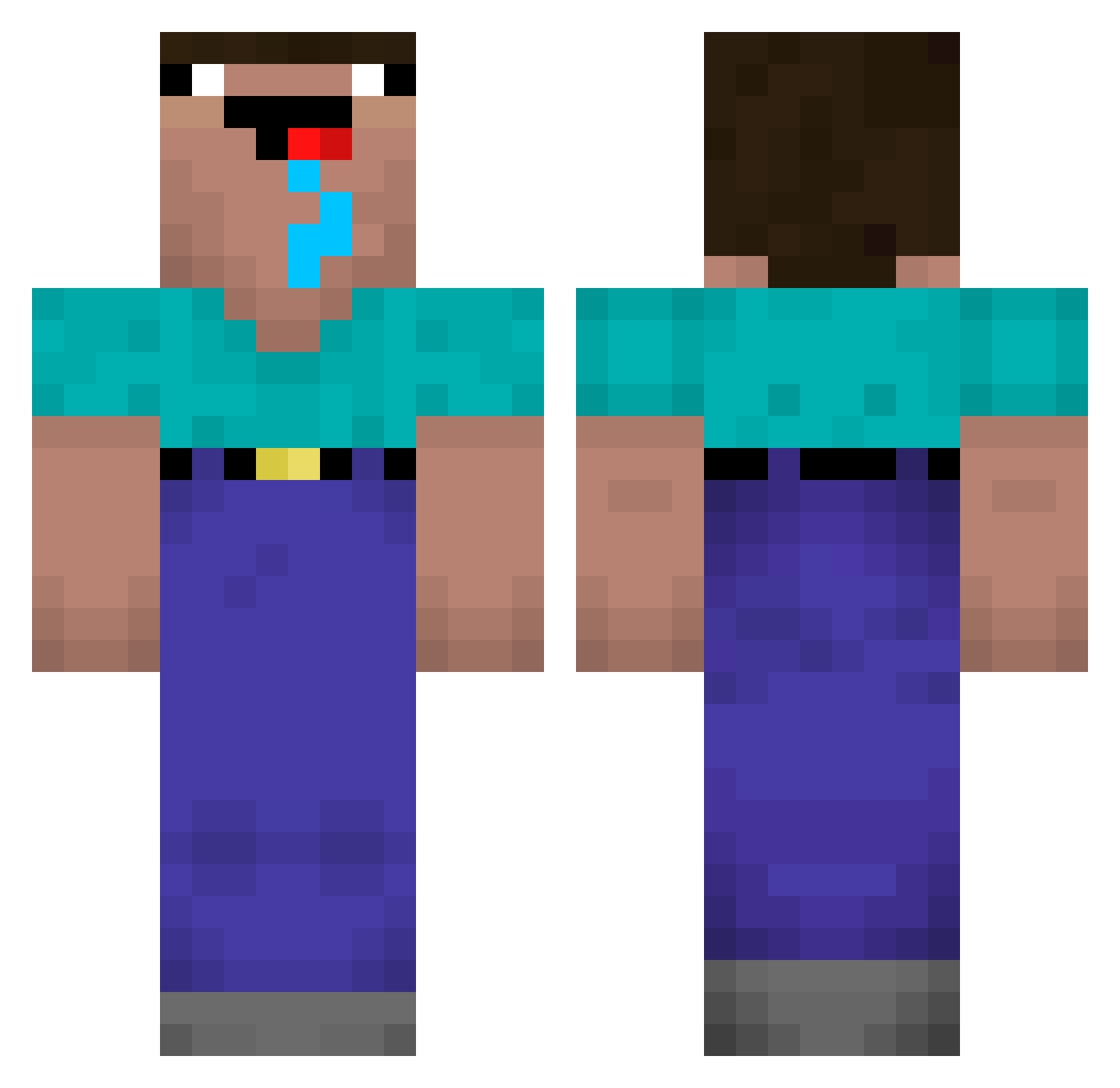
Current Minecraft skin of the player PIXEL58624, loaded from the official Mojang API. Rotate the 3D model with your mouse or finger, then download the skin as a PNG file and use it in Minecraft: Bedrock Edition or Java Edition for free. When PIXEL58624 changes their skin, this page updates automatically and the old skin stays in the history below.
Other players with this skin (229)
PIXEL58624 was the 77th player we have seen with this skin, first spotted on 02.09.2026. The same skin was seen on these players. Open a nickname to see their current skin and skin history.
 moneywizard47 200IQsuspect ssang69 ArsenG sst141 itsPupus Alnya_acg MK_faris Maggi_eis RaulElias
 MAXolofm LuscaUvete0km
 deszv Warlord432 Dindonsavage YeezussChrist TiR_ Rodrigobeta wurcheech Tlqkf__ guilhermeposi AMARAL67
 _2_z Rageio nkzzz
 garfieldnuts itss_Giuu111 doinkmister AntiSocialHoneyC supertiger777 Bradwurzel Mikkishai SimplyLazer wsyzc0721 eletebitann BriishJones4 wadi3a Graphicall Pluggen_ kvqza
 DEJAVU4 Danny_st jxn5eok Edoistkuhl takaou123 Mickelo10 ppetrus47 Hopperman ralliart_cvr bigfriendlygiant Jakyhh FixelFixel JulioGamerBoss Oudvale damnnnnnn bombastik41 Jonjon2000 Ezxork Martincim
 mergle192
More Drooling Minecraft skins
How to install the PIXEL58624 skin
- Press the Download button above to save the skin as a PNG file.
- Minecraft: Bedrock Edition (PE): open the Dressing Room from the main menu (or tap your character → Edit Character), go to Classic Skins → Owned, press the + (new skin) button, choose the downloaded PNG and pick the Classic (Steve) model. Works on PC and mobile; consoles cannot import custom skins.
- Minecraft: Java Edition: open the Minecraft Launcher, go to the Skins tab, click New Skin, load the PNG, pick the Classic (Steve) model and press Save & Use. You can also upload it at minecraft.net → Profile → Change Skin.
The skin does not show up after import - what should I do?
Restart Minecraft and open the Dressing Room again - imported skins sometimes appear only after a restart. Also make sure you selected the imported skin and picked the Classic (Steve) model.
Which model should I choose, Classic or Slim?
This skin is designed for the Classic (Steve) model. If you pick the wrong model, the arms of the skin will look stretched or squeezed.
Is the skin of PIXEL58624 free to download?
Yes. Press Download, save the PNG file and use it in Minecraft: Bedrock Edition or Java Edition - no payment or registration needed. The skin also works on multiplayer servers and Realms.
More skins
Looking for more? Go back to all Minecraft skins and check the top skins of the week, month and all time, or find any player's skin by nickname.